
Privacy and telemetry
Here's what Paraplex keeps, where, and what it sends to help make the app better.
Usage events and error reports
Paraplex sends two kinds of anonymous report, so the team can see which features get used and fix what breaks:
- Usage events: that something happened, such as a project opened, a template used, or an export made, under a random id your browser made up.
- Error reports: what went wrong when something breaks, for the developers to fix.
They carry no account, no email and no scene content. Addresses are sent without their query, so nothing you typed in a link goes along. There are no advertising cookies.
Turn them off
- Click your email at the right of the top bar to open your account window.
- Uncheck Send anonymous usage events and error reports.
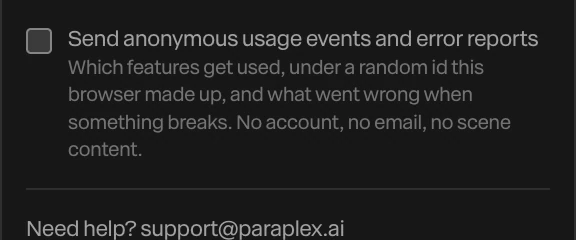
Off, nothing is sent. The setting is kept in this browser, so turn it off in each browser you use.
What's kept in your browser
Your projects, the open scene, your library (design systems, skills, components, models), your sign-in, your API keys and your settings are kept in this browser's own storage.
Clearing your browser's site data for Paraplex removes all of it. Back up first if you need it. See Backing up your library.
What's kept in your account
Signed in, with Keep projects and your library in the cloud on, your projects (with their recent saves) and your library are kept in your account, private to you. Things you publish, such as a share link, an embed or a template in the community, are visible to whoever has the link or finds them. See Cloud sync and revisions.
Your API keys
Your own keys never leave this browser except to reach their service, and are never stored in your account or your projects. See Using your own API keys.
Removing your data
- A project: delete it, then Delete forever in the bin.
- A published piece: Unpublish it.
- Everything in this browser: clear the browser's site data for Paraplex.
- Your account: write to support@paraplex.ai.