
Community gallery
The community is where people share what they make with Paraplex, free to use: templates to open and make your own, components to drop into any scene, design systems and skills.
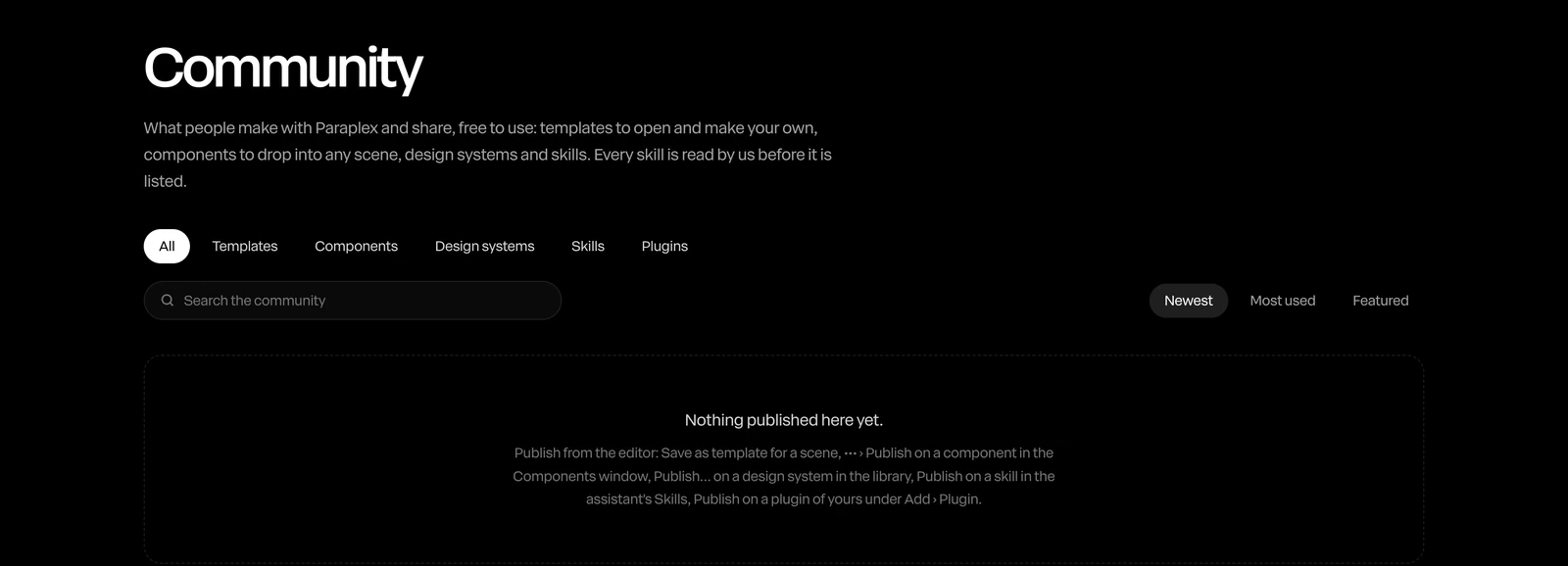
Where to find it: Community at the top of the site, or Menu › Library… in the editor, under Community.
Browse
- Pick a kind: All, Templates, Components, Design systems, Skills or Plugins.
- Type in Search the community.
- Order them by Newest, Most used or Featured.
Community templates also show on the Templates pages, under From the community, and on each maker's profile page.
Use something
| Kind | How |
|---|---|
| A template | Use template opens a copy as a new project of your own. Theirs stays theirs. |
| A component | Add to your library, then drag it in from the Components window. See Components. |
| A design system | Install, then Use in project. See Design systems. |
| A skill | Add to your assistant. See Skills. |
A copy is yours to change. It isn't saved until you change it or save it.
Note
A piece marked It runs code can only use the code libraries until you trust it in the Code panel. See Code layers.
Some makers keep a template to look at, not to copy: its page says so.
Share yours
You'll need a handle: set one in your profile. Then:
- A template: Share › Save as template…, with Publish template to Showcase checked. See Save as template.
- A component: Yours › ••• › Publish to the community in the Components window.
- A design system: Publish… on it in Menu › Library….
- A skill: Publish on it in the assistant's Skills.
Skills and plugins are read by Paraplex before they're listed. Everything you share is free for others to use, with your name on it.
Your profile
Your profile page, at app.paraplex.ai/@yourhandle, shows what you've shared, with Follow for people who like your work. Set it up from your account menu on the site: Set up your profile (or Your profile).
Report something
On a community page, click Report this template (or the item's kind) and say what's wrong. It goes to Paraplex's review.