
Motion tokens
A brand moves in its own way: how quickly things arrive, how gently they settle, how far apart words land. Motion tokens give those choices names, kept with the brand's design system, so every piece moves alike and the assistant can follow them too.
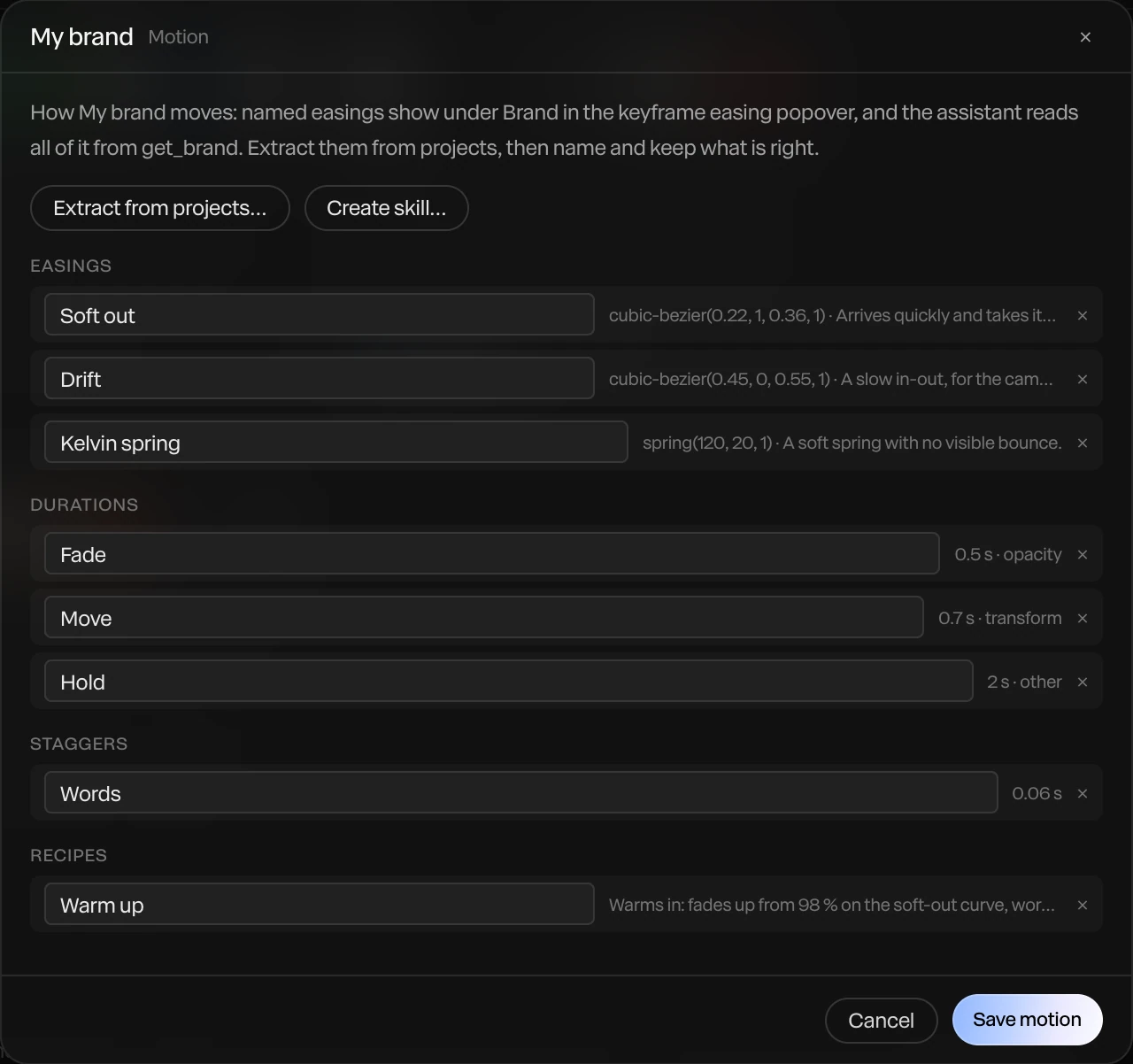
Where to find it: Motion… on one of your design systems, in Menu › Library…. Paraplex's own systems come with motion of their own.
The four kinds
| Kind | What it names | For example |
|---|---|---|
| Easings | A curve, or a spring | Soft out: arrives quickly and takes its time to stop |
| Durations | How long a kind of move takes | Fade 0.5 s, Move 0.7 s, Hold 2 s |
| Staggers | The gap between items in a sequence | Words 0.06 s |
| Recipes | A whole move in words | Warm up: fades up on the soft-out curve, words 60 ms apart |
Name each one the way your team talks about it, and click Save motion.
Read them from your work
You don't have to write tokens by hand. Let Paraplex read them from pieces that already move the way your brand should:
- In the Motion window, click Extract from projects….
- Pick the projects, and click Extract.
- Paraplex proposes the easings, durations and staggers it found. Keep what's right, and click Add selected.
Use them
- On keyframes: a design system's easing curves show under Brand in a keyframe's easing menu, once the project follows that system. See Easing and springs.
- With the assistant: the assistant reads the brand's motion when it animates, so its timings match. For more, make a skill from the brand: Create skill… in the Motion window. See Skills.
Note
Only bezier easings appear under Brand in the easing menu. Springs are used by the assistant and in recipes.