
Figma plugin
Design in Figma, animate in Paraplex. The Send to Paraplex plugin copies the frames you select, and pasting them into Paraplex rebuilds them as ordinary layers: shapes, text, pictures and vectors you can light, give depth and keyframe.
Get the plugin: Send to Paraplex on Figma Community. It's free, and it runs entirely on your computer: nothing leaves it until you paste.
Send frames to Paraplex
- In Figma, select one or more frames.
- Run Plugins › Send to Paraplex. It reads the selection and sizes the pictures.
Click Copy for Paraplex.
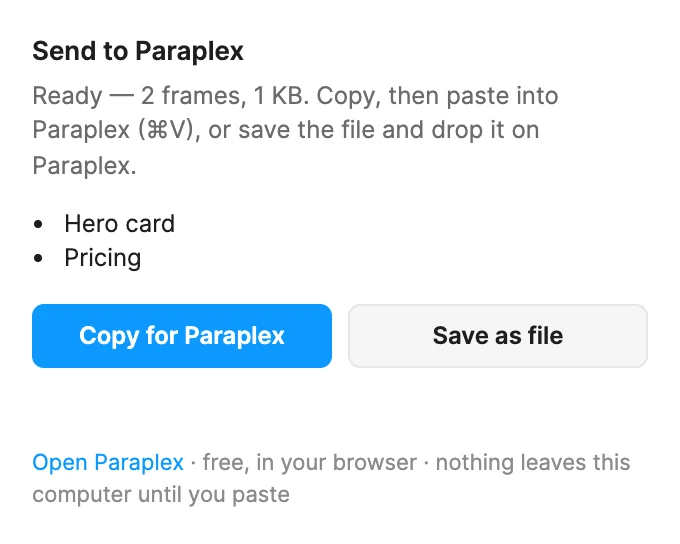
- In Paraplex, click the canvas and press ⌘ V (Ctrl V on Windows).
A message says how many frames and layers came in, and names anything that came across differently.
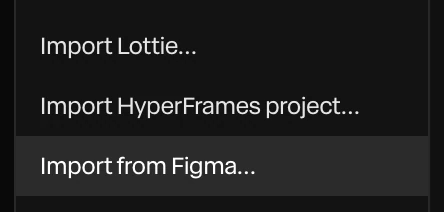
For big selections, or to move them to another computer, click Save as file instead. It saves paraplex-figma.json: drop it on the Paraplex canvas, or choose Menu › Import from Figma….
What comes across
| In Figma | In Paraplex |
|---|---|
| Frames, groups, components and instances | Groups, nested the same way. A frame's own fill becomes a Background shape inside its group. |
| Rectangles and ellipses | Shapes, with their fills, gradients, pictures, corners and strokes |
| Vectors, stars, polygons, lines and boolean shapes | Paths. See Pen and paths. |
| Text | Text layers, in the project's own copy of the font if it has one |
| Drop shadows | Shadows |
| Glass | Liquid glass |
| Background blur | A frosted lens |
| Auto layout | Stays live for a simple list going one way with even padding; otherwise each item keeps its place |
Every layer lands where it was in Figma. Pictures come across at three times their drawn size (up to 2048 pixels), so they stay sharp when the camera moves in.
Importing into an empty scene turns on Blend like Figma, so see-through layers mix the way they did in Figma. See Masks and blend modes.
Fonts
A font the project doesn't have is set in the nearest one Paraplex has, and the message says which. To use your own: Menu › Fonts › Upload font (TTF/OTF)…, then paste or import the frames again.
What doesn't come across
The message after an import lists what was changed. The usual ones:
- Masks are left out: what they masked is drawn whole. Frames that clip their contents don't clip.
- Strokes with a different weight on each side are drawn at the heaviest.
- Shadows on vectors and groups, shadows and glass on text, and layer blur on shapes are left out.
- Diamond gradients become radial ones. Gradient text takes its first color.
- Arcs and rings come in as whole ellipses.
- A line of text with mixed weights uses its main weight.
Tip
Select whole frames, not layers inside them: a layer sent on its own has nothing to place it by.