
USDZ for AR
A USDZ is the 3D file Apple devices open in augmented reality. Send one to someone with an iPhone, iPad or Vision Pro, tap it, and your scene stands on their table or floor, to walk around and look at from every side.
Export a USDZ
- Move the playhead to the moment you want. The file is that one frame, not the animation.
- Choose Menu › Export USDZ (AR)….
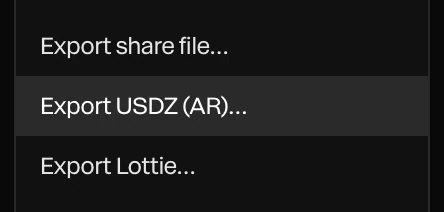
The file downloads named after the project, such as launch-video.usdz. A message says how many parts it holds and what was changed or left out.
Open it on an iPhone or iPad from Messages, Mail, Files or a web page, and it opens in AR Quick Look.
What goes in
- Every shape, text, model and 3D layer, posed as it is at the playhead.
- Materials become standard surfaces. Unlit layers glow their own color, so flat designs still read well.
- The scene is scaled so its longest side is half a meter: the size of a small object on a table.
What's changed or left out
| In the scene | In the USDZ |
|---|---|
| Motion | Left out: the file is the frame at the playhead |
| Glass | Its base surface. AR has no see-through glass. |
| Shader fills | A flat base color |
| Particle dots, lines and Gaussian splats | Left out. AR draws surfaces only. |
| The lens and the color grade | Left out |
| More than 4,000 copies of a shape | The rest are left out |
Pictures on layers go in at up to 2048 pixels.
Tip
Products, logos and objects make the best AR files. Give them solid materials rather than glass, and frame the moment where they look their best.