
Studio render
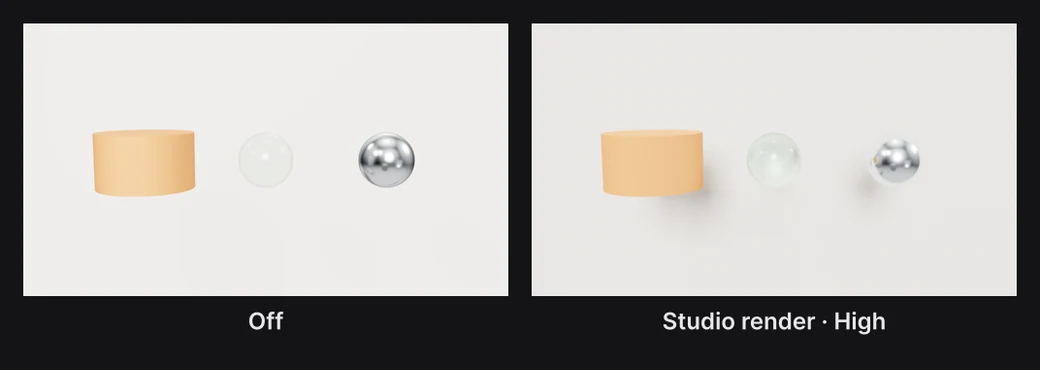
Studio render draws the frame the way a product render does. It follows light as it bounces between things, so shadows soften with each light's size, glass bends what's behind it, and every surface reflects the others. It's slower than the normal view, so you turn it on for the stills and videos that need it.
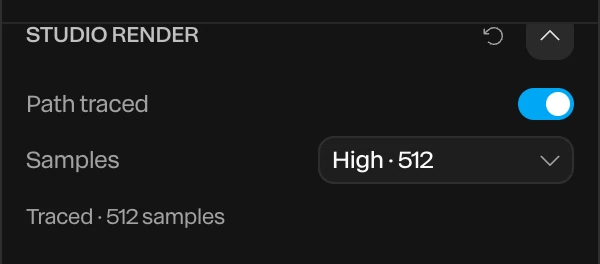
Where to find it: the Studio Render section, with Scene selected at the top of the Layers panel.
Turn it on
- Click Scene at the top of the Layers panel.
- In the Studio Render section, turn on Path traced.
- Pick how many Samples each pixel gathers.
| Samples | Use it for |
|---|---|
| Draft · 32 | Judging the look quickly. The frame is grainy. |
| Good · 128 | Most stills. New scenes start here. |
| High · 512 | Clean stills, especially with glass |
| Final · 1024 | The cleanest finish |
More samples make a cleaner frame and take longer.
In the view
The view traces once it has been still for a moment. While anything moves, such as a drag, playback or an edit, it shows the normal frame, then starts again.
The line under Samples says how far it has got:
- Traces once the view is still: waiting for you to stop.
- Preparing the scene…: getting ready to trace.
- Tracing · 120 of 512: the frame is clearing up.
- Traced · 512 samples: done.
Exports
Every exported frame is traced at the chosen samples. For a still, pick High or Final.
Important
A video traces each of its frames, so it takes much longer to export than usual. A 4K frame at Good can take around 20 seconds on a fast laptop, which is about 10 minutes for each second of 30 fps video. Try Draft for a moving piece, and save High and Final for stills.
Things to know
- It pays off with glass, metal, a floor and a few lights. Flat designs gain nothing from it.
- Some things aren't traced: particles, lines, flat interface elements and shader pictures. They're drawn over the traced frame as usual.
- Adjustment layers and a group's faded opacity don't apply to traced layers.
- Lights, environments and materials all count. See Lighting and environments and Materials and appearances.