
Code layers
A code layer is a small web page inside your scene: real HTML, CSS and JavaScript, or a React component. Use it for things that are easiest to build as a web page: a live UI, a CSS animation, a canvas drawing, a component from a library. It plays along with the timeline and shows up in every export.
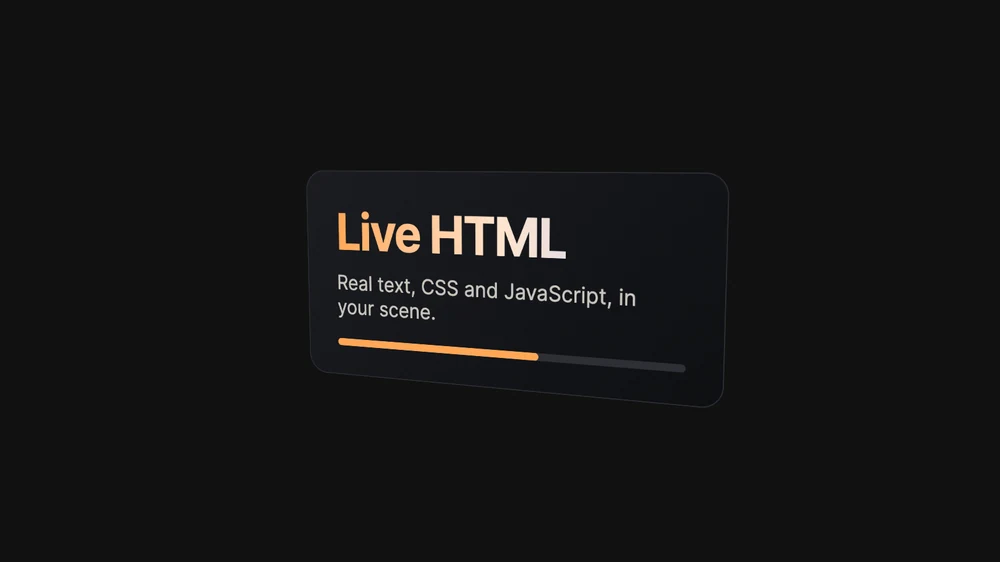
Add a code layer
- Click Code in the dock for a starter: a soft glowing blob drifting across the frame.
- Paste code on the canvas (⌘ Cmd+V): an HTML document or snippet, or a React (TSX or JSX) component.
- Paste a shadcn component: its
npx shadcn add …line, its registry link, or its page on ui.shadcn.com.

The Code panel
Select a code layer and the Code panel opens beside the Layers panel. It hides while the piece plays.
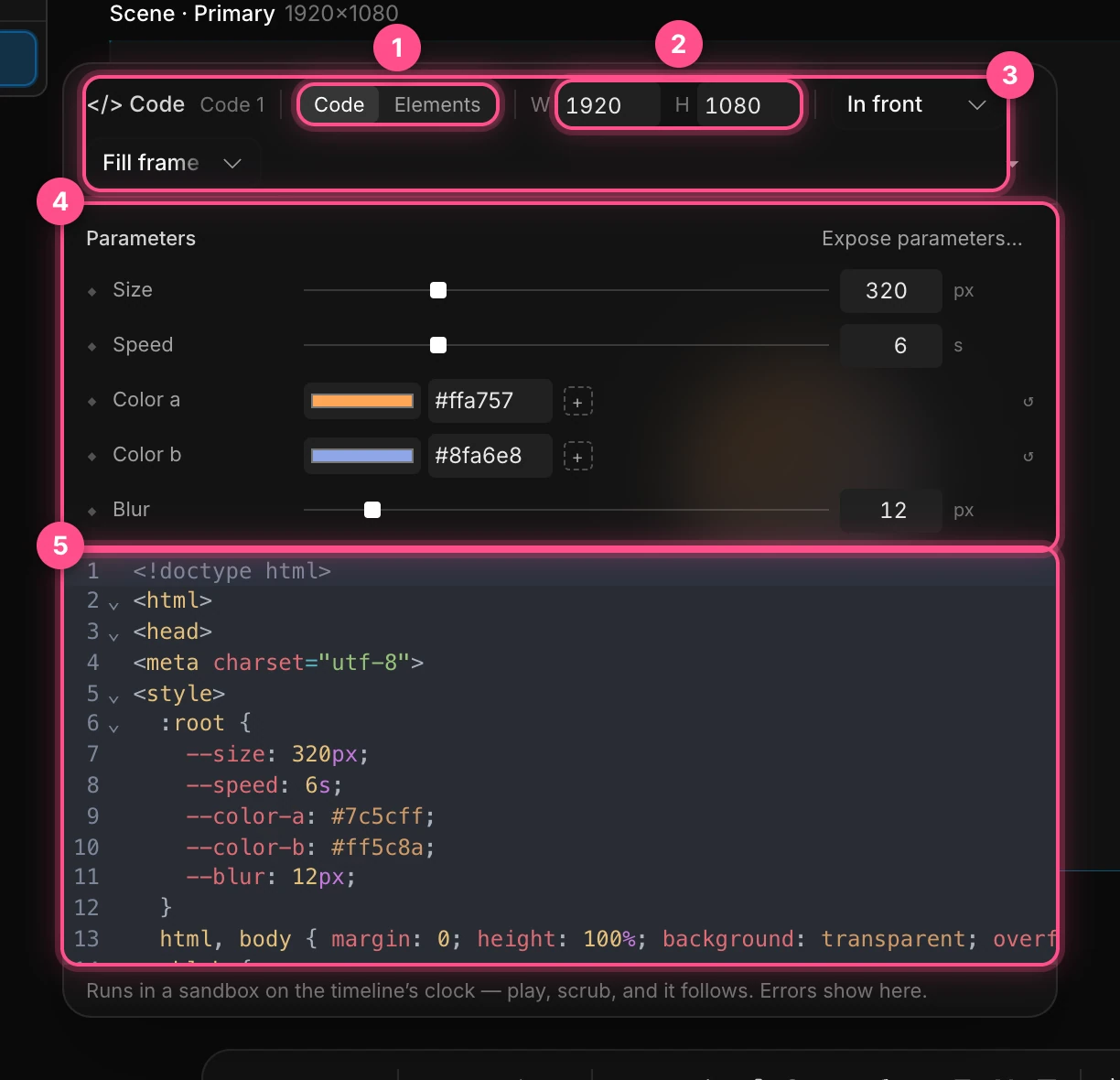
- Code and Elements: edit the code, or click parts of the page to restyle them without touching the code. See Elements.
- W and H: the page's size in CSS pixels. It starts at the canvas size.
Where it sits:
- In front of the scene, or Behind it, showing wherever the scene is see-through.
- Fill frame stretches the page over the whole frame. In scene makes it a flat card in the 3D scene, with a position, rotation and scale like any layer.
- Parameters: the page's CSS variables as controls. Numbers become sliders and colors become swatches, each with a diamond, so you can animate them. Expose parameters… asks the assistant to add some.
- The editor. Changes apply a moment after you stop typing. Errors show under it, with Ask the assistant to fix.
Note
On a Fill frame layer, the Transform settings do nothing: the page always covers the frame. Choose In scene to move, turn and scale it.
Time in a code layer
The page runs on the timeline's clock, not the real one. Paraplex controls requestAnimationFrame, setTimeout, setInterval, performance.now() and Date.now(), and pauses and seeks CSS animations, transitions and videos. So whatever the page animates follows the playhead: scrub backward and it goes back, export and every frame is exact.
Time starts at the layer's clip: 0 where its clip begins.
For full control, a page can define window.renderAt(seconds), and Paraplex calls it with the time for each frame instead. It also understands GSAP timelines registered in window.__timelines, as HyperFrames compositions do.
Restyle without code
Click the Elements tab, or double-click the selected layer's outline, to pick parts of the page. Change their Position, Width, Height, Opacity, Background, Text color, Radius, Font size, Weight, Letter spacing, Padding, Margin or Tilt. Your changes sit on top of the code, which stays as it was; Reset takes them off. Press Esc or click Done to leave.
To turn a page into ordinary Paraplex layers, right-click it and choose Code › Lift into layers.
What it can and can't do
- It runs in a sandbox, walled off from the app: no access to your projects, your account or your credits.
- It can load libraries and fonts from the web, so a page that does needs an internet connection.
- Storage, cookies, pop-ups and forms are blocked.
- In Preview mode and embeds it runs in real time and responds to the pointer.