
Design systems
A design system holds a brand's look in one place: its colors, fonts, text styles, materials, scene look and motion. Use it in a project, and all of them arrive at once, named the way your brand names them. Make changes to the system, and every project that follows it can pick them up.
Use a design system
Choose Menu › Design system and pick one. A ✓ marks the one this project follows.
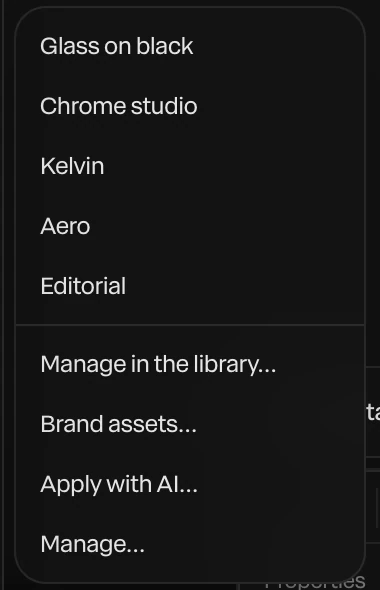
- Its colors land in the palette, its text styles in Text styles, its materials in Materials, and its look in Scene looks, ready to use.
Applying a system adds to what the project has, by name: layers already linked to a color of the same name take the system's value, and the rest of the scene stays as it is. To restyle the whole scene, choose Menu › Design system › Apply with AI…: the assistant puts the system's colors, fonts and materials on your layers, linked so they follow the system. See Meet the assistant.
Paraplex's design systems
Five come with Paraplex: Glass on black, Chrome studio, Kelvin, Aero and Editorial. Each has a page showing its palette, type, materials and motion: Page ↗ in the library, or Design systems at the top of the site.
Make your own
Choose Menu › Library…, and find Design systems.
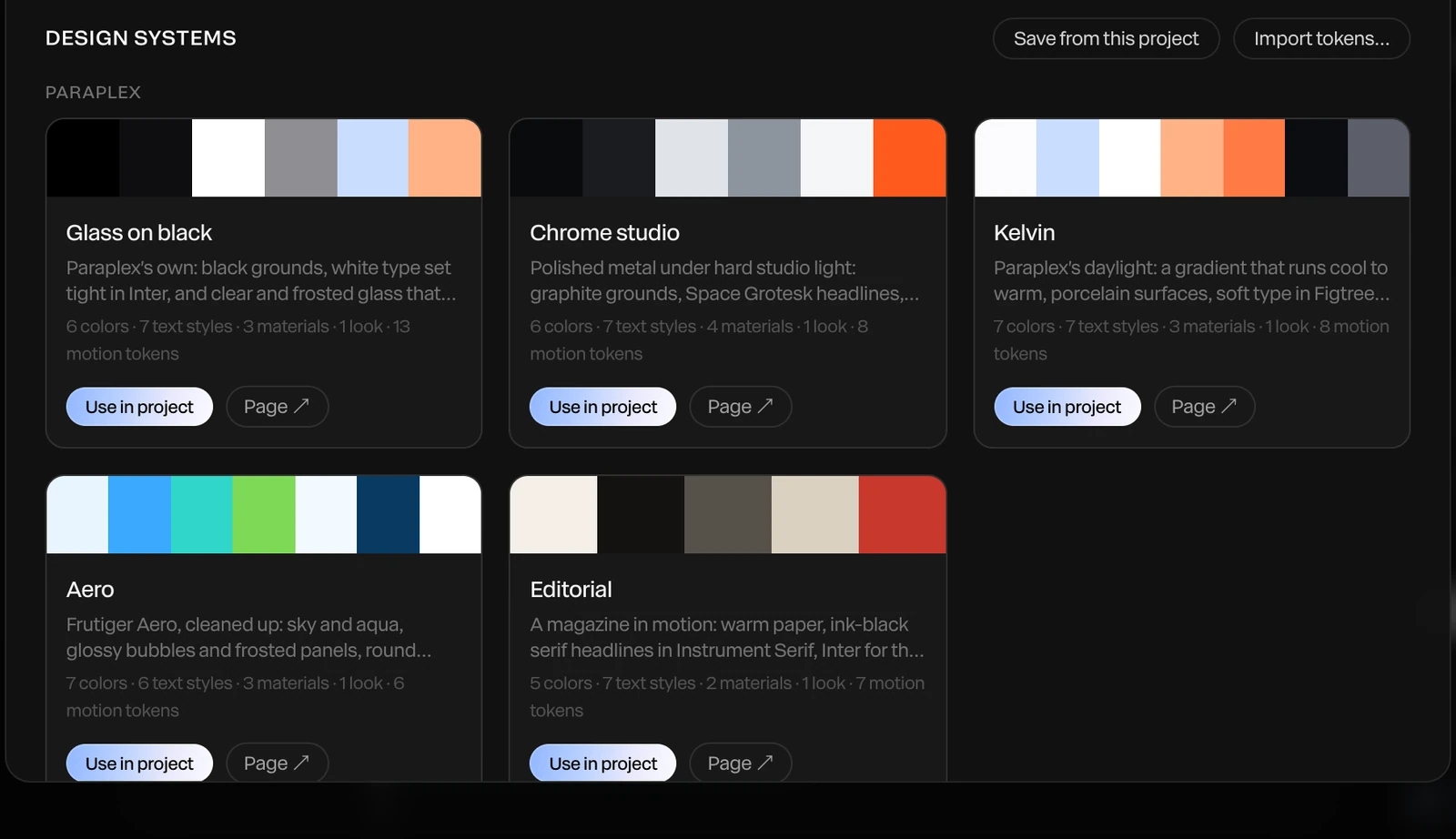
- Click Save from this project to save this project's colors, fonts, text styles, materials and look as a system, and name it. Or click Import tokens… to make one from a design-token file. See Design tokens.
Your systems are listed under Yours:
| Button | What it does |
|---|---|
| Use in project | Applies it to the open project |
| Motion… | The system's named timings and easings. See Motion tokens. |
| Skill… | Writes a skill so the assistant knows the brand. See Skills. |
| Publish… | Shares it in the community, with a page of its own |
| Delete | Removes it from your library. Projects keep what they took from it. |
Brand assets
Logos and imagery can belong to the system too, so every project that follows it has them: Menu › Design system › Brand assets…. See Brand kit and assets.
Share a design system
Click Publish… on one of yours. It goes into the community, free for anyone to install, with its own page and your name on it. Fonts you uploaded don't go with it, since a font's license belongs to whoever bought it. See Community gallery.