
Formations
A formation is one layer holding many items, up to 600 cards, dots or cubes, arranged in a shape. Change the shape over time and every item travels to its new place: a grid of photos curls into a ring, a ring folds into a sphere. Good for galleries, logo walls, product showcases and abstract motion.
Add a formation
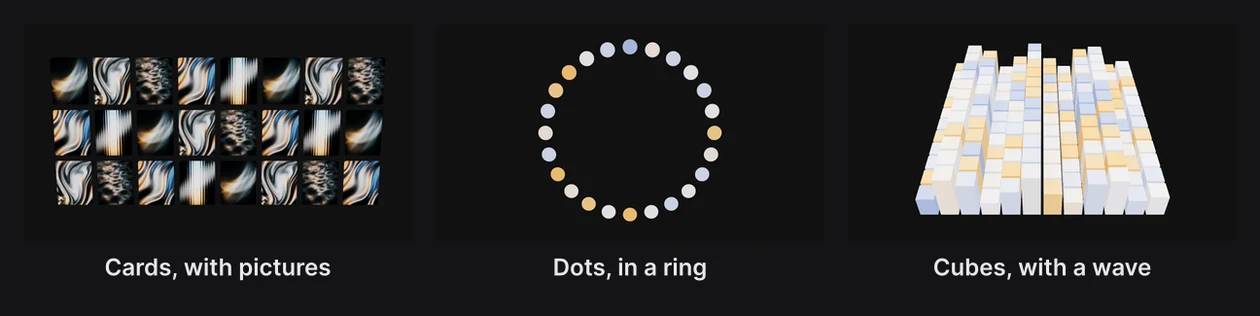
Click Formation in the dock for a grid of cards. Press and hold it to choose the kind:
- Cards: flat cards, which can wear your pictures.
- Dots: round dots.

- Cubes: solid cubes that catch the light, arranged as a heightfield.
You can switch the kind later with Items in the Formation panel.
The Formation panel
Select a formation and its panel opens above the dock.
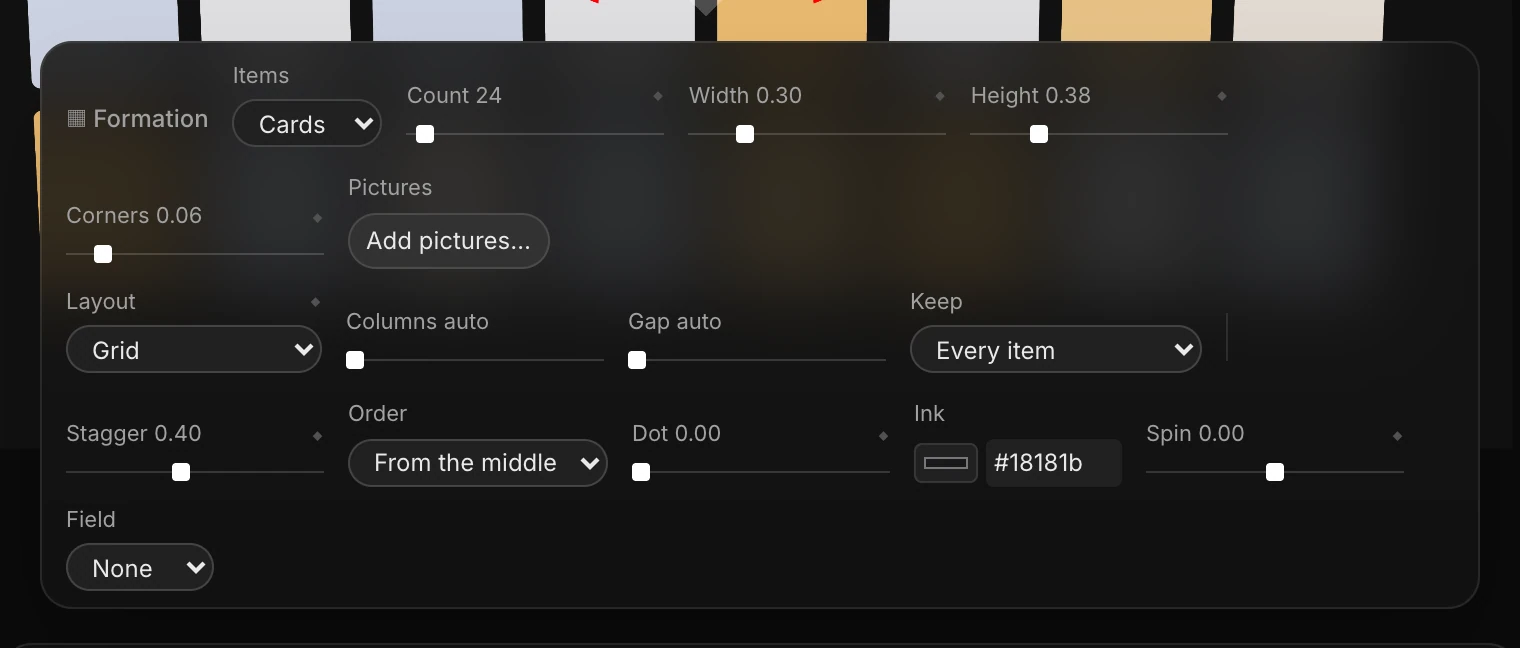
| Setting | What it does |
|---|---|
| Items | Cards, Dots or Cubes |
| Count | How many items, up to 600 |
| Width, Height | Each item's size (dots just have Size) |
| Corners | How round the cards' corners are |
| Pictures | Add pictures… puts your images on the cards, repeating in turn. Up to 256. |
| Layout | The shape. See below. |
| Keep | Which items stay: every one, every nth, a random share, or those near a color |
| The rest | How the items you don't keep leave: Fall away, Shrink, Fade or Scatter |
| Stagger, Order | How much the items move one after another, and in what order |
| Dot | Turns each card into a dot, partly or fully |
| Ink | The color of those dots |
| Spin | Turns the whole formation, in turns per second |
| Field | A ripple, wave or noise that lifts items as it passes. See Fields. |
The items' own colors are set when the formation is made. To change them, add pictures, or ask the assistant.
Layouts
Layout sets the shape. Each one has its own dials, such as Columns, Gap or Radius, which read "auto" until you change them.
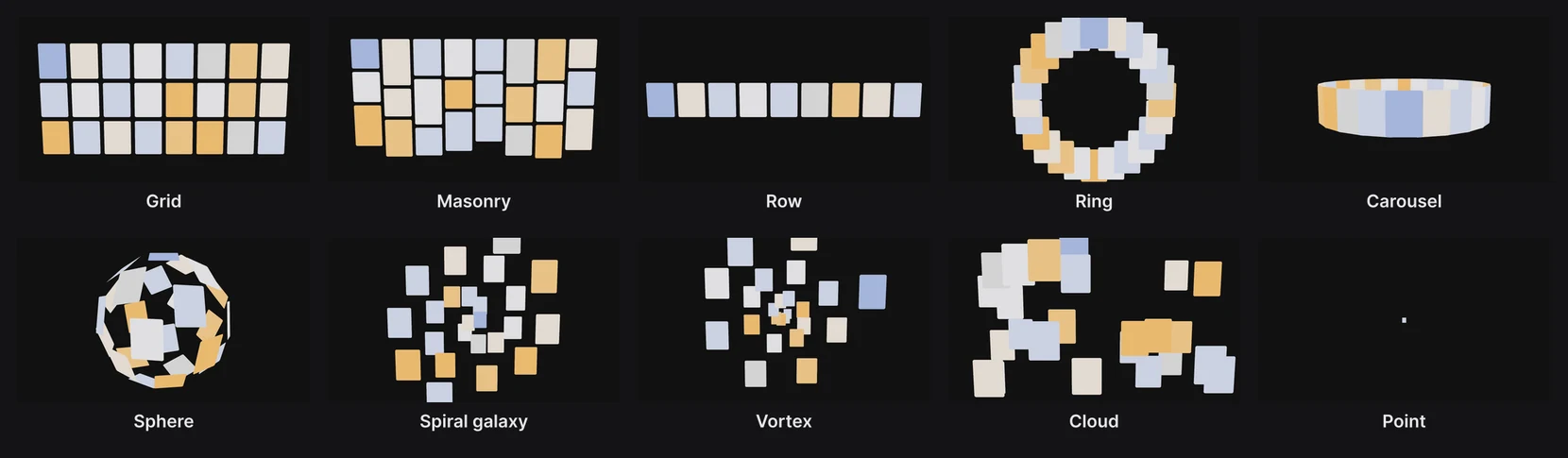
| Layout | The shape |
|---|---|
| Grid | Rows and columns |
| Masonry | Columns, each card as tall as its picture |
| Row | One line |
| Ring | A circle facing you |
| Carousel | A ring of cards standing up, facing out |
| Sphere | A ball |
| Spiral galaxy | Spiral arms; Arms and Turns shape them |
| Vortex | A funnel spiraling into the distance |
| Cloud | Scattered through a box of a given width, height and depth |
| Heightfield | A floor of items, rising and falling with a field |
| Shape of a path | Along, or filling, a path you drew with the pen |
| Point | Every item gathered into one point, for a gather-and-burst |
Change shape over time
- Click the diamond by Layout. That keys the current shape at the playhead.
- Move the playhead, and choose another layout. That's a new keyframe.

The items travel from shape to shape, one after another as Stagger and Order say. Dial changes, Keep and The rest record keyframes too while the lane is on.
Tip
Try Point as a middle step: every card gathers into one spot, then bursts out into the next shape.
Fields
Field sends motion through the items:
- Ripple: rings spreading from a point, like a stone in water. Rings sets how many (0 never stops); Start when they begin.
- Wave: waves rolling across at an Angle.
- Noise: a slow, organic churn.
Amount sets how high the items lift; Wavelength and Speed set the waves. Scale grows items as the crest passes, and Tint colors them.
Important
A new field starts with Amount at 0, so nothing moves until you raise it.