
Lottie
Lottie is a small animation file that apps and websites play with a Lottie player. Paraplex reads Lottie files into ordinary layers you can edit and restyle in 3D, and writes your flat pieces out as Lottie.
Bring a Lottie in
Any of these:
- Drop a
.jsonor.lottiefile on the canvas. - Choose Menu › Import Lottie… and pick the file.
- Give the assistant a link to a Lottie, such as one from LottieFiles: "bring in this animation: https://…".
The animation lands as layers in a group, fitted to the frame, with its keyframes and easing. Vector shapes become paths, and text becomes text layers. If the animation is longer than your timeline, the timeline grows to fit it. A message lists anything Lottie had that Paraplex left out.
What's left out
- Expressions (their keyframed values stay), effects, masks and track mattes.
- Repeaters, merge paths, and the offset, pucker, zig-zag and twist modifiers.
- Skew, and 3D layers (they come in flat).
- Time remapping and time stretching.
- Text animators. Text keeps its words, size, color and alignment, in Paraplex's font.
Export your piece as Lottie
Choose Menu › Export Lottie….
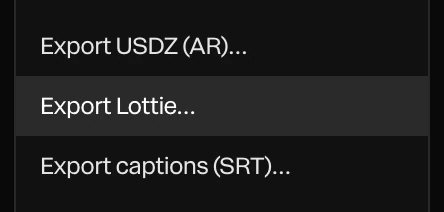
- The file downloads as
<project name>.lottie.json, at your canvas size, frame rate and length.
A message lists anything that couldn't go into the file. Lottie is flat and has no lighting, so:
- Light and materials become their colors. Shader fills and textures become their base color.
- A tilted camera exports its head-on view, and camera moves are left out. Rotation in depth is flattened.
- Lights, 3D models, splats, particles, blobs, formations, generators, code layers, adjustment layers and sound are left out.
- Blur, glow, shadows and masks are left out.
- Springs are written as a curve that overshoots.
- Text is written by its font's name, so the player needs that font.
Tip
Lottie suits flat, vector motion: icons, UI animations, logos. For a 3D scene, export a video instead, or put the live scene on a page. See Exporting video and Publish and embed.