
Text styles
A text style is a ready-made look for type: its font and size, color or gradient, material, depth, glow, shadow and outline in one choice. Paraplex has 16. Save your own, and every text that uses a style changes when you update it.
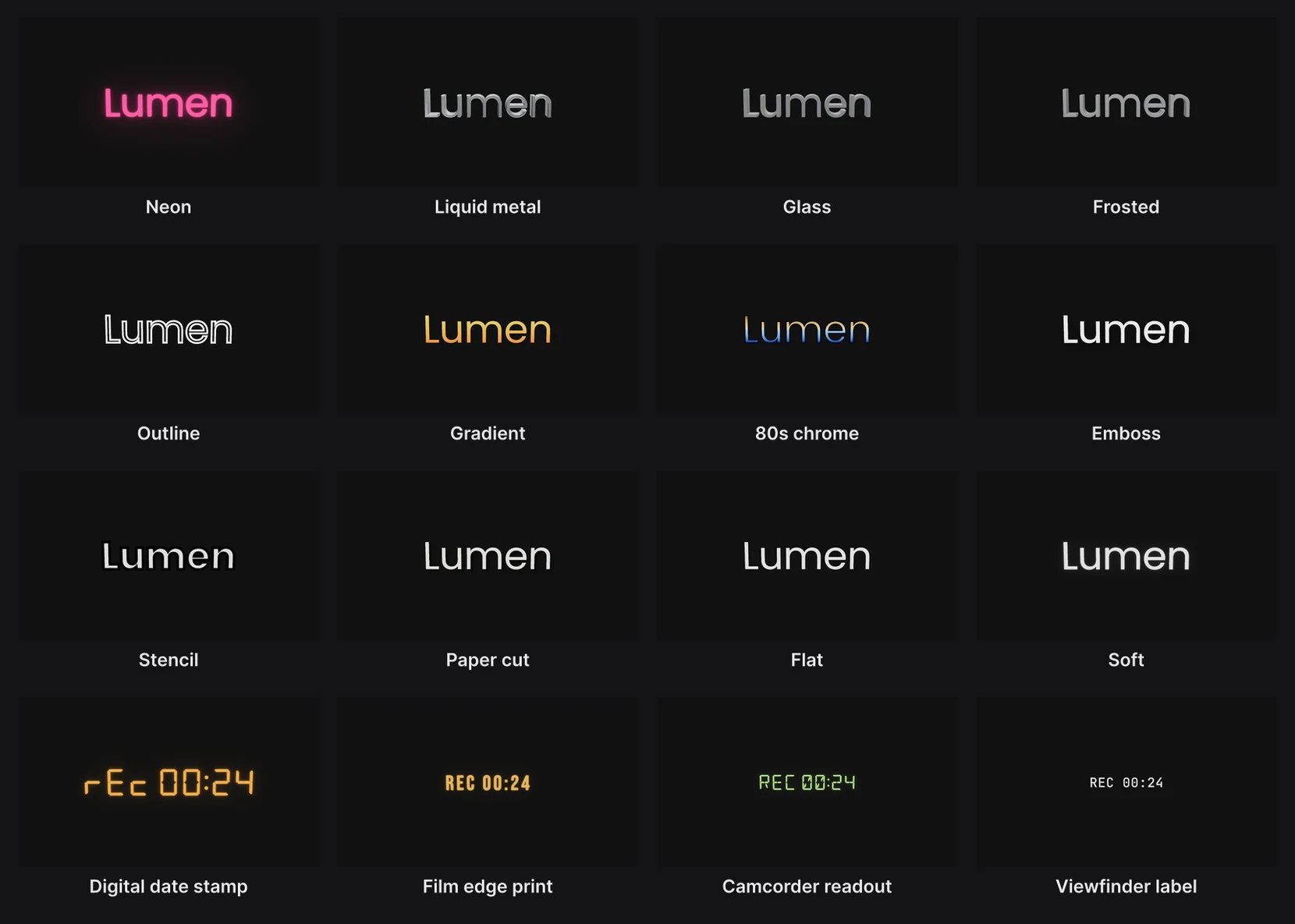
Where to find it: Text style under More in the Text settings panel, with a text layer selected. Your own styles are in Menu › Text styles.
Apply a text style
- Select a text layer. The Text settings panel opens under the frame.
- Click More, then open Text style in the Style row and pick one.

You can also choose a style from Menu › Text styles. It applies to the selected text layers.
A style changes how the text looks, never what it says, where it is, or how it's animated.
The styles
| Style | What it looks like |
|---|---|
| Neon | A glowing tube: a thin, bright face with a strong glow of its own color |
| Liquid metal | Deep, rounded chrome letters that reflect the scene |
| Glass | Thick glass letters that bend what's behind them at the bevel |
| Frosted | The same glass, rough, so what shows through is blurred |
| Outline | The letterforms as lines, with nothing filling them |
| Gradient | Flat, with a two-color gradient from top to bottom |
| 80s chrome | A sky-over-ground gradient with a hard horizon line and a dark outline |
| Emboss | Pressed into the surface: a highlight along the top edge and a shadow below |
| Stencil | Heavy letters cut by strips the color of the background, like a stencil's bridges |
| Paper cut | Flat paper with a hard, offset shadow, as if lifted off the page |
| Flat | One plain, unlit face. New text starts like this. |
| Soft | Flat with a little blur and a white glow, like a keynote caption |
| Digital date stamp | The date a point-and-shoot burned into the corner: seven-segment digits, orange, glowing |
| Film edge print | The frame numbers along a strip of film: condensed, orange, softly bled |
| Camcorder readout | A camcorder's display: fourteen-segment characters, green, a little glow |
| Viewfinder label | A viewfinder's labels: small, monospaced, white, flat |
The four camera readouts come with their own fonts. They suit the HUDs. See Media frames and HUDs.
Your own styles
The first time you use a built-in style, Paraplex copies it into your project's styles. Your own styles sit in the same menus.
- Save a style: style a text the way you want, then choose Menu › Text styles › Save current style…. It's named after the layer.
- Change a style everywhere: adjust one text that uses it, then choose Menu › Text styles › Update followed style…. The style takes that text's look, and every text that uses the style changes to match.
Important
A text follows its style. Change one of its settings, such as its font or color, and that change stays on that text alone until you update the style from it. Updating changes every text on the style.
Text styles also travel in a design system, with the brand's colors and fonts. See Design systems.