
Design tokens
Design tokens are your brand's named values (colors like color.amber, type styles like headline) kept in a file your design and code tools share. Import that file, and the colors land in your palette under the same names, ready to put on any layer.
Import tokens into this project
- Export your tokens as JSON: Figma variables through a tokens plugin, a Style Dictionary build, or any file in the DTCG format (the W3C's Design Tokens format).
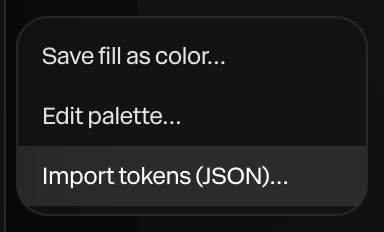
In Paraplex, choose Menu › Colors › Import tokens (JSON)….
- Choose the file. A message says how many colors were added or updated, how many text styles came in, and how many entries were skipped.
The colors are now in the palette, named by their path in the file. Open it with Menu › Colors › Edit palette.
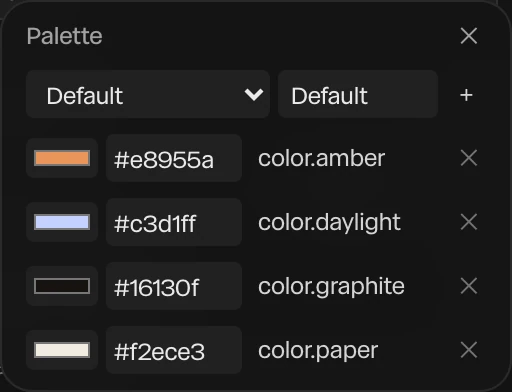
Import the file again after it changes, and the colors update in place. Layers linked to a palette color follow it.
Save them as a design system
To use the same tokens in many projects, save them as a design system: choose Menu › Library…, open Design systems, and click Import tokens…. A design system can also hold a brand's fonts and motion, and you apply it to any project with Use in project. See Design systems.
What comes across
| Token | What happens |
|---|---|
Colors, as hex, rgb() or hsl() | Added to the palette under their path, such as color.amber |
| Type styles | Saved as text styles: the font family (matched to a font Paraplex has or you uploaded), letter spacing and line height |
| Font sizes | Not imported. A size depends on how far the text is from the camera in a 3D scene, so set it on the layer. |
| Spacing, shadows, sizes and other kinds | Skipped. Paraplex has no place for them. |
Note
Letter spacing comes across only in em or %, and line height only as a ratio such as 1.2. Values in pixels are skipped, since they depend on a font size.