
Motion and echo
A motion preset adds the touches an animator would draw by hand: a pill that stretches as it races and squashes as it stops, a card that leans into a turn, a bounce as it lands. Paraplex works them out from how the layer moves, so there's nothing extra to keyframe. An echo trails fading copies of the layer behind it, like a smear of motion.

Where to find it: the Motion and Echo sections, with a layer selected.
Add a motion preset
- Animate the layer's position, such as a slide in. See Animation basics.
- In the Motion section, pick a preset.
| Preset | What it does |
|---|---|
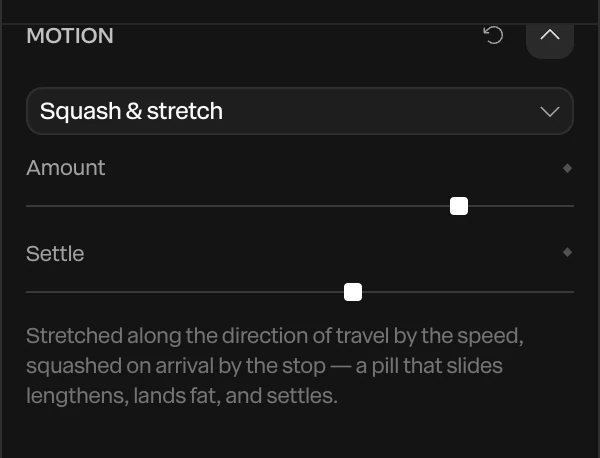
| Squash & stretch | Stretches along the way it's traveling, by how fast it goes, and squashes when it stops. A sliding pill lengthens, lands fat, and settles. |
| Follow-through | Lags behind its own move and settles a moment after it arrives |
| Anticipation | Pulls back a little before a move begins, the way a jump starts with a crouch |
| Lean | Tilts into the direction it's traveling, most when it's fastest |
| Bounce on arrival | A springy bounce when it stops, along the way it came, as big as the speed it arrived with |
Amount sets how strong the effect is. Settle sets how quickly it calms down. Both have a ◆, so you can turn the effect up for one move and down for another.
The preset is worked out from the layer's position keyframes. Change the move, and the stretch or the bounce changes with it. A layer whose position isn't keyframed shows nothing.
Tip
Motion presets look best on fast moves with a hard stop, such as an Expo out slide. On a slow, even drift they barely show. See Easing and springs.
Add an echo
An echo draws copies of the layer from a moment ago trailing behind it: a number sliding in with its last few values ghosted, a word arriving with a smear of itself.

- Select an animated layer.
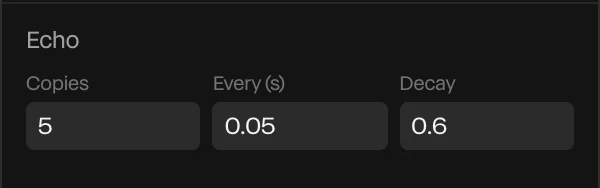
- In the Echo section, set Copies above
0.
| Setting | What it does |
|---|---|
| Copies | How many copies trail behind, up to 8. 0 turns the echo off. |
| Every (s) | How far apart in time the copies are. Small values make a smooth smear, larger ones a row of separate ghosts. |
| Decay | How much fainter each copy is than the one in front, as a share of its opacity |
Each copy is the layer exactly as it was that much earlier, its keyframes, text animation and counter included. Scrubbing and the export show the same trail as playback.
See what's moving a layer
Both show in the layer's Animations section with everything else that moves it. See Rigs and formations.