
Data sheets
A spreadsheet can drive three things in Paraplex: an animated chart, a particle cloud that plots your rows, and data variants, one render for each row. All three read the same kind of sheet.
Get your sheet in
Paraplex reads a sheet with column names in the first row. You can:
- Paste it. Copy the cells in Excel, Numbers or Google Sheets, and paste them into the sheet box of a chart or a cloud. The tabs between columns are recognized.
- Upload a file. A
.csv,.tsvor.txtfile, from Upload CSV…. - Type it, with commas between the columns.
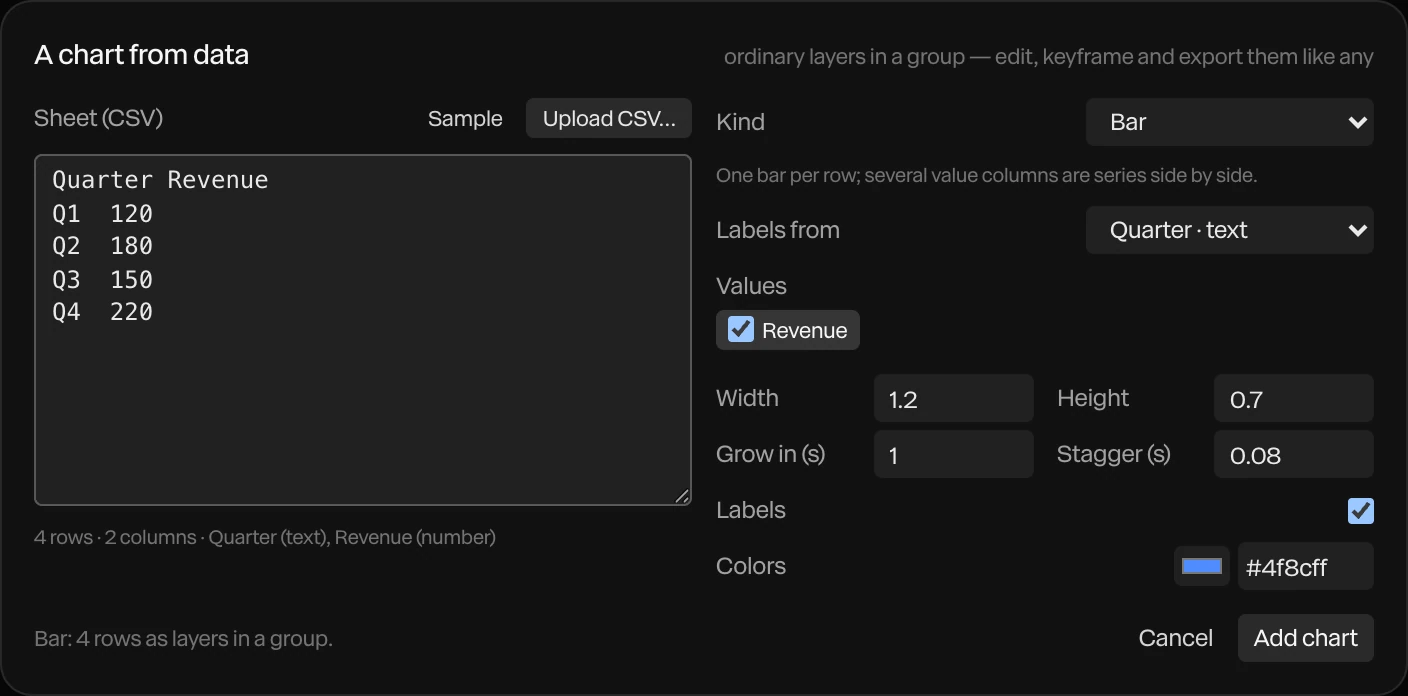
Under the sheet, a line tells you what Paraplex read: the number of rows and columns, and what kind each column is. Check it before you go on.
Column kinds
| Kind | When a column is read this way |
|---|---|
| number | Every cell is a number. A leading $, €, £ or ¥, a trailing %, and commas between thousands are all fine. |
| date | Every cell is a date like 2026-10-20 or 10/20/26, with or without a time |
| text | Anything else |
Quoted cells, commas and line breaks inside quotes, and the invisible marker some apps put at the start of a file are all handled.
What a sheet can drive
| Use | Where | See |
|---|---|---|
| An animated chart | The dock's Chart, or Chart from data… in the quick-actions strip's Data variants menu | Charts and data |
| A cloud of dots plotted from your rows | A particle cloud's Bind data… | Charts and data |
| A render per row | Import sheet (CSV)… in the Data variants menu | Data variants |
Tip
To change a chart's data later, right-click the chart's group and choose Edit data & regenerate….