
Physics
Give a layer a body, and it falls under gravity, bounces off the floor and knocks other layers out of the way, with no keyframes. In Preview the bodies move live, so a viewer can toss them around. Simulate records the motion onto the timeline, so your video has it too.

Where to find it: the Body section, with a layer selected, and the Simulation section, with Scene selected at the top of the Layers panel. Physics is part of the Full editor. See Top bar and Menu.
Make something fall
- Select a layer, such as a sphere or a card.
- In the Body section, set Body to Dynamic.
- Click Preview in the top bar. The layer falls and lands on the floor. Drag it to throw it.
- To put the fall in your video, click Scene, then Simulate in the Simulation section.
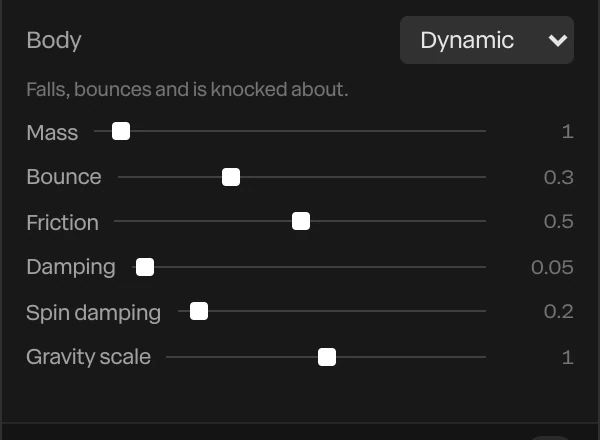
Shapes, text, 3D models and blobs can have a body.
Kinds of body
| Body | What it does |
|---|---|
| Off | No physics. The layer moves only by its keyframes. |
| Dynamic | Falls, bounces and is knocked about |
| Static | A wall or a floor: never moves, and stops what hits it |
| Kinematic | Moves as you keyframe or drag it, and pushes what it meets, like a paddle or a bulldozer |
A dynamic body's settings:
| Setting | What it does |
|---|---|
| Mass | How heavy it is. A heavy body shoves a light one aside. |
| Bounce | How much it springs back when it hits something. 0 thuds, 1 bounces almost forever. |
| Friction | How much it grips. Low friction slides, high friction rolls or sticks. |
| Damping | Slows it as it moves, like air or water |
| Spin damping | Slows its spinning |
| Gravity scale | How strongly gravity pulls it. 0 floats, below 0 rises. |
A 3D model also has Shape: Box collides as the box around it, Mesh as its own surface, for a model with gaps or hollows. Solid while hidden keeps a hidden layer in the simulation, such as an invisible floor or wall.
The simulation
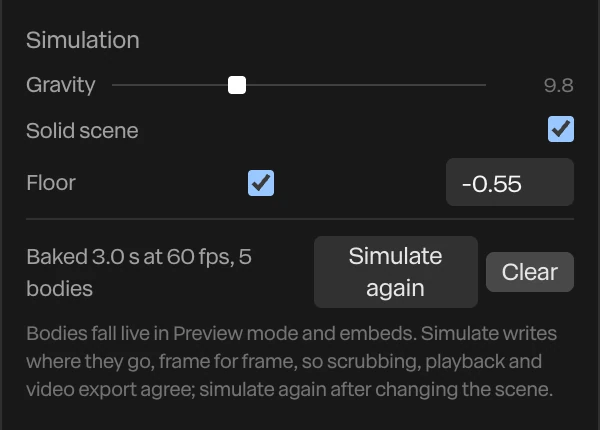
With Scene selected, the Simulation section sets up the world.
| Setting | What it does |
|---|---|
| Gravity | How strongly things fall. 9.8 is Earth's. |
| Solid scene | Every layer without a body of its own is a wall that bodies hit. Off, they pass through everything but each other. |
| Floor | An invisible floor bodies land on, at the height you type. The bottom of the frame is about -0.9 when the camera hasn't moved. |
| Simulate | Runs the physics for the whole timeline and records where every body goes, so playback, scrubbing and export all show the same motion |
| Clear | Removes the recording |
The line beside Simulate says what's recorded, such as Baked 3.0 s at 60 fps, 5 bodies.
Important
A recording is of the scene as it was when you clicked Simulate. Move a body, change a setting or lengthen the piece, then click Simulate again.
To show the floor, give the scene a ground shadow at the same height. See Ground shadow and caustics.
Flag, smoke and a splash
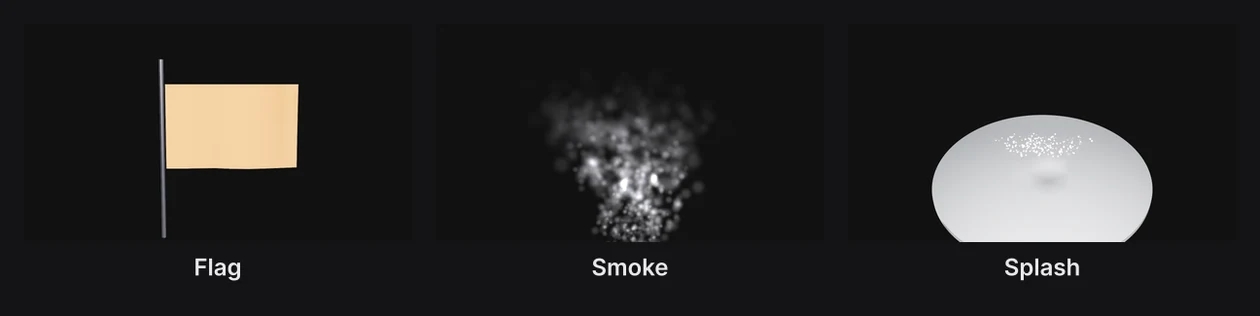
The dock's Flag button holds four ready-made effects. Press and hold it to open them:
| Preset | What it adds |
|---|---|
| Flag | A cloth rippling on a pole. It's a shape with a wave held at one edge. See Layer effects. |
| Smoke | A rising, spreading cloud of particles. See Particles. |
| Splash | A chrome ball dropping into a chrome pool, which ripples and throws up droplets |
| Stack | Five blocks with dynamic bodies on a static shelf, ready to simulate |
Each is made of ordinary layers you can change afterwards. Flag, smoke and splash don't use the simulation: they move on their own and need no Simulate. In the splash, the ball's landing, the ripples and the droplets are all timed to the same moment. Move the ball's keyframe, and move the others with it.
Note
The stack stands as it is when you simulate it. To knock it over, move the top block further out, or drop a dynamic body onto it.
For cloth that drapes over a shape, see Cloth drop.