
Blobs and glass tubes
Two layers for the liquid look that's everywhere in modern motion design. A Metaball is a mass of soft spheres that flow and melt into each other, in chrome by default. A Glass tube is a loop of clear glass that waves, ripples and twists, bending whatever is behind it.
Add one
Both are in the dock's Rectangle family: press and hold Rectangle, then choose:
- Metaball arms the tool: drag on the canvas to size it, or click for the default size.
- Glass tube arrives straight away, in the middle of the scene, as a wavy ring tilted toward you.
The blob bar
The settings for both live in a bar above the dock, which opens when one is selected. It hides while the piece plays.
For a metaball:

- Form: Metaballs or Tube. A metaball can become a tube and back.
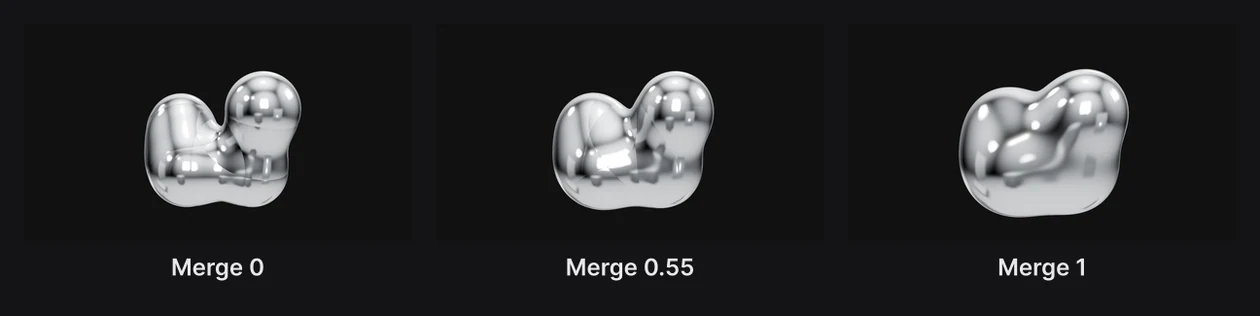
- Balls (1 to 12), Size, Merge, Spread and Flow: how many spheres, how big, how much they melt together, how far they wander, and how fast.
- Seed: a different wander for the same settings.
- Metalness and Roughness: from chrome to matte.
- Shadow quality and Cast shadow.
For a glass tube:

- Form: Tube or Metaballs.
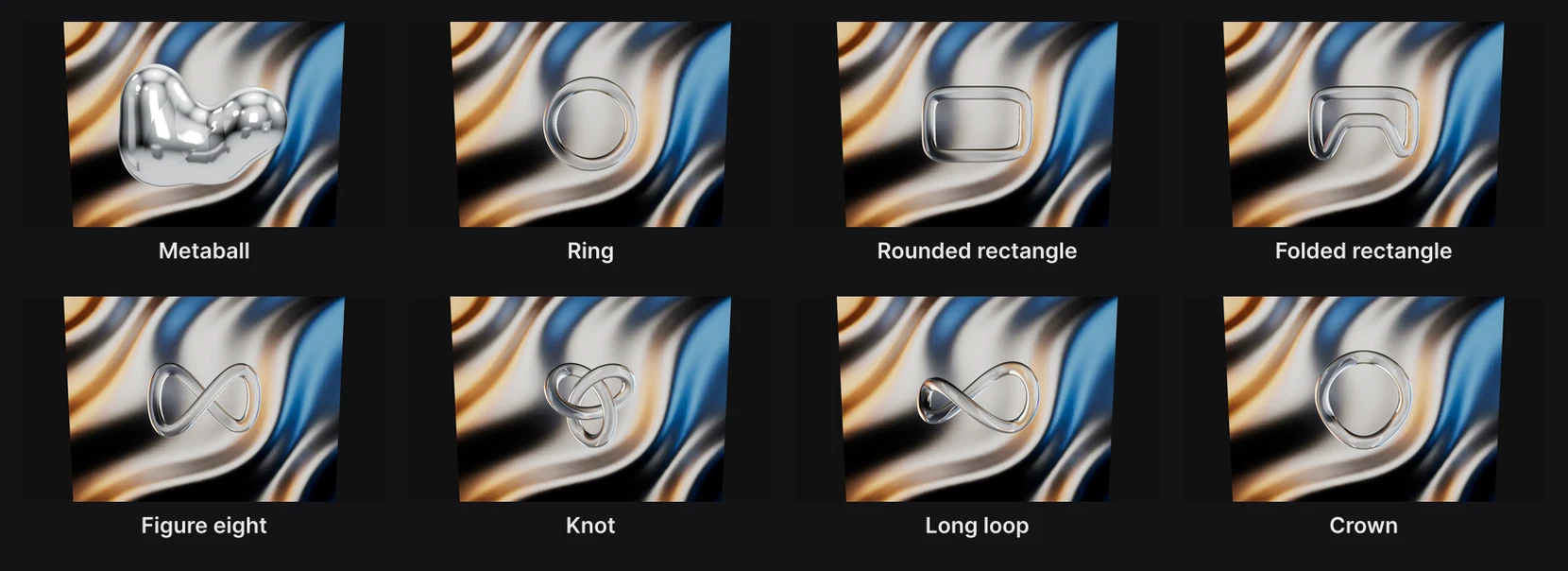
- Shape: Ring, Rounded rectangle, Folded rectangle, Figure eight, Knot, Long loop or Crown. It has its own diamond: key two shapes and the tube morphs from one to the other.
The shape dials:
- Thickness: how thick the tube is. Flatten squashes it into a ribbon, which Roll and Twist then turn.
- Waves and Wave height: waves running round the loop. Wobble bends it gently; Ripple swells and pinches it.
- Crumple: folds a flat ribbon back and forth, like crushed cellophane.
- Speed: how fast the waves, wobble and ripple move. 0 holds it still.
- Pulse: a swell of the whole tube.
- Pulse to the beat is meant to key Pulse to jump on every beat of the music in your scene.
Warning
Pulse to the beat doesn't keep its keyframes at the moment. Until it's fixed, key Pulse by hand on the beats: Detect beats puts a marker on each one to aim at.
Past what's on screen here, the bar also has Seed, Metalness, Roughness, Shadow quality and Cast shadow.
Note
At smaller window widths, the glass tube's bar is wider than the screen and its last settings are cut off. Widen the window, or zoom the browser out, to reach them.
Every dial with a diamond can be animated.
How it moves
- A metaball never stops wandering while Flow is above 0, and its spheres never return to where they started all at once. For a seamless loop, set Flow to 0 and animate the blob yourself.
- A glass tube moves with Speed. Waves only show when both Waves and Wave height are above 0.
Looks
- A metaball is chrome at first. Try Appearance › Chrome or a metal, or lower Metalness for a soft, matte blob. See Materials and appearances.

- A glass tube refracts what's behind it: a round tube flips and magnifies the picture; a flat ribbon only shifts it. Put something behind it, a picture, a gradient or type, to show it off. Any appearance keeps the tube clear, in a new tint.
- The glass glows with a built-in studio light, not the scene's lights.
Blobs cast shadows but don't receive them.