
Particles that form shapes
A particle cloud can gather into any drawing you give it: a logo, an icon, a word set as outlines. The dust drifts, then every particle flies to its place and the shape appears. It's one of the most striking reveals you can make.

Form a shape
- Add a particle cloud, and keep it selected. See Particles.
- The Form panel opens above the dock. Click Logo or drawing… and choose an SVG file.
- Animate Form: put the playhead where the gathering should start and click the diamond by Form. Move the playhead later, and drag Form to 1.
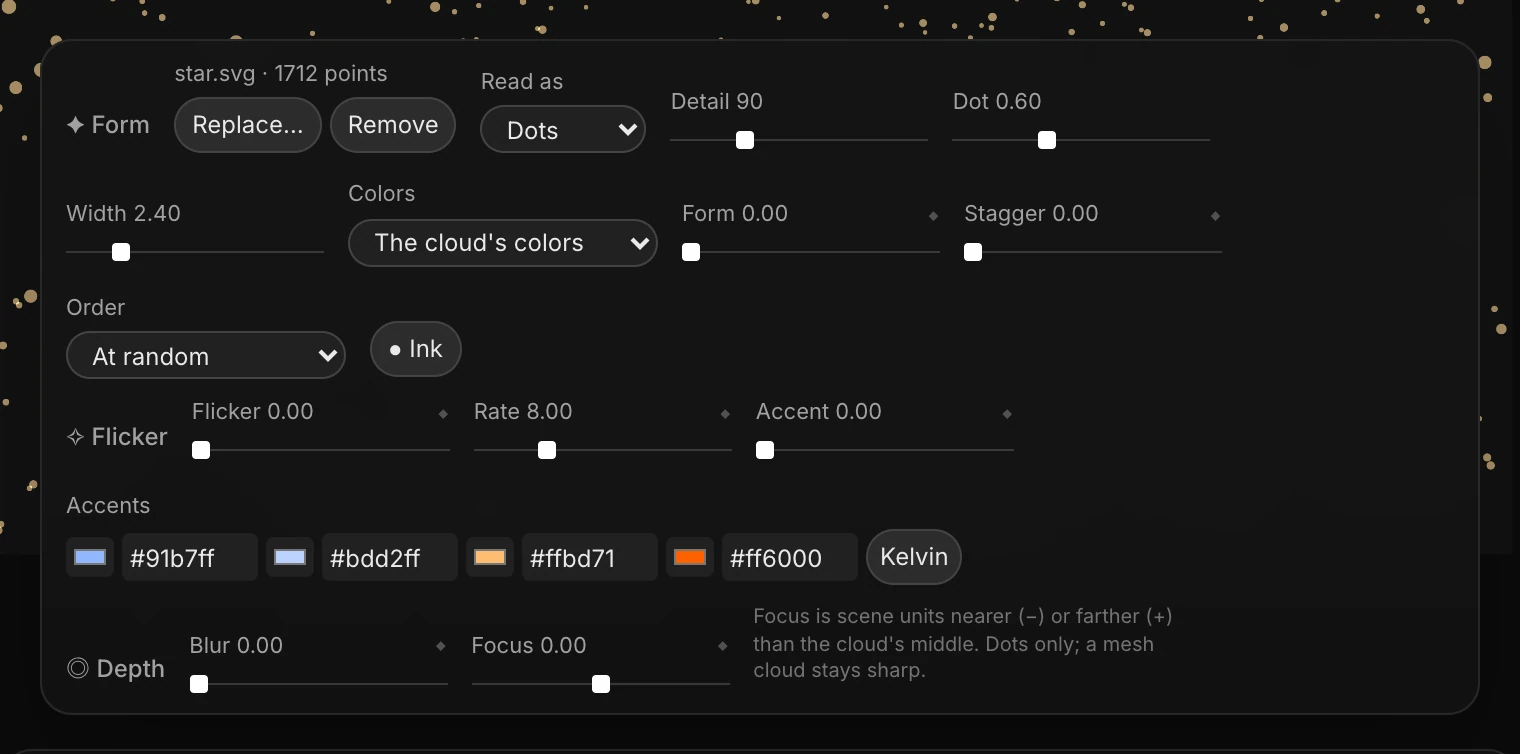
The panel shows the file's name and how many points it made. The cloud now has exactly that many particles, whatever its Count says.
Tip
Use an SVG with filled shapes. A drawing made only of lines gives nothing to fill: "Nothing filled in that drawing to make points of". To form a word, turn its letters into outlines in your design app first (Flatten in Figma, Create Outlines in Illustrator), then save it as SVG.
How the drawing is read
| Setting | What it does |
|---|---|
| Read as | Dots: a circle in the drawing becomes one particle of its size, and other shapes become a grid of dots. Even fill: an evenly scattered fill. Outline: points along the edges only. |
| Detail | How many grid steps across the drawing: more means finer dots |
| Dot | Each dot's size, as a share of a step |
| Width | How wide the shape is, in scene units. A 16:9 frame is about 3.2 across. |
| Colors | The cloud's colors, Lightness as opacity (darker parts fainter), or Its own colors from the drawing |
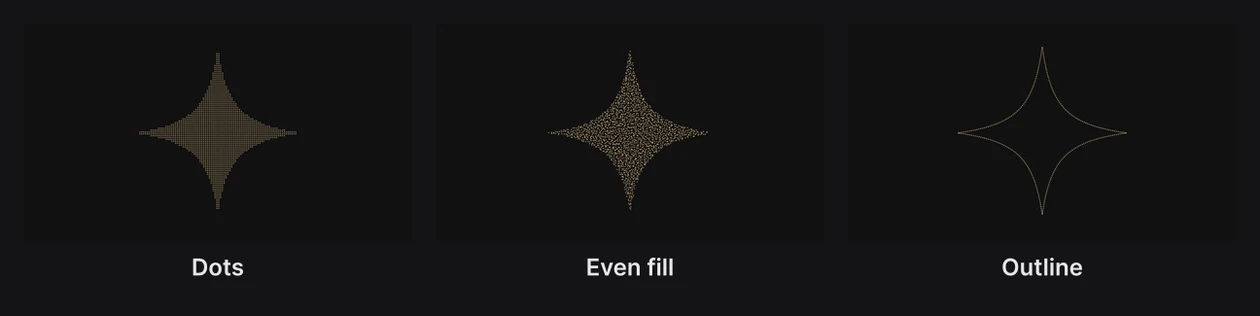
Once formed, the dots' sizes come from Detail, Dot and Width, not the cloud's Size.
How they arrive
- Form goes from 0 (the cloud as it was) to 1 (the shape). Key it to time the gathering.
- Stagger makes the particles leave one after another instead of all together.
- Order decides who goes first: At random, From the left, From the right, From the top, From the bottom, From the middle, or From the edges in.
Replace… swaps the drawing; Remove takes it away.
Flicker and accents
Click Flicker… for a row that makes some of the particles blink, like a sign with a few dying bulbs, and lets a few glow in accent colors.

- Flicker: the share of particles that blink.
- Rate: how many times a second they change.
- Accent: how many of the blinking ones light up in an accent color.
- Accents: four colors. Kelvin sets them along the color-temperature scale, from warm orange to cool blue.
Accents only show on particles that flicker, so with Flicker at 0, Accent does nothing.
Depth blur
Click Depth… for a row that softens particles that are nearer or farther than the point in focus, like a camera lens.
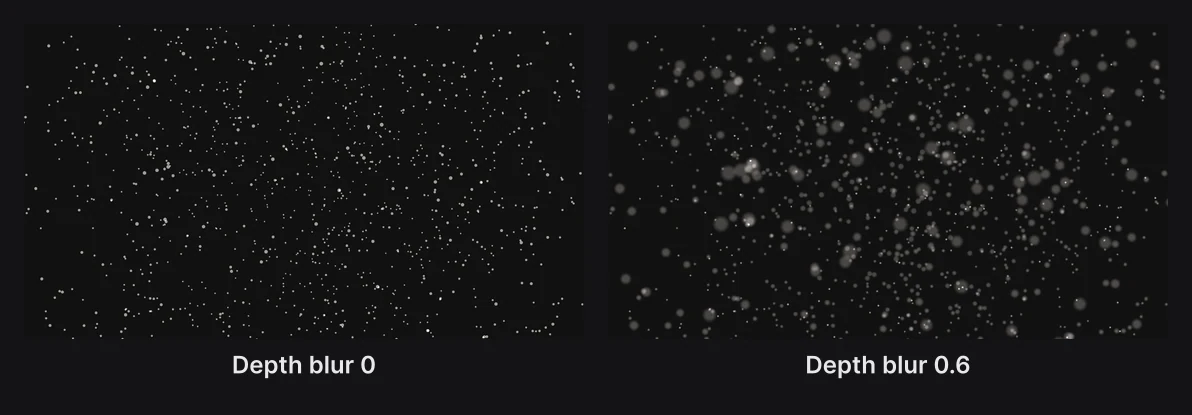
- Blur: how strongly out-of-focus particles blur.
- Focus: where the sharp plane sits, in scene units nearer (−) or farther (+) than the cloud's middle.
It works on dots; a cloud of 3D mesh shapes stays sharp. For blur across the whole scene, see Camera and lens.
Ink
Ink makes the particles cover what's behind them like ink, instead of adding light. Turn it on for dark dots on a light background.