
Embed API for developers
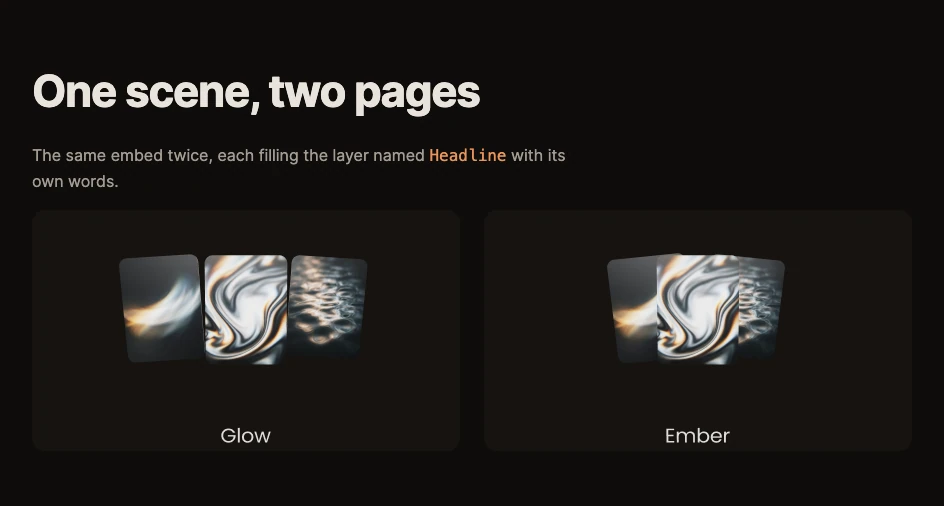
The embed snippet is a small custom element, <paraplex-scene>, and the page around it can talk to it. Fill in the headline and photo by name so one piece serves a hundred pages, switch its color theme to match your site, and move a state machine from your own buttons.
The snippet
<script src="https://app.paraplex.ai/embed.js" async></script>
<paraplex-scene src="https://app.paraplex.ai/embed/…" aspect="1920 / 1080"></paraplex-scene>
Load embed.js once per page. Every <paraplex-scene> on the page then becomes a player in a frame, with a transparent background.
Attributes
| Attribute | What it does |
|---|---|
src | The piece's link, from the Publish dialog. Required. |
scroll | What drives the timeline: section (the default: the piece's trip through the window), page (the whole page's scroll) or none (it plays on its own) |
aspect | Fixes the box's shape, such as 1920 / 1080. Without it, the box takes the shape of the frame or artboard it shows. |
theme | A color theme of the piece, by name, such as Dark. Change it and the piece switches live. |
slots | Words, colors and pictures to fill in, as JSON. Change it and the piece updates live. |
title | The frame's title for screen readers. The default is "Paraplex scene". |
The element sets data-ready="true" on itself once the piece has loaded, and data-artboard to the artboard it's showing when a breakpoint picks one.
Fill in words and pictures (slots)
A slot is any layer or palette color, filled in by its name. There's nothing to mark in the editor: name the layer in the Layers panel, such as Headline or Photo, and fill it from the page.
<paraplex-scene src="https://app.paraplex.ai/embed/…"
slots='{"Headline": "Ember", "Price": "$24", "Accent": "#e8955a"}'></paraplex-scene>| Value | What it fills |
|---|---|
A color, #rgb or #rrggbb | A palette color (every layer linked to it follows), or a layer's color |
An https:// link to a picture, or a data: picture | The picture on a layer |
| A number, for a counter | The number it counts to |
| Any other words | A text layer's words |
Names match whatever their capitals or spaces, palette colors before layer names. Up to 64 slots, with up to 4,000 characters of text each. Nothing is saved: a slot changes this page's copy only.
To change slots from code, call setSlots, which keeps the values you set before:
document.querySelector("paraplex-scene").setSlots({ Headline: "Glow" });Important
Two layers with the same name are both left alone, so give the one you mean a name of its own. A picture's link must allow other sites to load it.
Switch the theme
Give the piece color themes in Menu › Colors › Edit palette, such as Light and Dark. Then set theme="Dark" on the element, or change the attribute later to switch it live.
Send inputs to a state machine
Give a transition the Page input trigger and a name, such as go. See State machines. Then send that name from your page:
document.querySelector("paraplex-scene").input("go");For example, a button on your page that opens the piece's cards.
On a link
The piece's own page, https://app.paraplex.ai/embed/…, takes a theme and slots in its address too: add ?theme=Dark, or ?slot.Headline=Hello for each slot.