
Ground shadow and caustics
The ground shadow puts an invisible floor under the scene. The floor itself isn't drawn, only the shadows on it, so things look like they stand on something over any background color, picture or gradient. Under glass, it can also show caustics: the bright, moving web of light that glass throws.
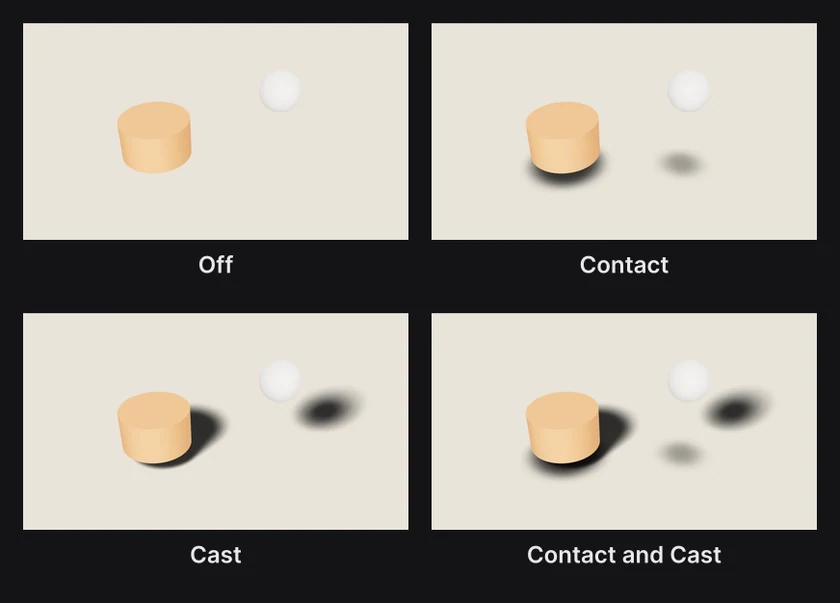
Where to find it: the Ground shadow section, with Scene selected at the top of the Layers panel.
Add a ground shadow
- Click Scene at the top of the Layers panel.
- In the Ground shadow section, raise Contact, Cast or both.
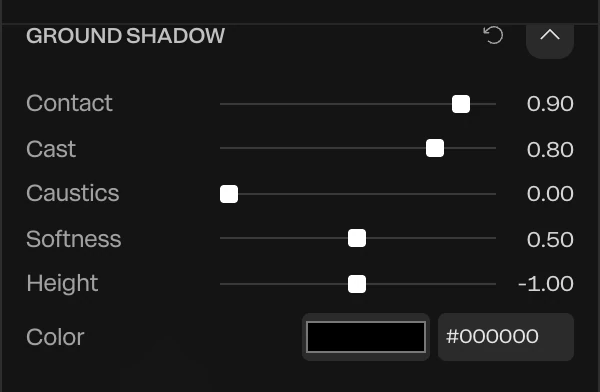
| Setting | What it does |
|---|---|
| Contact | Darkens the floor straight under whatever is close to it, the soft shadow of a product shot. It needs no light. |
| Cast | Lays the lights' own shadows on the floor: sharp where a thing touches the floor, softer and wider the higher it is |
| Caustics | Bright, moving light on the floor under glass. See below. |
| Softness | How soft the shadows are, from 0 (crisp) to 1 (broad) |
| Height | Where the floor is. The bottom edge of the frame is about -0.9 when the camera hasn't moved. |
| Color | The shadow's color. A dark shade of the background color looks more natural than black on a colored background. |
With Contact, Cast and Caustics all at 0, the ground shadow is off.
Cast follows the lights. Move the key light and the shadows swing round. See Lighting and environments.
Caustics
When light passes through glass, it gathers into a bright web on the surface below. Raise Caustics and glass layers throw this web onto the floor. It takes the glass's tint, moves on its own, and follows the glass as it moves.

It works under 3D glass and Liquid glass layers. See Glass and Liquid glass.
Things to know
- The floor is flat and level, so a camera looking straight ahead sees it edge-on and its shadows squashed thin. Raise the camera and point it down a little to see them well. See Camera and lens.
- The shadows show over any background. Export with a transparent background and they stay in the file as see-through shading, ready to drop over another picture.
- With a sky or HDRI Backdrop set to With ground, the shadows fall on the backdrop's ground, and Height follows it.
- The ground shadow belongs to the whole scene: one floor for every layer.