
Captions
Captions in the picture are burned in: everyone sees them. A caption file is separate: players like YouTube, LinkedIn and Vimeo show it when a viewer turns captions on, and search engines can read it. Paraplex writes both from the same captions.

Get captions into your piece
A Captions layer comes from one of these:
- A voiceover. Make one in the Voice panel with Captions, on each word checked, and the captions are timed from the voice's own reading. See Voiceovers, sound and music.
- The assistant. Ask it to "caption the piece from the voiceover", or give it your script or an SRT file to time the captions by.
| Caption style | What it looks like |
|---|---|
| Shorts | Two words at a time, big and bold, a third of the way up |
| Documentary | Two words at a time, quieter |
| Subtitle | A line at a time, low in the frame |
| Spoken | A line at a time in an italic serif, each word lit as it's said. Ask the assistant for it. |
Export a caption file
- Select the captions layer, if the piece has more than one.
- Choose Menu › Export captions (SRT)… or Export captions (VTT)….
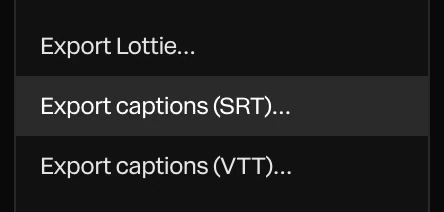
The file downloads named after the project, such as launch-video.srt. Each caption in the piece is one cue, with its start and end time:
1
00:00:00,500 --> 00:00:03,012
Every piece is built to last,

2
00:00:03,012 --> 00:00:04,313
made by hand,| Format | Use it for |
|---|---|
| SRT | YouTube, LinkedIn, Vimeo, most video players and editing apps |
| VTT (WebVTT) | The <track> of a video on your own web page |
With nothing selected, Paraplex uses the first captions layer in the piece. With none, it says there are no captions to export.
Tip
Uploading a caption file with your video? Hide the captions layer before you export the video, so the words aren't on screen twice.