
Add live 3D animation to your Webflow site.
Design the scene in Paraplex, publish it as an embed, and paste two lines into a Webflow Code Embed. It plays in real time, answers hover, click, drag and scroll, picks its layout at your breakpoints, and takes its headline and photo from your CMS fields. Change the piece and every page shows the new version, with nothing to re-upload.
Free to start. No watermark. Unlimited interactive embeds on Pro.












Most motion on a Webflow site is a video loop: the same picture for every visitor, and a new export and upload every time something changes. A Paraplex embed is the scene itself, running live in a Code Embed. It reacts to the visitor, fits the width it's given, and reads its words, numbers and pictures from the page, so one piece can serve every item in a CMS collection.
See everything an embed can do on interactive 3D embeds.
A video loop, or a live embed?
Paraplex embed
Use a live embed when you want
Motion that answers hover, click, drag and scroll
A different layout at each breakpoint, from one piece
Words, numbers and pictures filled in from CMS fields
Changes that show up everywhere without a new snippet
Real glass, chrome and light, rendered in the browser
Video loop
A video loop is plenty when you want
The same picture for every visitor
Motion with nothing to click or drag
A site plan without custom code
A file you host in Webflow's own Background Video element
Both
You don't have to pick one. Paraplex exports the same scene as an MP4 or WebM loop, so a section background can be a video and the hero can be live, made from one file.
Add it to Webflow in three steps.
Publish once in Paraplex, paste once in Webflow. After that, Update in Paraplex changes what every page shows.
01
Publish the embed in Paraplex.
Choose Share › Publish embed…, type a name, choose how it scrolls, and click Publish. Then click Copy snippet. You need to be signed in.
Publish and embed02
Paste it into a Code Embed.
In the Webflow Designer, add a Code Embed element where the piece should go and paste the snippet. With several pieces on one page, keep the embed.js line in one of them only. Webflow's Code Embed needs a paid site plan or Workspace plan.
Webflow on Code Embed03
Preview it, then publish.
The Designer canvas doesn't run the script, so the Code Embed shows a note instead of the scene. Open Preview with custom code turned on, or publish to your staging domain, and it plays.
The embed's attributesOne piece for every CMS item.
Put the Code Embed on a Collection template page or inside a Collection List, and give the snippet a slots attribute. Name the layers in Paraplex, such as Headline, Photo or Price, then insert the matching CMS field for each one in the Code Embed editor. Every item shows the same piece with its own words, numbers and picture.
A slot fills a text layer with words, a counter with the number it counts to, a picture layer from an https link, and a palette color from a hex value. A piece takes up to 64 slots, with up to 4,000 characters each. Nothing is saved back to the piece: edit the CMS item and the page follows.
Exporting video instead? Data-driven video makes one file per row of a CSV, and the embed API lists every attribute.
It switches layout at your breakpoints.
Make the layouts you need as artboards in Paraplex, such as a wide 16:9 for desktop and a tall 9:16 for phones, and give each one a breakpoint: the width it starts at. The embed measures the width Webflow gives it and shows the artboard with the largest breakpoint that fits, and checks again whenever the page resizes.
Because it measures its own box rather than the window, a piece in a narrow column shows its narrow layout even on a wide screen. Give one artboard a breakpoint of 0 and every width shows a layout you made on purpose.
Step by step: responsive embeds.
What it does on a Webflow page.
The embed is a small custom element, paraplex-scene, with a transparent background, so it sits on your own section colors and type. Everything below works the same in any Webflow layout.
Breakpoints
A layout for every width.
Artboards with breakpoints swap as the embed's width changes, from desktop down to a phone.
Scroll
Follows the scroll.
The timeline moves with the piece's trip through the window, the whole page's scroll, or plays on its own.
Pointer
Answers hover, click and drag.
Behaviors and state machines you set up in Paraplex work on the live page, with no Webflow Interactions to wire.
Numbers
Counters from a field.
Give a counter layer a number from a CMS field and it counts to that figure on each item's page.
CMS
Words and pictures by name.
Fill any named layer or palette color from a CMS field, so one piece serves a whole collection.
Themes
Light and dark.
Give the piece color themes in Paraplex, then set theme on the snippet; change it later and the piece switches live.
Updates
Change it without re-pasting.
Update in Paraplex replaces what the link shows. Every Webflow page with that snippet shows the new version.
Code
Your buttons can drive it.
One line of custom code sends a state machine input, so a button elsewhere on the page can open the piece's cards.
What you need, and the limits.
Two lines of HTML, a Code Embed, and a Webflow plan that allows custom code. The rest is set up in Paraplex.
2
lines of HTML in the snippet: the player, then the piece
64
slots a page can fill, each up to 4,000 characters of text
What you need
A Paraplex account, signed in to publish
A Webflow site plan or Workspace plan that includes Code Embed
The two-line snippet from Share › Publish embed…
Preview with custom code turned on, or a published page, to see it play
Plans and limits
Free: 3 published pieces, 1 of them interactive
Free: 10,000 views a month on other sites, per piece
Pro: 50 pieces, unlimited interactive embeds and views
Up to 25 MB per piece, with its pictures and video
Good to know
Load embed.js once per page, even with several pieces
Two layers with the same name are both left alone
Picture links must allow other sites to load them
Visitors who ask for less motion see the first frame
Questions about Paraplex in Webflow
How do I add a Paraplex animation to Webflow?
In Paraplex, choose Share › Publish embed…, name the piece, click Publish, then click Copy snippet. In the Webflow Designer, add a Code Embed element where the piece should go and paste the snippet. Open Preview with custom code turned on, or publish, to see it play.
Why does my Code Embed show a note instead of the animation?
The Webflow Designer canvas doesn't run scripts, and the Paraplex snippet loads its player with one. Open Preview with custom code turned on, or publish to your staging domain, and the piece plays there.
Can a Paraplex embed use Webflow CMS fields?
Yes. Put the Code Embed on a Collection template page or inside a Collection List, add a slots attribute to the snippet, and insert a CMS field for each layer name, such as Headline or Photo. Words fill text layers, numbers fill counters, https picture links fill picture layers and hex values fill palette colors. The slots value is JSON inside an HTML attribute, so keep quotation marks out of those fields.
Which plans do I need?
Webflow's Code Embed element needs a paid site plan or Workspace plan. In Paraplex, Free includes 3 published pieces and 1 interactive embed, with 10,000 views a month on other sites for each piece. Pro includes 50 published pieces and unlimited interactive embeds and views.
Do I paste a new snippet every time I change the piece?
No. Open the piece in Paraplex and click Update in the Publish embed dialog. Every page that embeds it shows the new version with the same snippet. Unpublish takes it down everywhere at once.
Does it work with Webflow's breakpoints?
Yes. Give your Paraplex artboards breakpoints, the widths they start at. The embed measures the width it's given on the page and shows the artboard with the largest breakpoint that fits, so a wide layout on desktop can become a tall one on a phone.
Should I use a live embed or a video loop?
Use a video loop when every visitor should see the same motion and nothing needs to react, or when your Webflow plan has no custom code. Use a live embed when the piece should answer hover, click, drag or scroll, change layout by width, or fill in from the CMS. Paraplex makes both from the same scene.
Features that come along into Webflow
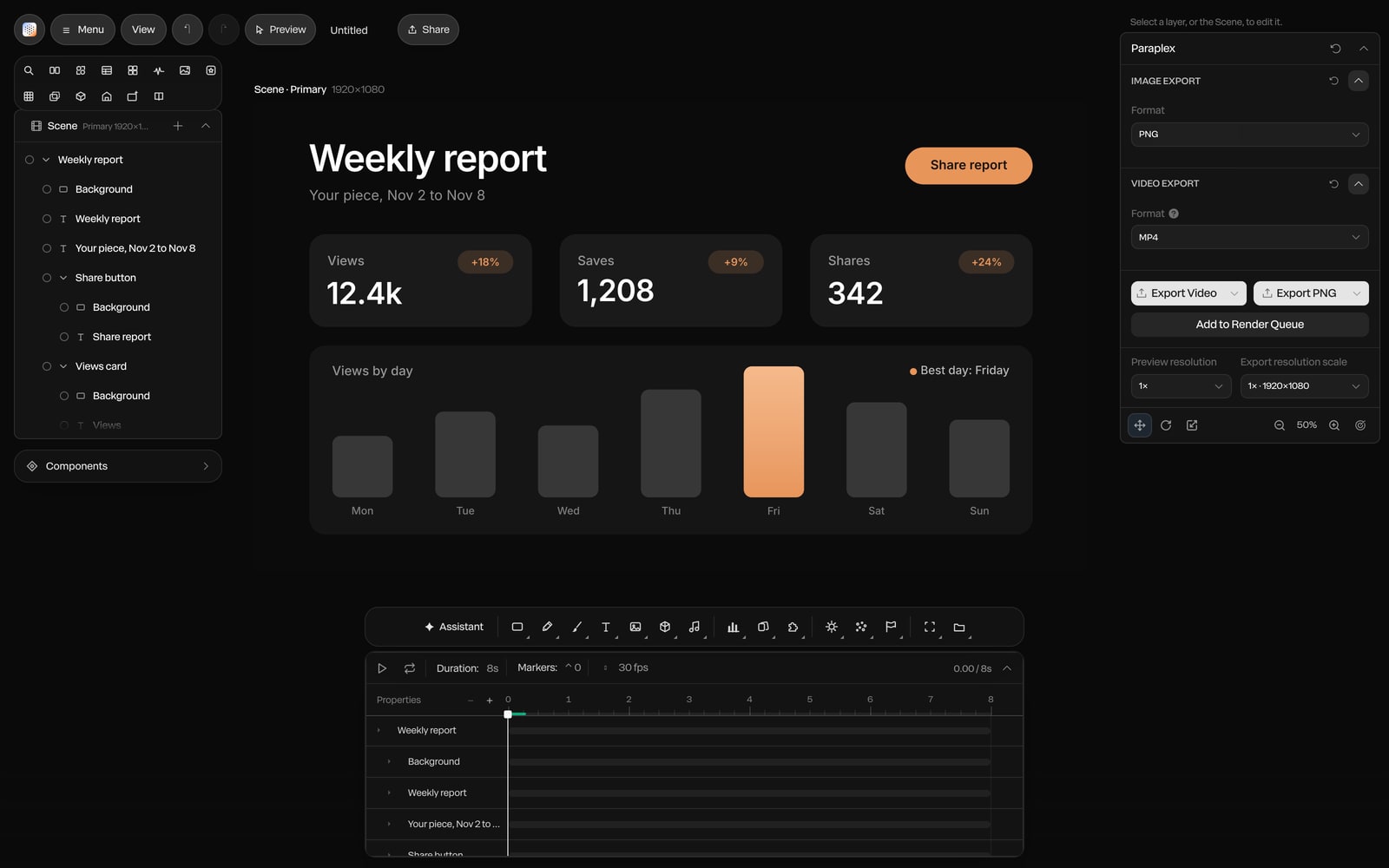
Put live 3D on your Webflow site.
Publish once, paste two lines, and let your CMS fill in the rest.
Paraplex is a browser-based 3D motion design studio with an AI assistant that edits real layers and keyframes.