
Concept render

Your real product.
Bring screenshots or a screen recording. If your UI is code, paste HTML or a React component as a live layer that renders frame for frame.
Put your screens on a 3D phone that turns in the light, walk a cursor through the flow, land the price and the logo, then export one scene for your Product Hunt launch, X, LinkedIn and your landing page.
Free 1080p exports, no watermark. Runs in your browser.
A launch video has a few seconds to prove the product is real. Paraplex starts from your actual screens on a 3D device, walks a cursor through the flow, lands the headline and the price, and closes on your logo. Then the same scene exports for every launch channel.
Concept render
Your real product.
Bring screenshots or a screen recording. If your UI is code, paste HTML or a React component as a live layer that renders frame for frame.
Concept render

Lit like a keynote.
A one-click 3-point setup or an HDRI, with a reflective floor under the phone.
Concept render

Every keyframe stays open.
Templates and the assistant build real layers and keyframes you can retime by hand.
Concept render

Chrome type, dark glass.
Set your wordmark in 3D letters whose bevel catches the light, and fan UI cards out in dark glass.
Most launch videos follow the same arc: the product, the flow, the payoff, the name. Each step below is a tool in the editor.
01
Drop a screenshot or a screen recording onto a 3D phone’s screen and it plays under a glossy cover, in sync with the timeline. You can also import your own phone, tablet or laptop model as GLB; Paraplex finds the screen when the part is named “screen” or “display”.
CSS stand-in · LV-03a
02
Draw a cursor path and give it stops. At each stop it clicks, taps, or presses and drags a layer along; clicks dip the pointer, pulse and add a click sound. A cursor lens can ride along and magnify what’s underneath.
CSS stand-in · LV-03b
03
Lay out two app screens as groups, right-click one and choose Smart animate to. Layers are paired by name, so shared elements move, resize and recolor into place, as ordinary keyframes.
CSS stand-in · LV-03c
04

Turn the price into a counter that rolls up to its value. Then give a particle cloud your SVG logo, and its particles fly together into the shape, timed by one keyframe.
Render needed · LV-03d
Price, then logo
8 s loop · 9:16 · MP4, WebM and poster
An Odometer rolls a price up on a dark glass card, then a white particle cloud gathers into an SVG logo and lands on a beat marker.

Push in, Pull back, Pan, Tilt, Orbit, Whip, Dolly zoom and Rack focus are written from the playhead. Frame a layer, set the seconds and a curve, springs included, and chain one move after another. Depth of field comes from the lens, and motion blur goes into the export.
Render needed · LV-02a
Push in
6 s loop · 16:9 with a center-safe 1:1 · MP4, WebM and poster
Glass-and-chrome phone on a graphite seamless under Softbox Duo. The camera pushes in on the screen and eases back.
Push in
Moves in on the layer you frame, over the seconds and curve you set.
Render needed · LV-02b

Orbit
6 s loop · 16:9 with a center-safe 1:1 · MP4, WebM and poster
Same set. The camera orbits about 40 degrees and back, so the softbox highlights slide across the glass and chrome.
Orbit
Circles the framed layer, so reflections slide across glass and chrome.
Render needed · LV-02c
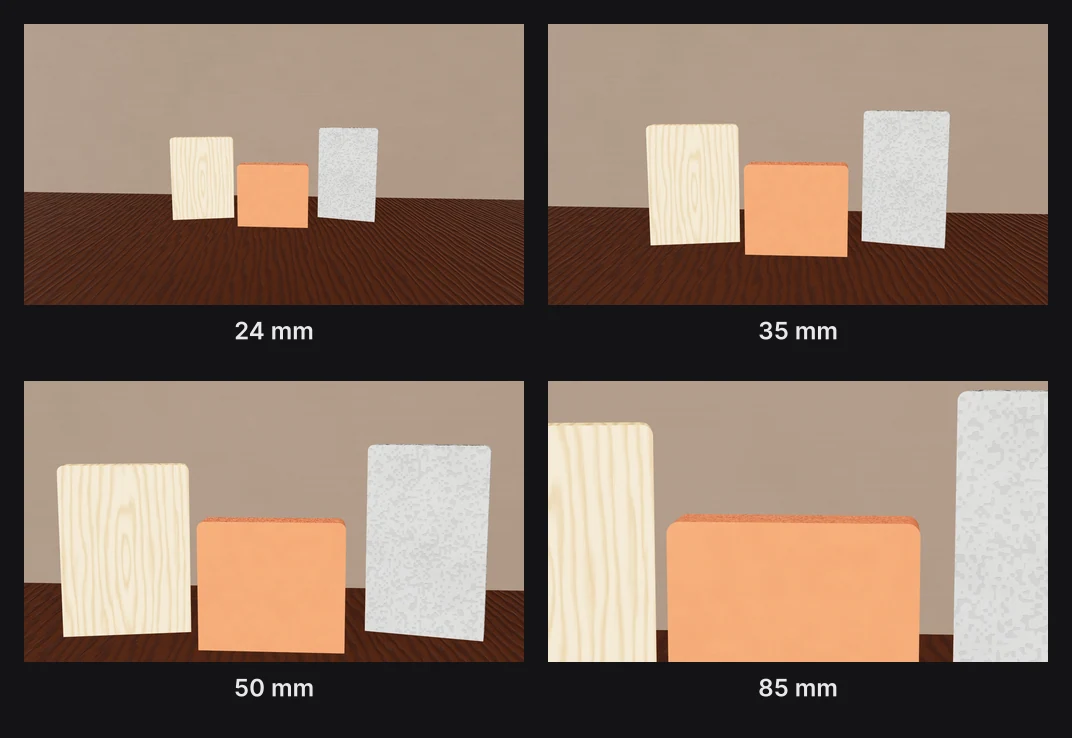
Whip
6 s loop · 16:9 with a center-safe 1:1 · MP4, WebM and poster
Same set. A Whip from the phone to a chrome 3D wordmark beside it and back, with motion blur on in the export.
Whip
Swings fast to the next subject, with motion blur in the export.
Render needed · LV-02d
Dolly zoom
6 s loop · 16:9 with a center-safe 1:1 · MP4, WebM and poster

Same set. Dolly zoom: the phone holds its size while the floor and the light pool behind it stretch, then settle.
Dolly zoom
The “Vertigo” move: the subject holds its size while the space behind it stretches.
Render needed · LV-02e
Rack focus
6 s loop · 16:9 with a center-safe 1:1 · MP4, WebM and poster
Same set. Focus pulls from the phone to a white headline behind it at f/1.4, then back.
Rack focus
Pulls focus from one layer to another, with depth of field from the lens.
Headlines, prices, music and narration sit on the same timeline as the picture, so every title and cut lands where you put it.
38
text animation presets, split by letter, word or line
18
scene transitions, from Flash frame to Projector start
Stomp, Mask rise, Blur in and 35 more presets
Text swaps that turn one phrase into the next
16 text styles, from Liquid metal to 80s chrome
Counter, rolling Odometer or running Clock
Decimals, thousands separators, “$” and “% OFF”
Unit charts that fill one unit at a time
Music, voiceover and sound effects, trimmed and faded on the timeline
AI voiceover with captions timed word by word
AI sound effects and music from a description
Describe the launch and the assistant builds it
Paste an SVG logo from Figma or Illustrator as editable paths
Randomize glass, light or panel settings for quick variations
Liquid glass panes and a loupe over your UI

Camera shake, from Handheld to a single Impact
11 environments and 8 HDRI panoramas
Film grain, light leaks and eight film looks
Export captions as SRT or WebVTT
Whatever the job, the same scene exports for every place it runs. Add formats as artboards beside your frame, let Responsive framing re-stack blocks for each shape, and pin your logo to its corner. Then export MP4, WebM, a GIF or a Lottie, or publish a live embed for your site.
Export to
5 shapes
16:9, 9:16, 1:1, 4:5 and 4:3, or a custom size
Safe zones for
4 feeds
TikTok, Reels, Shorts and the Instagram feed
Up to
4K at 60 fps
on Pro; free exports run to 1080p, no watermark
16:9

Landscape 16:9 · YouTube, slides and your site
9:16

Vertical 9:16 · Reels, Shorts & TikTok
4:5
Portrait 4:5 · feeds on Instagram, X and LinkedIn
| Paraplex | Screen Studio | Rotato | A Fiverr freelancer | |
|---|---|---|---|---|
| Runs on | The browser, nothing to install | macOS only | Mac app; web version in public beta | Not applicable |
| Starts from | Your screenshots, screen recordings, SVGs or live code | A recording of your screen | Your screens on 30+ 3D device models | Your brief |
| 3D | Full 3D scenes: devices, glass, chrome, lights, camera moves | Device-frame mockups | 3D device mockups | Depends on the freelancer |
| Cursor | Animated cursor with clicks, taps and drags; seven styles | Smoothed, restyled cursor with click ripples and auto-zoom on clicks | Not listed | Depends on the freelancer |
| Exports | MP4, WebM (alpha on Pro), GIF, PNG, live embed; every aspect ratio from one scene | MP4, GIF | ProRes 4444, H.264 or HEVC up to 8K, PNG frames, web export | As agreed |
| Price | Free (1080p, no watermark); Pro from $19/mo billed yearly | $9/mo billed yearly, or $29 month to month | One-time purchase tiers | $40 to $350 per app promo, across 1,000+ gigs |
When to pick something else. If your video is a recorded walkthrough of a real product session, Screen Studio's auto-zoom on a live recording is the faster path on a Mac. If you want a clickable tour that visitors step through themselves, interactive demo platforms such as Arcade, Storylane and Navattic are built for that. If you want one prompt to return a finished video with little editing, one-prompt tools such as Hera Launch, Motion.so and Pexo aim there. Paraplex is for launch pieces you direct shot by shot, in 3D.
Each template opens with every layer, keyframe, light and camera move ready to edit.
Poster needed · TPL-LV1
App launch (your UI)
Demos and walkthroughs
Poster needed · TPL-LV2
Click-through demo
Demos and walkthroughs
Poster needed · TPL-LV3
Cursor tour
Demos and walkthroughs
Poster needed · TPL-LV4
Product launch
Sales & promotions
Poster needed · TPL-LV5
Logo swarm
Logo animations
In Paraplex, start from a launch template or describe the video to the assistant, drop your screenshots or screen recordings onto a 3D phone or a browser frame, and export MP4 in every aspect ratio you need. Paraplex runs in the browser, so there's nothing to install.
Show the product working early, give each shot one idea, keep text readable with the sound off, and end on the name and logo. In Paraplex that can be a 3D device shot, a cursor walkthrough, kinetic type and a particle logo reveal in one scene.
Yes. In Paraplex you draw a cursor path with stops where it clicks, taps or drags a layer; clicks pulse and add a click sound, and there are seven cursor styles, including macOS, Windows, Figma and iPad.
Yes. Export a short looping MP4 or WebM from Paraplex for a video element, or publish the same scene as a live embed that plays in real time on your page.
Each Paraplex piece runs up to 60 seconds, and video exports at up to 30 fps on the free plan or 60 fps on Pro. Longer pieces, such as full tutorials, belong in a video editor.
Yes. Add 16:9, 9:16, 1:1 and 4:5 export formats in Paraplex and the same scene is reframed for each as its own artboard, with safe zones for TikTok, Reels, Shorts and the Instagram feed. On Pro, one export renders every enabled format.
As of October 2026, app promo videos from Fiverr freelancers run about $40 to $350, and one 2026 pricing guide puts freelance animated launch videos at $1,500 to $5,000. Paraplex has a free plan with 1080p exports and no watermark, and Pro starts at $19 a month billed yearly.
Start free in your browser. Upgrade when your work needs 4K.
Paraplex is a browser-based 3D motion design studio with an AI assistant that edits real layers and keyframes.