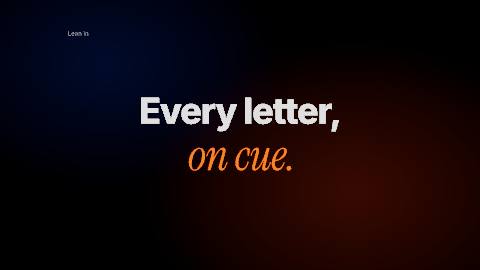
Every cut, on the beat.

Select your music track and choose Detect beats. Paraplex drops a marker on every beat and reports the tempo, and your titles and cuts snap to the markers, so they land on the drum hits.

Unlimited free 1080p exports.  No watermark.  Runs in your browser.

Branding kinetic typography video template text animation presets inside the Paraplex app, featuring text that says "Unrivaled Accuracy" with a vertical text marquee animation layout.

Motion feels expensive when it moves with the music. In Paraplex, Detect beats drops a marker on every beat of your track and reports the tempo. Clips snap to the markers as you drag or trim them, so a title starts on the downbeat and a cut lands on the drum hit, and every layer and keyframe stays yours to edit.

From track to timing in three steps.

Stop counting frames. Paraplex finds the beats, and you choose what lands on them.

01

Add your track.

Drop in music as an audio layer (MP3, WAV, M4A and more), or describe a music bed and AI makes one for you.

How audio works

02

Detect beats.

Select the track and choose Detect beats. A marker lands on every beat and Paraplex reports the tempo. Press M to add a marker of your own.

Syncing to audio

03

Snap to the beat.

Drag or trim a clip near a marker and it snaps into place, so titles land on the downbeat and cuts fall on the drum hits. The music is mixed into your MP4 or WebM.

Clips and transitions

Every beat, marked on the timeline.

Detect beats lays a thin amber marker on every beat across the timeline, with a count beside them, so the rhythm of the track is right there while you work.

Clips snap to the markers as you drag or trim them. Put the playhead on a marker and set a keyframe, and the move lands on the hit, like the Scale keys stacked on every beat here.

The Paraplex timeline: eight amber beat markers across the ruler, and the Scale row's keyframes clustered on each one

Screenshot · the Paraplex timeline

One beat grid. Every kind of video.

Titles, lyrics, launches and montages all hit harder when they land on the beat. Every card here is a real template, cut to its own track.

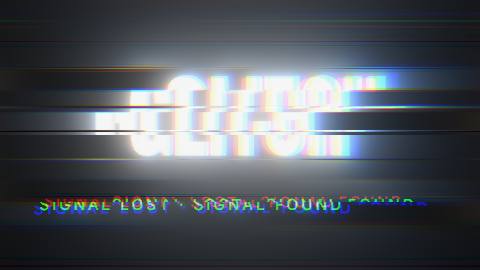
The Glitch title template: a title snapping in letter by letter on the beat as glitch bursts split its colors

Glitch title template

On the beat

Kinetic typography

Snap each word's clip to a beat marker and give it one of 38 text animation presets, such as Stomp, Glitch in or Mask rise, so every title hits on the kick.

Templates: Glitch title, Kinetic stomp, Type in motion
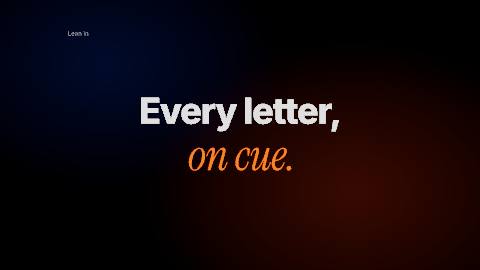
The Type in motion template: lines of type animating on black, one scene to each bar of its beat, lit by a cool blue glow and a warm ember glow

Type in motion template

On the beat

Lyric videos

Put each lyric line on its own text layer and snap it to the beat. Export 16:9 for YouTube, then 9:16 for TikTok, Reels and Shorts from the same scene.

Templates: Type in motion, Margin notes

The Takefive promo template: a product link is pasted, a 3D carousel of videos fills and the numbers count up, all on its own beat

Takefive promo template

On the beat

Launch and app promo videos

Cut your screens, cursor clicks and price reveals to the track. Every cursor click adds its own click sound to the timeline.

Templates: Takefive promo, Product launch, App launch

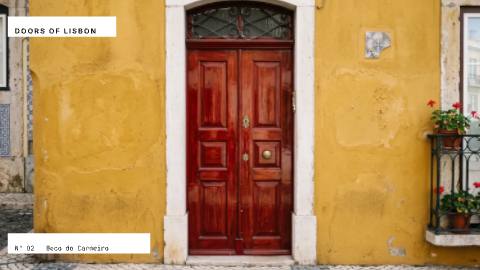
The Match-cut stack template: photos of front doors cutting in on the beat of a stomp track, each one centered where the last stood

Match-cut stack template

On the beat

Photo montages and match cuts

Drop in your photos and snap each one to a marker, so every cut falls on the beat. Logo match cut holds your logo still while pictures cut behind it in time with the track.

Templates: Match-cut stack, Logo match cut, Card stack

Made for Shorts, Reels and TikTok.

Short-form video lives on the beat. Build in 9:16, keep your text clear of each app's buttons, and caption a voiceover word by word.

YouTube Shorts

Logo needed

Instagram Reels

Logo needed

TikTok

Logo needed

A vertical Short about the AI ROI gap: two bars compare 5% and 42% while captions appear word by word

The AI ROI gap: a narrated Short with a caption on every word.

Kinetic typography gradient text video template from the Paraplex motion design app.

Stat drop: a number that counts up and lands on the downbeat.

A looping animated video displaying a field of particles and dots that condense and converge into the shape of a star, showcasing the capabilities of the Particle Logo Reveal Video Template from Paraplex app.

Logo match cut: pictures cut behind a logo in time with the beat.

Captions

Word-by-word captions timed from an ElevenLabs voiceover

Shorts style: two words at a time, big and bold

Export SRT or WebVTT for YouTube

Safe zones

TikTok, Instagram Reels, YouTube Shorts and the Instagram feed

Covered areas tinted, usable space outlined and measured

A guide only: never in your export

Every format

Vertical 9:16, Square 1:1, Portrait 4:5 and Landscape 16:9

Each format is its own artboard beside the frame

Export all enabled formats in one go (Pro)

More ways to move with the music.

Music beds made from a description

Sound effects from words, like a soft whoosh

A click sound on every cursor click

Volume, fades and a start point per track

Flash frame and Whoosh in transitions

Impact shake for a single jolt on a hit

Speed ramps for slow motion and freezes

AI voiceovers with ElevenLabs voices

Templates cut to the beat.

Each one comes cut to its own beat track. Open it, then swap in your words, pictures and music.

Questions about beat sync

How do I sync an animation to the beat of a song?

Add the song as an audio track, select it and choose Detect beats. Paraplex drops a marker on every beat and reports the tempo. Then drag or trim your clips near a marker and they snap to it, so titles and cuts land on the drum hits.

Can Paraplex detect the BPM of my music?

Yes. Detect beats reports the tempo of the track and drops a marker on every beat. You can also press M to add a marker of your own at the playhead.

Can I make a lyric video that syncs to the music?

Yes. Put each lyric line or word on its own text layer, snap its clip to a beat marker, and give it one of 38 text animation presets, such as Stomp, Mask rise or Typewriter. Export 16:9 for YouTube and 9:16 for TikTok, Reels and Shorts from the same scene.

Can I add captions to Shorts, Reels and TikToks?

Yes. Type a script, pick an ElevenLabs voice, and Paraplex adds the voiceover with a caption on each word, timed from the voice. Caption styles include Shorts (two words at a time, big and bold), Documentary, Subtitle and Spoken, and you can export the captions as SRT or WebVTT.

What audio files can I use?

MP3, WAV, M4A and more. Music, voiceovers and sound effects are layers on the timeline that you can drag, trim, fade, set the volume of or start partway into the file, and every track is mixed into MP4 and WebM exports.

Is beat sync free?

Yes. Paraplex's free plan includes the whole editor, Detect beats included, and exports video up to 1080p at 30 fps with no watermark. 4K at 60 fps is on Pro.

Build with Paraplex.

Start free in your browser. Upgrade when your work needs 4K.

Paraplex is a browser-based 3D motion design studio with an AI assistant that edits real layers and keyframes.