Use case
Social media videos
Vertical cuts with a voice and word-timed captions, framed inside the TikTok, Reels and Shorts safe zones, from one scene.
Templates: The AI ROI gap, Why it sells, Match-cut stack
Type a script, pick an ElevenLabs voice, a speech model and a pace, and Paraplex adds the voiceover to your timeline with a caption on each word, timed from the voice itself. The narration, the captions and the 3D motion live in one file, so an explainer, a YouTube Short or a product video comes out of one tool instead of three.
ElevenLabs voices built in. Bring your own key and skip Paraplex credits. Runs in your browser.





Four steps on one timeline. Nothing gets exported from one app and lined up by hand in another.
Script
The narration goes into the Voice window. The same words become the voice and the captions.
Voice
Search the voice list, then pick a speech model and a pace. Your own key adds your cloned voices and skips Paraplex credits.
Captions
Every word gets its caption from the voice's own timing, in one of four caption styles.
Export
The voice is mixed into MP4 and WebM exports, and the captions export as SRT or WebVTT.
Press and hold Audio track in the dock and choose Voiceover · with captions on each word…. Type or paste your script, search the list with Find a voice, and pick a speech model: Expressive for the most natural read, Turbo, Multilingual for 29 languages, or Flash when speed matters most. Set the pace, and the voiceover lands on the timeline at the playhead as an audio clip.
ElevenLabs is built into Paraplex, so the voices are there the moment you open the window, and each voiceover uses Paraplex AI credits from your account. Already pay for ElevenLabs? Add your key under Account › API keys and two things change: your cloned and saved voices appear in the same list, and voiceovers run on your ElevenLabs account instead of your Paraplex credits. The key stays in your browser: it is never saved in a project or uploaded to your Paraplex account, and Paraplex checks it with ElevenLabs when you save it. The same key also runs AI sound effects and music.
Captions come from the voiceover's own word timing, so each one appears as its word is spoken. Pick a style: Shorts sets two words at a time, big and bold; Documentary and Subtitle; or Spoken, where each word lights up as it is said.
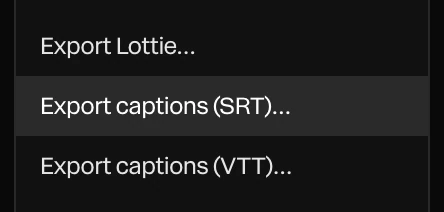
Already have subtitles? The assistant can make captions from an SRT file, or from a script at speaking pace. When the piece is done, Menu › Export captions writes an SRT file for YouTube, LinkedIn and Vimeo, or a WebVTT file for a video on your own page.
Posting to TikTok, Reels or Shorts? See social media videos.
The voiceover is an ordinary audio clip with its waveform on the timeline: drag it, trim it, split it, fade it in and out, or set its volume. Describe a music bed or a sound effect, such as “tense, minimal documentary underscore, 90 bpm” or “a soft whoosh”, and it arrives as another clip to mix the same way. Detect beats marks every beat of the music, so cuts and titles land on the hits.
Every track is mixed into MP4 (AAC) and WebM (Opus) exports, for pieces up to an hour, and transparent WebM keeps its sound.
Cutting to the music? More on beat sync.
Want music written to your cuts, a sound on every motion and a full mixer? See sound in Paraplex.
Most automated video editing tools speed up cutting footage you already shot. Paraplex automates the step before that: making the video. Ask the assistant for a narrated explainer and it builds the scene, adds the voiceover and captions with the same tools you would use, checks its own frames, and waits for you to Apply. Every layer and keyframe it makes stays editable.
Connect Claude Code through the Paraplex MCP server and an agent can run the same steps from your terminal: open a template, swap the words, add the voice, review the frames and export the video, each change one undo step in your open tab. One scene reframes for 16:9, 9:16, 1:1 and 4:5, so a YouTube video, its Short and a LinkedIn cut come from one build.
For YouTube automation or a weekly series, that means a script in and a narrated, captioned video out, with a human pass whenever you want one.
See how AI agents connect to Paraplex, or what the workflow looks like for marketers.
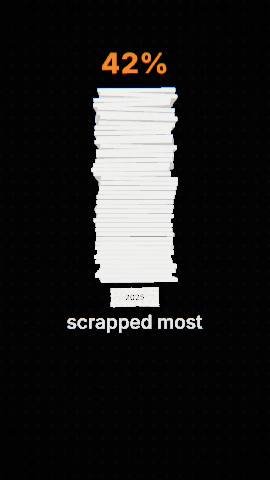
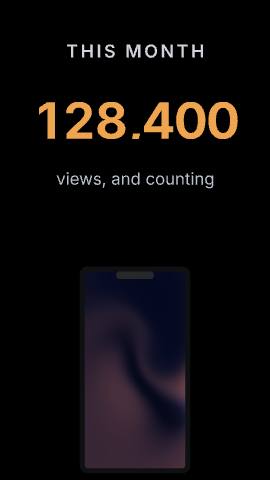
The AI ROI gap and Why it sells are narrated Shorts with their voiceover, word-timed captions and sound already on the timeline. Whiteboard explainer and Stat drop are ready for a voice of your own. All four are free to open: swap in your script and generate the voice.
The videos a voiceover with word-timed captions is made for, and the people who make them.
Use case
Vertical cuts with a voice and word-timed captions, framed inside the TikTok, Reels and Shorts safe zones, from one scene.
Templates: The AI ROI gap, Why it sells, Match-cut stack
Use case
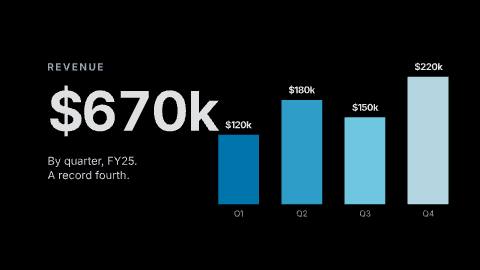
Animated infographics with a narrator: charts build while the voice explains the number, captioned for a muted feed.
Templates: The AI ROI gap, Chart drop, Whiteboard explainer
Use case
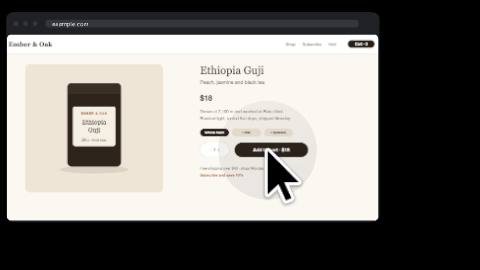
Walkthroughs where a cursor clicks through your screens while a voice explains each step, with captions and click sounds on the same timeline.
Templates: Click-through demo, Cursor tour, App launch
Paraplex for
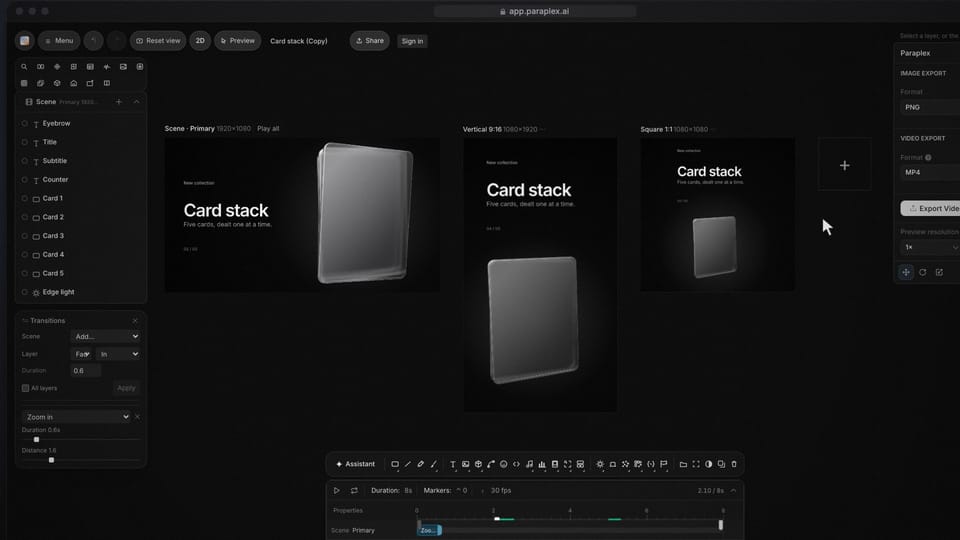
Every channel wants its own cut. Build one narrated scene, reframe it for 16:9, 9:16, 1:1 and 4:5, and keep every version on brand with a design system.
Templates: Stat drop, Match-cut stack, The AI ROI gap
ElevenLabs voices, built in
Your own ElevenLabs key: cloned voices, no Paraplex credits
Four speech models: Expressive, Turbo, Multilingual, Flash
29 languages with the Multilingual model
Captions timed from the voice, word by word
Shorts, Documentary, Subtitle and Spoken caption styles
SRT and WebVTT caption export
Mixed into MP4 and WebM, for pieces up to an hour
Open a project, press and hold Audio track in the dock and choose Voiceover · with captions on each word…. Type or paste your script, pick a voice, a speech model and a pace, and Paraplex adds the voiceover at the playhead with a caption on each word. To start from a finished example, open The AI ROI gap or Why it sells template and swap in your own script.
Paraplex uses ElevenLabs voices with four speech models: Expressive for the most natural read, Turbo, Multilingual for 29 languages, and Flash for the fastest result. Find a voice searches the list. With your own ElevenLabs key, your cloned and saved voices appear in the same list.
Yes. Add it under Account › API keys and Paraplex checks it with ElevenLabs when you save it. From then on, voiceovers, sound effects and music run on your own ElevenLabs account and use no Paraplex AI credits, and your cloned and saved voices appear in the voice list. The key stays in your browser: it is never saved in a project or uploaded to your Paraplex account.
From the voice itself. Each caption is timed from the voiceover's own word timing, so the captions match the narration word for word. Choose Shorts (two words at a time, big and bold), Documentary, Subtitle, or Spoken, where each word lights up as it is said.
Yes. Menu › Export captions (SRT)… writes a subtitle file for YouTube, LinkedIn and Vimeo, and Export captions (VTT)… writes WebVTT for a video track on your own page. Each caption is one cue with its own start and end time.
Yes, for motion design videos. The assistant can build a narrated, captioned piece from a description and wait for you to apply it. An AI agent such as Claude Code, connected through the Paraplex MCP server, can open a template, add the voiceover, check the frames and export the video from your terminal. One scene reframes for 16:9, 9:16, 1:1 and 4:5, so a YouTube video and its Short come from the same build.
Not mainly. Paraplex makes motion design videos: 3D scenes, type, charts and product demos, with their voice, captions and music. Video clips can sit on the timeline as layers and be trimmed, but their own sound isn't played, so for cutting talking-head or camera footage a video editor is the better tool. Many teams use both: cut the footage there, and make the narrated motion pieces in Paraplex.
Yes. Every audio track, the voiceover included, is mixed into MP4 (AAC) and WebM (Opus) exports, for pieces up to an hour, and transparent WebM keeps its sound. GIFs and PNG sequences have no sound.
The voiceover tool is on every plan, Free included. Each voiceover uses Paraplex AI credits from your account. Add your own ElevenLabs key and voiceovers run on your ElevenLabs account instead, with no Paraplex credits used. Exports are free up to 1080p with no watermark; Pro adds 4K.
Start in your browser, give your scene a voice and captions on every word, and export it for every feed.
Paraplex is a browser-based 3D motion design studio with an AI assistant that edits real layers and keyframes.
Data and explainers
Type a script, pick an ElevenLabs voice, and the voiceover lands on the timeline with captions timed word by word.
Templates: Whiteboard explainer, The AI ROI gap

Brand and social
Give a particle cloud your SVG logo and it flies together into the shape, or trim a stroke so the outline draws itself on.
Templates: Logo swarm, From a dot, Logo match cut

Brand and social
Vertical cuts with safe zones for TikTok, Reels and Shorts, captions timed to the voice, and your brand's design system applied in one step.
Templates: Match-cut stack, Kinetic stomp, Louder
Brand and social
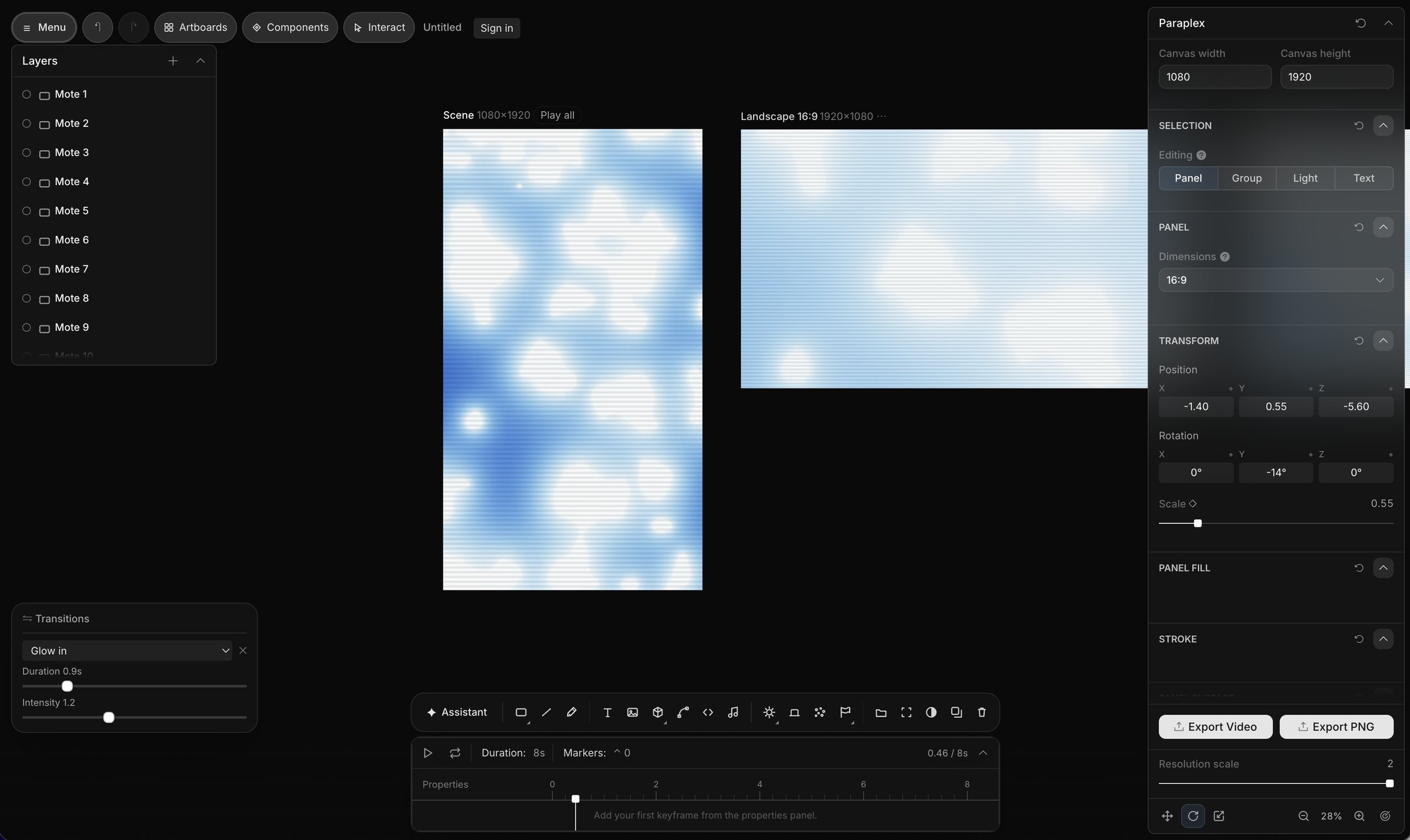
One version per spreadsheet row: columns fill headlines, prices and photos by layer name, and Export all variants renders them in one job (Pro).
Templates: On sale, Product launch
Web and slides
Export an MP4 or WebM loop, or publish a live embed that plays in real time and answers hover, click and scroll.
Templates: Chrome & glass hero, Liquid metal hero, Bento hero
Web and slides
Export a 16:9 or 4:3 video for a slide, or a transparent WebM on Pro to sit over your own background.
Templates: Title slide, Number slide, Chart drop
Whatever the job, a project starts from words, from a finished template, or from the files you already have. All three open in the same editor, and you can mix them in one scene.
01
Type what you want on the home page and click Make it. The assistant builds the scene from real layers and keyframes, and you Apply or Discard what it made.
Describe a scene02
62 finished templates in 13 categories, each built for you to swap in your words, pictures, logo, colors, data, music, video or voice.
Browse templates in Paraplex03
Drop screenshots, recordings, GLB models or Lottie files on the canvas, paste an SVG from Figma or HTML and React as a live layer, or upload a CSV for a chart.
Start with a blank sceneWhatever the job, the same scene exports for every place it runs. Add formats as artboards beside your frame, let Responsive framing re-stack blocks for each shape, and pin your logo to its corner. Then export MP4, WebM, a GIF or a Lottie, or publish a live embed for your site.
Export to
5 shapes
16:9, 9:16, 1:1, 4:5 and 4:3, or a custom size
Safe zones for
4 feeds
TikTok, Reels, Shorts and the Instagram feed
Up to
4K at 60 fps
on Pro; free exports run to 1080p, no watermark
Landscape 16:9 · YouTube, slides and your site
Vertical 9:16 · Reels, Shorts & TikTok

Portrait 4:5 · feeds on Instagram, X and LinkedIn
Render needed · FR-03
Paraplex for
Every channel wants its own cut. Build one scene, reframe it for 16:9, 9:16, 1:1 and 4:5 with safe zones for each feed, and keep every version on brand with a design system.
Templates: Stat drop, Match-cut stack, The AI ROI gap
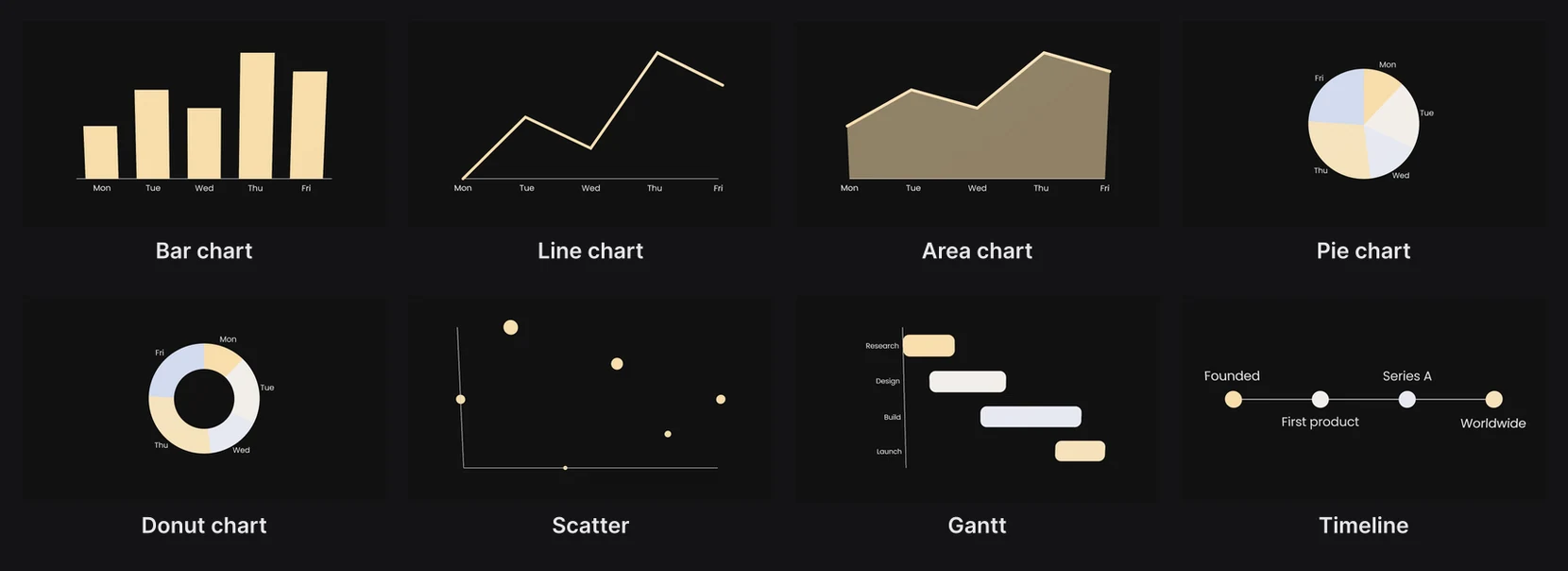
Render needed · FR-04
Paraplex for
Every client has a brand, and every brand has revisions. Keep each client's colors, fonts and motion as a design system, apply it in one step, and share a link for review.
Templates: Logo match cut, Logo swarm, Whiteboard explainer
Render needed · FR-05
Paraplex for
Motion that has to fit the code. Paste HTML, React or a GSAP timeline as a live layer that exports frame for frame, or ship a live embed your page fills in by layer name.
Templates: Glass list hero (website loop), Liquid metal hero, Bento hero
Keep colors, fonts, text styles, materials, scene looks and motion as a design system, and apply it to any scene at once.
Export MP4, WebM, GIF, PNG or Lottie, or publish an embed that plays in real time on your site and answers hover, click and scroll.
Answer.
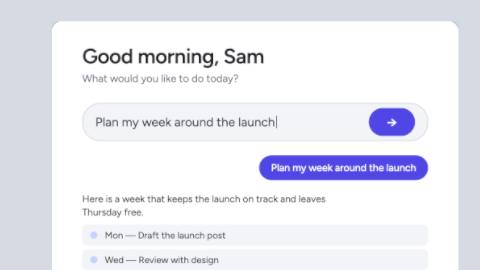
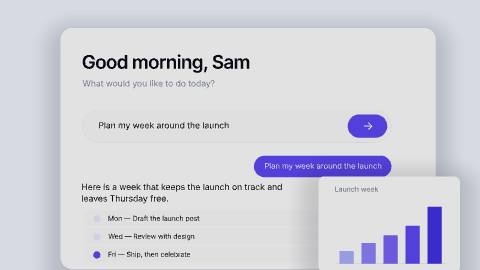
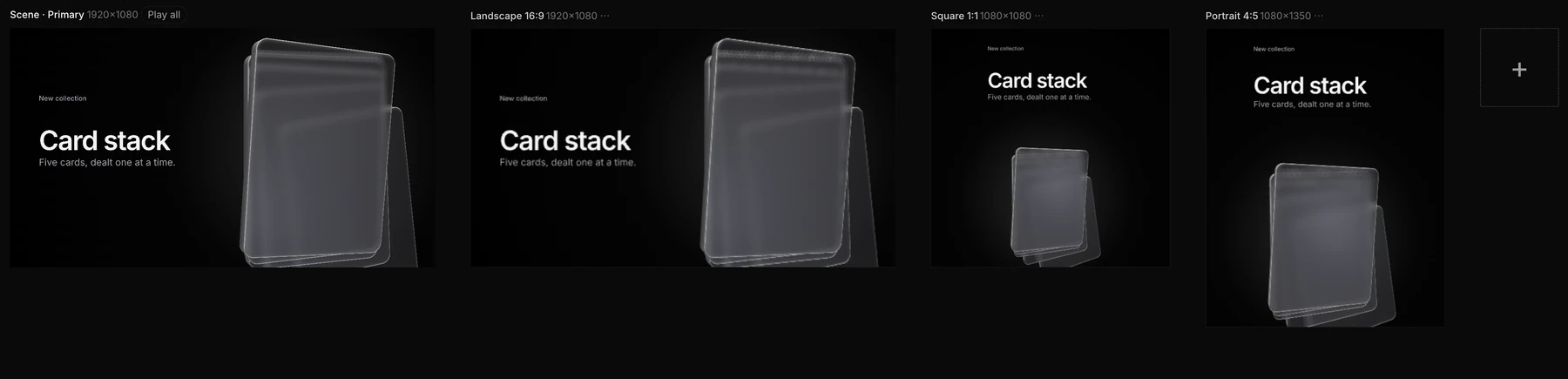
Screenshot · one scene on four artboards
Not available yet. Two things are on the way for marketing teams. The first is posting finished pieces straight to your linked social accounts.
The second is a long-form YouTube workflow for 3D documentaries, educational videos and tutorials: an outline and research, a voiceover, B-roll and generated 3D scenes, edits timed to the narration with music, sound and titles, landscape and vertical renders for each platform, and titles, descriptions and hashtags written for each post. Both will be listed here when they ship.
Coming soon · Render needed · MK-05
Concept: one documentary, every platform
Still or 10 s loop · 16:9 · concept, labeled as one
White clay documentary frame on a black seamless: torn-paper labels, a Polaroid and an investigative board in soft overhead light, with a vertical cut of the same shot beside the landscape frame. No colored panels.
“Every client has a brand.”
Keep each client's colors, fonts, text styles, materials, scene looks and motion as its own design system in your Library, and apply it to any scene in one step. A client's kit exports as one file to share with a teammate.
“The revisions never end.”
Copy a shareable link that publishes the piece as a web page, then refresh it after each round while the address stays the same. Notes on the canvas never export, undo has no limit, and each project keeps a History of recent saves to restore.
“The volume keeps growing.”
Start from 70+ editable templates that each say what to swap in, or save any scene as a template of your own. Data variants make one version per spreadsheet row, and on Pro, Export all variants renders them in one job.
“Every channel wants its own size.”
Add 16:9, 9:16, 1:1, 4:5 or 4:3 as artboards beside the frame, each reframed for its shape, with safe zones for TikTok, Reels, Shorts and the Instagram feed. On Pro, one export renders every enabled format.
The client's own fonts, saved in the project
Light and dark themes, or a brand and sub-brand, in one palette
Beat detection, so cuts land on the drum hits
Notes on the canvas that never export
Transparent WebM and PNG sequences (Pro)
Live embeds the client's site fills in by layer name
AI images and 3D models from a sentence
Components that follow the master's edits
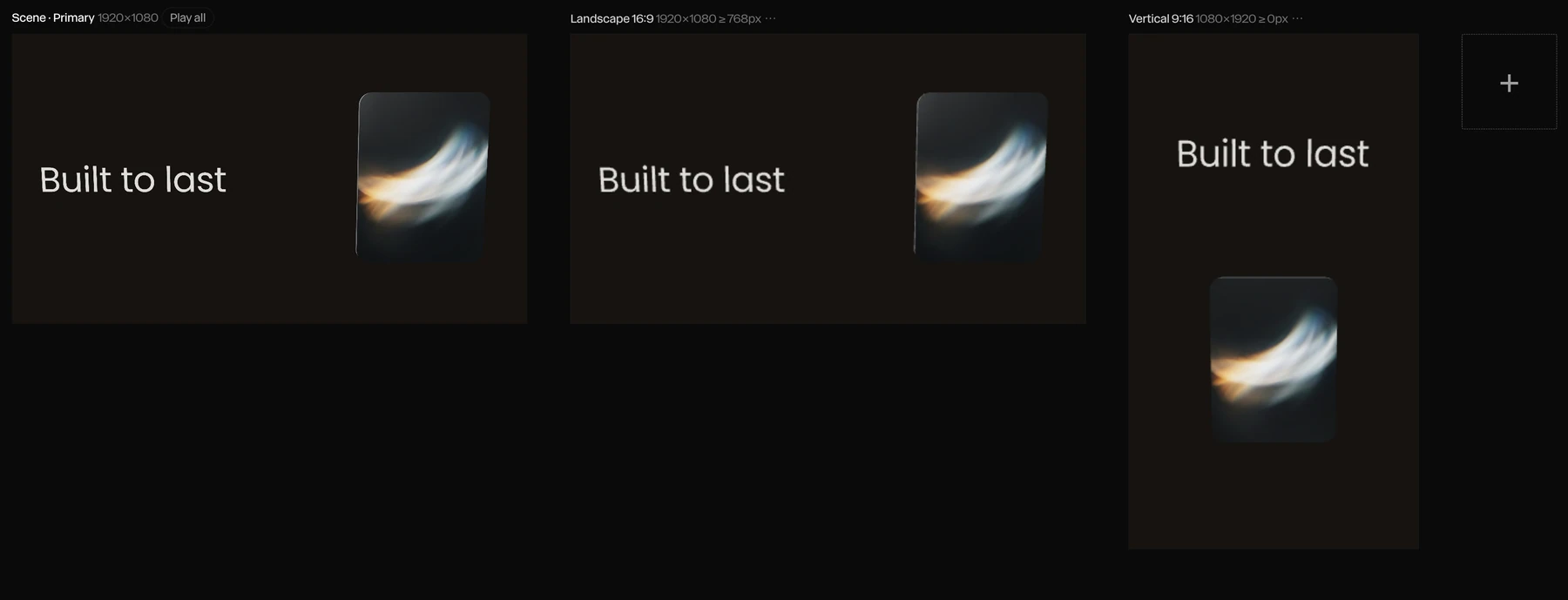
Screenshot · responsive artboards
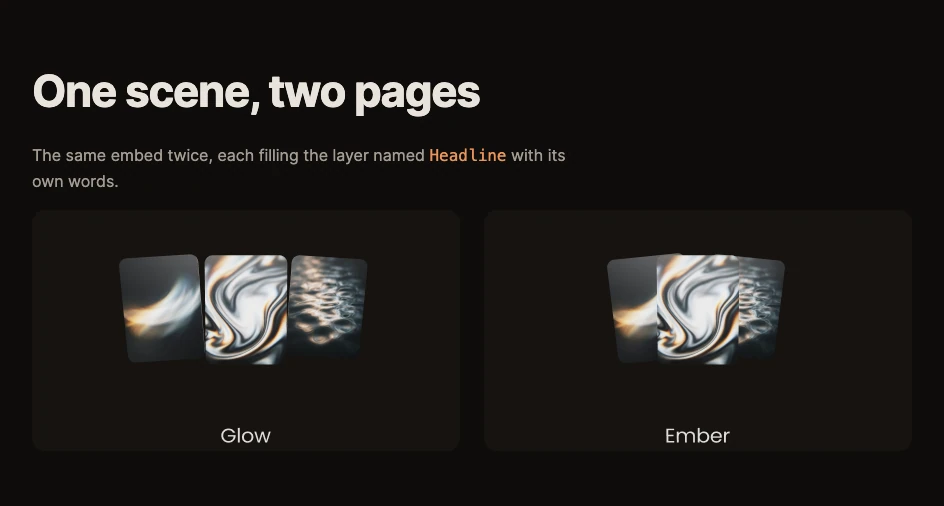
Screenshot · one embed, filled by name two ways
Link layers to your palette and give each color a value per theme. Switch the embed's theme from your page and every linked layer follows, so the scene matches your site in light mode and in dark mode.
Bring the whole design system along, with its colors, fonts, text styles and materials, and apply it to any scene in one step.
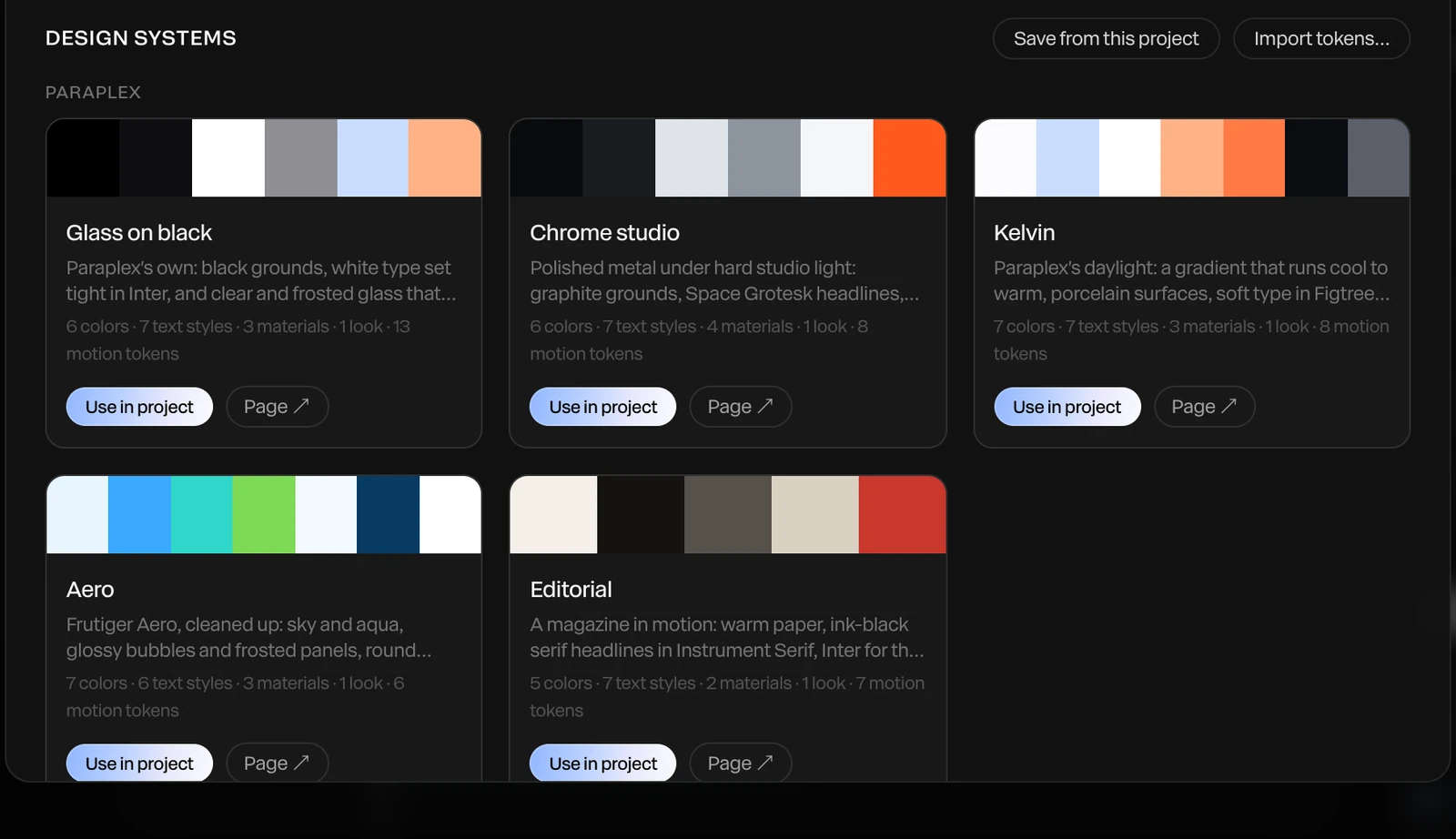
Screenshot · your design systems
Code layers bring HTML, CSS, JavaScript or React into a scene, flat over the frame or as a card in 3D. In an embed they keep running and respond to the pointer, so a live counter or a slice of your product's UI can sit inside the 3D scene on your site.
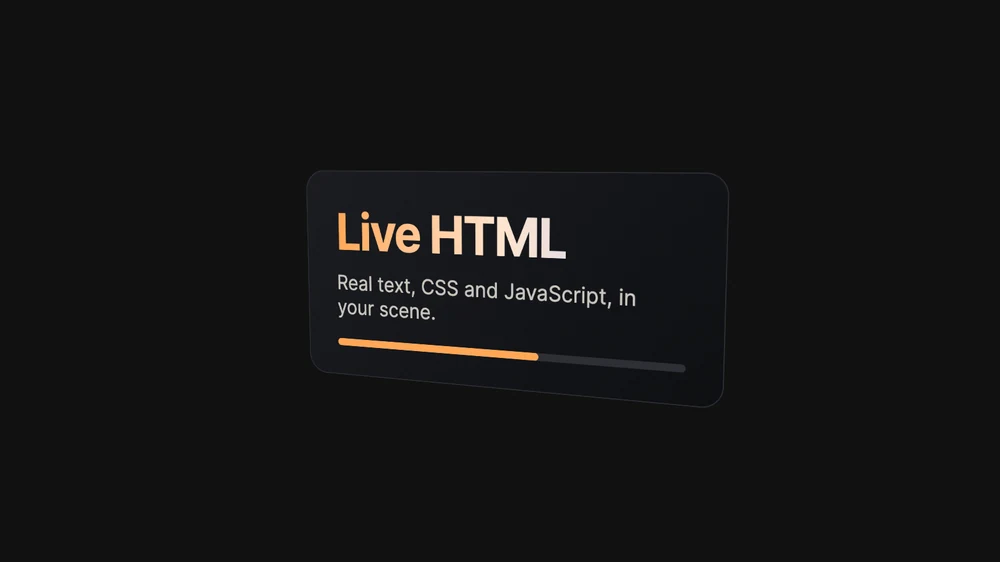
Screenshot · a live HTML card in a 3D scene
Camera
Let viewers Orbit, Look around like a panorama, Walk with W A S D or two fingers on a phone, or keep the camera Fixed.
States
Idle loops, presses that play once and hold, and held poses, switched by clicks, the pointer, a delay or your page.
Keyboard
Every interactive layer gets a keyboard-focusable stand-in, so visitors can reach it with Tab and press it with Enter.
Reduced motion
Visitors who ask their device for less motion see the first frame held instead of the animation.
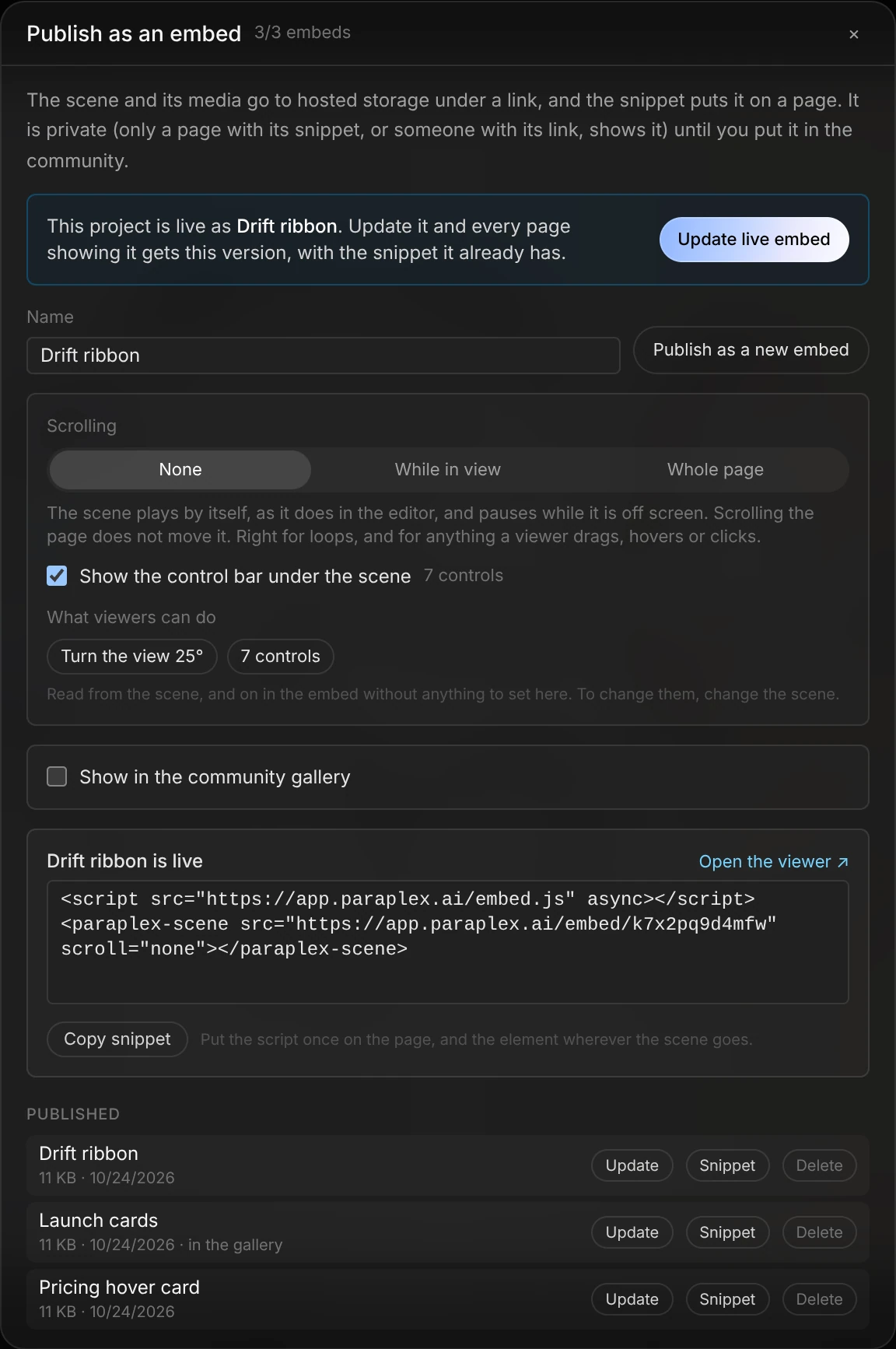
Screenshot · publishing a live embed



Render needed · SR-00
Record, stop, and it's already zoomed
10–12 s loop · 16:9 · MP4, WebM and poster
Screen capture of the editor: Menu › Record screen…, pick a tab, a few seconds of real work in a neutral grey web app (a menu opens, a field is typed in), Recording pill › Stop. Cut to the recording landing on its rounded card over the soft gradient and playing back with its automatic zooms. Interim: media hub still ui-still-screen-recording once uploaded.
Render needed · SR-02
Editing an automatic zoom on the timeline
8 s loop · 16:10 · MP4, WebM and poster
Screen capture: a recording's zoom keyframes selected on the timeline; drag one later, change Zoom strength from Medium to Close, scrub to show the new move. Neutral UI, no colored panels. Interim: media hub still ui-still-timeline.
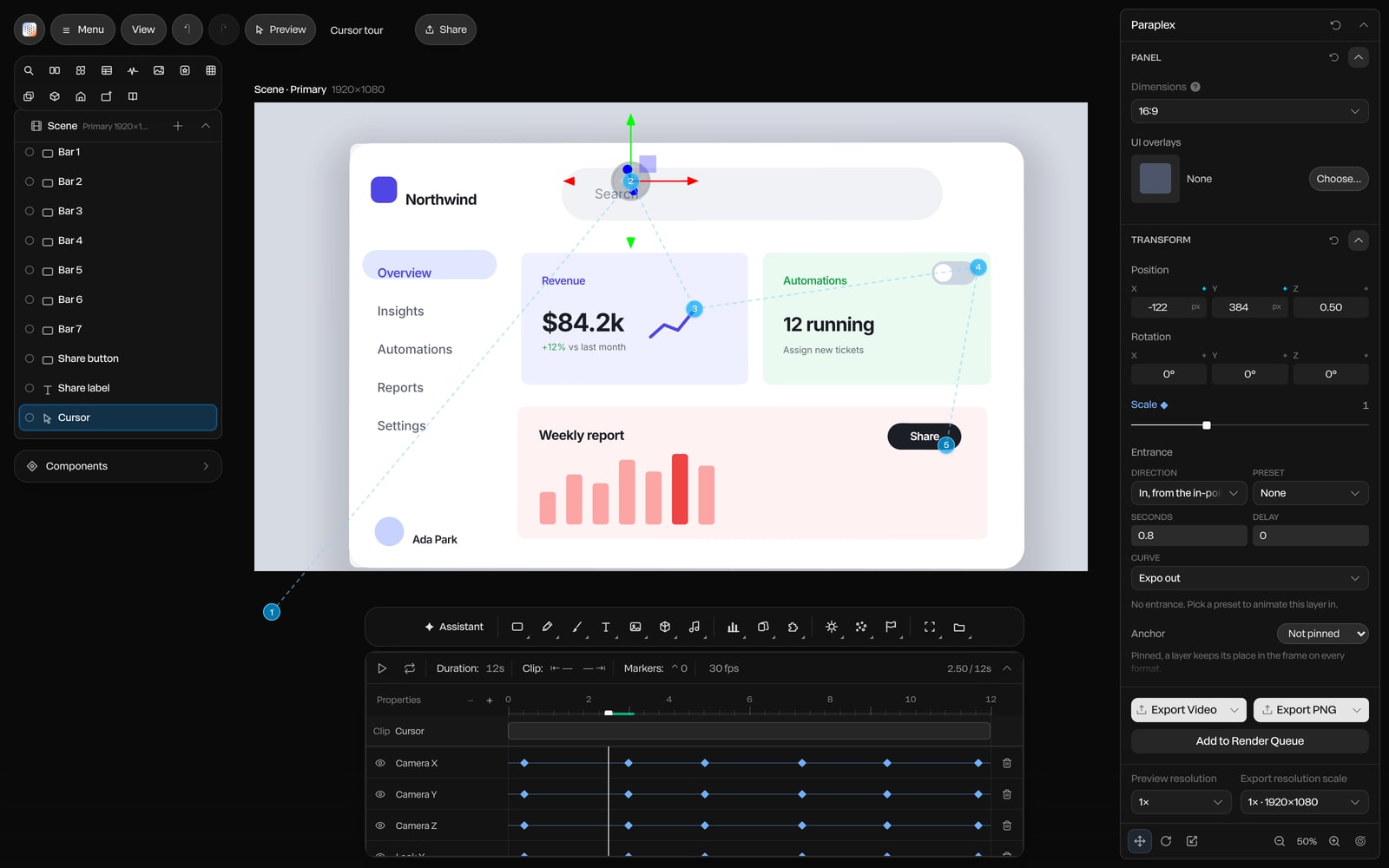
Screenshot · a cursor path over a browser frame