
Concept render

3D motion graphics and video.
Launch videos, product promos, logo reveals and social cuts in real 3D, with glass, chrome and light, exported as video to your computer.
The Paraplex MCP server is live. Connect Claude Code, or any MCP client, to the Paraplex tab you have open, and your agent builds 3D motion graphics, videos and animated HTML with the same 140+ tools as the Paraplex editor. Agentic motion design you can still edit: every layer, keyframe and property stays yours.
Unlimited free 1080p exports. No watermark. Runs in your browser.
> a 10-second launch video with three glass cards and our logo Open app.paraplex.ai, then Menu › Connect an agent, and enter the port and six-digit code. connection · scene · run_tool build_scene · set_keyframes · add_camera_move frames · export_video → ./paraplex-exports
Most motion tools are built for a hand on a mouse. Paraplex is built for agentic work too. Through its MCP server, your agent uses the same 140+ tools as the Paraplex editor itself, in the tab you already have open, and every edit lands as one undo step. What it builds isn't a flat render: it's real layers, keyframes and properties you can open, retime and change.
Install the server once. Whenever you want your agent in the editor, connect it from your Paraplex tab.
01
Run claude mcp add paraplex -- npx -y paraplex-mcp in your terminal. Any other MCP client can start the same npm package.
paraplex-mcp on npm02
Open app.paraplex.ai in Chrome, Edge or Arc. If the browser asks to let the page connect to devices on your local network, allow it: that's the server.
Open Paraplex03
Ask your agent for a piece. It gives you a port and a six-digit code; enter them in Menu › Connect an agent. A banner shows while it's connected, and you can disconnect from it any time.
Read the READMEYour agent doesn't hand you a file from somewhere else. It works in the scene you're looking at, and you can watch each layer arrive.
01
The scene tool gives your agent the canvas, the duration, the time and every layer. scene_facts tells it where each layer lands in the frame, how big the type is on the frame, and where the camera is.
Render needed · AG-01
The agent reads the scene
6–8 s · 9:16 crop of a screen recording
Terminal on top, Paraplex tab below. The agent calls scene and scene_facts; the reply lists layers and where each lands in the frame while the matching layers highlight in the tab. Monochrome glass scene, connected banner visible.
02
list_tools and run_tool hand it the built-in assistant's verbs, such as build_scene, add_text, set_keyframes and add_camera_move. It can also list the templates, start from one, or open a blank file.
Render needed · AG-02
Built with the assistant's tools
6–8 s · 9:16 crop of a screen recording
run_tool build_scene, then set_keyframes and add_camera_move in the terminal; in the tab, three glass cards appear in the Layers panel one by one and keyframe diamonds land on the timeline.
03
frame, frames and export_png show the piece at any moment, drawn the way the export draws it, so your agent can check type, framing and timing before you press play.

Render needed · AG-03
It checks its own frames
6–8 s · 9:16 crop of a screen recording
The agent calls frames at three moments; three stills come back in the terminal; it nudges a title that sat too close to the edge, and the playhead replays the fix in the tab.
04
export_video writes the finished video to ./paraplex-exports, or to the folder PARAPLEX_OUT_DIR names. save_project keeps the scene as a project in your browser, ready to open and keep editing.
Render needed · AG-04
Exported to your computer
6–8 s · 9:16 crop of a screen recording
export_video runs; the terminal prints the file path in ./paraplex-exports; the MP4 opens and plays the finished piece.
A Paraplex scene is plain structure: layers with names, properties with values, keyframes with times and curves. Your agent reads it, changes it and checks it through the same 140+ tools as the Paraplex editor, each with a plain name, instead of clicking around a canvas built for hands.
It doesn't have to learn Paraplex from scratch, either. The MCP repo includes a Paraplex agent skill, in skills/paraplex, that teaches your agent how Paraplex works before it makes its first edit.
When code is the faster route, it can write a HyperFrames project in HTML and bring it in with import_hyperframes: one code layer, with its sound on the timeline. Code layers play on the timeline's clock and export frame for frame, their CSS variables become keyframeable controls, and Lift into layers turns the page into ordinary Paraplex layers.
connection — is a tab attached; if not, the port and code scene — canvas, duration, time, every layer scene_facts — where each layer lands, type sizes, the camera list_tools, run_tool — the assistant's verbs list_templates, apply_template, new_project — start a piece set_time, frame, frames, export_png — look at any moment export_video — a video file on this computer import_hyperframes — a HyperFrames project as one code layer save_project — the scene, saved in your browser
Nothing happens out of sight. Every edit your agent makes appears in your tab as it happens, a banner shows while it's connected, and each edit is one undo step, so you can step back through anything it did.
What it leaves you is the same project you'd build by hand: layers you can rename and regroup, keyframes you can drag, properties you can change, and lights and camera moves you can retime. Keep going with the built-in assistant, or take it from there yourself.
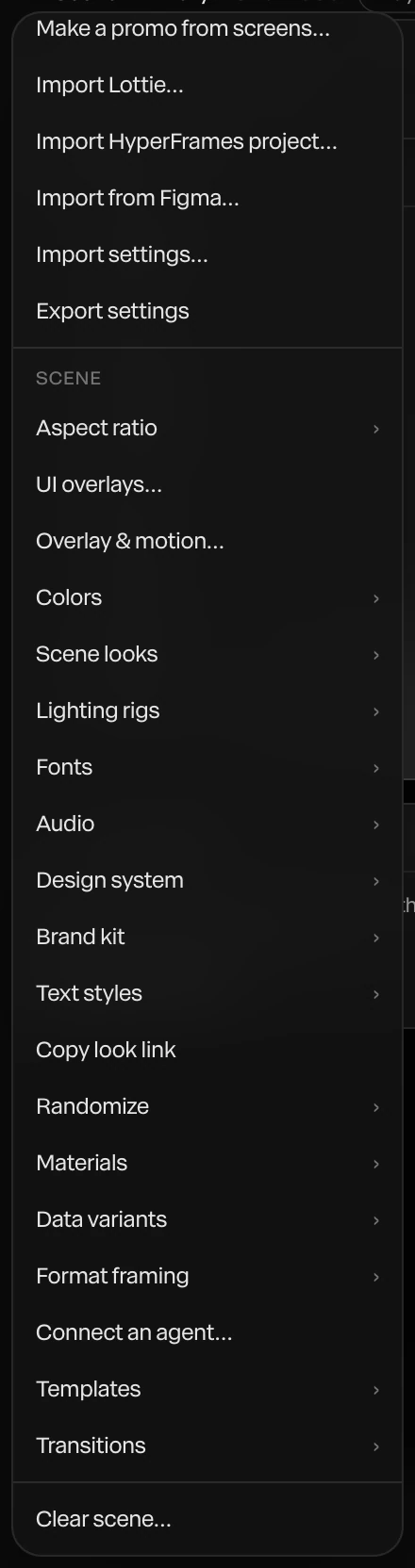
Screenshot · Menu › Connect an agent
Concept render
3D motion graphics and video.
Launch videos, product promos, logo reveals and social cuts in real 3D, with glass, chrome and light, exported as video to your computer.
Concept render

Charts from your data.
Bar, line, donut and scatter charts that animate in, with every bar, label and axis a layer you can restyle.
Concept render

A project, not a render.
Save the scene as a Paraplex project with its layers, keyframes, lights and camera, and keep refining it by hand or with the built-in assistant.
Concept render

Animated HTML, in a real 3D scene.
Code layers run HTML, CSS, JavaScript and React on the timeline's clock, GSAP timelines included, and export frame for frame. A HyperFrames project comes in as one code layer, its sound on the timeline.
Six prompts to give Claude Code, or any MCP client, once it's connected. Copy one into your terminal and watch the scene build in your Paraplex tab.
01 · A launch video
Make a 10-second launch video with three glass cards and our logo, check the frames, then export it
Copy prompt02 · From a template
Start from a product promo template, swap in our headline and a $49 price, and export an MP4
Copy prompt03 · Data to motion
Build an animated bar chart from the numbers in sales.csv and push the camera in slowly while the bars grow
Copy prompt04 · Bring in HTML
Import the HyperFrames project in ./promo, add a chrome title over it, and save the project
Copy prompt05 · A quality pass
Look at the frames at 2, 5 and 8 seconds and fix any text that's cut off or too small to read
Copy prompt06 · Hand it back
Save this as Spring launch and export a PNG of the last frame so I can review it
Copy prompt.jpg)
Render needed · AG-P1
Prompt 01, built by an agent
10–20 s · 16:9 · screen recording, terminal left and Paraplex tab right, sped up where it waits
Prompt pasted into Claude Code. Three dark glass cards and the logo build layer by layer in the tab, the agent checks frames, then export_video writes the MP4. Connected banner visible; calm monochrome scene.
Render needed · AG-P2
Prompt 02, built by an agent
10–20 s · 16:9 · screen recording, terminal left and Paraplex tab right, sped up where it waits
list_templates, then apply_template on a product promo; the headline and a $49 price are swapped in; export_video. Pick a calm, near-monochrome template.

Render needed · AG-P3
Prompt 03, built by an agent
10–20 s · 16:9 · screen recording, terminal left and Paraplex tab right, sped up where it waits
The agent reads sales.csv, builds an animated bar chart in white and graphite, and adds a slow push-in; the bars grow as the camera moves.
Render needed · AG-P4
Prompt 04, built by an agent
10–20 s · 16:9 · screen recording, terminal left and Paraplex tab right, sped up where it waits

import_hyperframes on ./promo: one code layer and its sound land on the timeline; a 3D chrome title is added over it; save_project.
Render needed · AG-P5
Prompt 05, built by an agent
10–20 s · 16:9 · screen recording, terminal left and Paraplex tab right, sped up where it waits
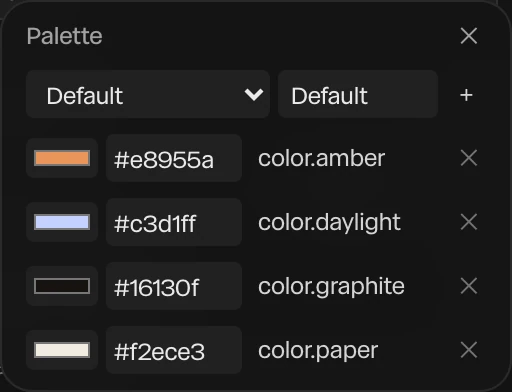
frames at 2, 5 and 8 s come back as stills; scene_facts flags a small caption; the agent resizes it and moves a title off the edge; the playhead replays the fix.
Render needed · AG-P6
Prompt 06, built by an agent
10–20 s · 16:9 · screen recording, terminal left and Paraplex tab right, sped up where it waits
save_project names the scene Spring launch; export_png writes the last frame; the PNG opens beside the tab.
The server runs on your computer and talks only to your Paraplex tab. The scene stays in the tab, and exports are written to your computer. It's open source under the MIT license, so you can read every line.
140+
tools from the Paraplex editor itself; your agent works through the same set
1
undo step per edit, so you can step back through anything your agent did
Read the scene and where every layer lands
Build with the 140+ tools of the Paraplex editor
Turn your numbers into animated charts
Start from a template or a blank file
Look at any moment as the export draws it
Export video and PNG stills to your computer
Listens on this computer only
Only a Paraplex page can connect, with a one-time code
Nothing is sent anywhere else
A banner shows while connected; disconnect any time
Claude Code, or any MCP client
Node, to run npx
Chrome, Edge or Arc
Paraplex open at app.paraplex.ai
Your agent builds the piece; Paraplex makes the versions. Data variants import a spreadsheet and make one version per row, with columns matched to layers by name, such as a headline, a price or a photo. On Pro, Export all variants renders every one, in every enabled format, in one job you can stop and resume.
For the web, the embed API fills a live embed by layer name, switches its theme and sends inputs to its state machines, so one piece can serve many pages.
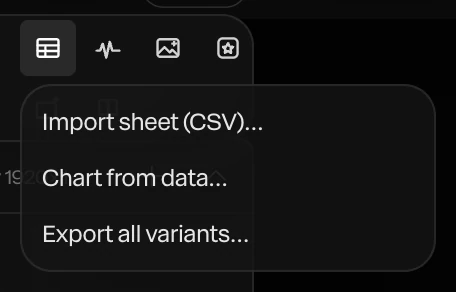
Screenshot · the Data variants menu
Everything it builds lands in your Layers panel
Port 47821 by default, or any port you pass
Exports land in ./paraplex-exports, or a folder you set
Starts from a template or a blank file
Animated charts built from your data
Checks frames the way the export draws them
Open source, MIT licensed
Imports HyperFrames projects, sound included
Agentic motion design is when an AI agent builds the animation for you, step by step, with real design tools instead of generating a flat video. In Paraplex, your agent uses the same 140+ tools as the editor, checks frames as it goes, and leaves you layers, keyframes and properties you can edit.
paraplex-mcp is an open-source MCP server, MIT licensed, that connects Claude Code or any MCP client to the Paraplex tab you have open. Your agent can then build and change scenes with the same 140+ tools as the Paraplex editor, look at frames as it goes, and export. The repo also includes a Paraplex agent skill that teaches your agent how Paraplex works.
Run claude mcp add paraplex -- npx -y paraplex-mcp in your terminal. Then open app.paraplex.ai, choose Menu › Connect an agent, and enter the port and six-digit code your agent gives you. A banner shows in the tab while it's connected.
The server is built for Claude Code and works with any MCP client. Use Paraplex in Chrome, Edge or Arc; other browsers may not let a website reach your own computer.
No. The server listens on your computer only, and only a Paraplex page can connect, with the one-time code. The scene stays in your tab, and exports are written to your computer, in ./paraplex-exports or the folder PARAPLEX_OUT_DIR names.
AI used inside Paraplex is metered by your Paraplex plan as usual. Your agent's own reasoning runs on your agent's model, not on Paraplex credits.
Yes. It builds ordinary layers, keyframes and properties in your scene, and each edit is one undo step. Change anything by hand, ask the built-in assistant, or hand it back to your agent.
The built-in assistant lives in the Paraplex editor and shows each turn for you to Apply or Discard. With the MCP server, an agent you already use in your terminal drives the same tools from outside the editor. Both build editable layers and keyframes.
One command to install, one code to connect, and every layer it builds is yours to keep.
Paraplex is a browser-based 3D motion design studio with an AI assistant that edits real layers and keyframes.