
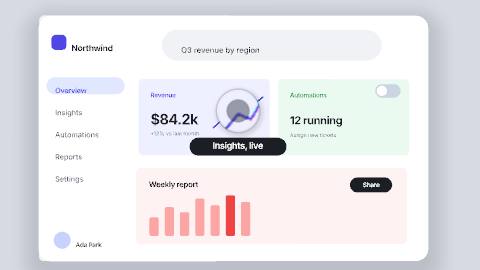
Concept render

Live code, inside the scene.
Paste HTML, a React component or a shadcn/ui component as a code layer. Inside an embed it runs live and responds to the pointer.
Put your own screens in a browser or on a 3D device, or paste your UI as code, then let a cursor click, type and drag through the flow while each screen moves into the next. Narrate it with captions timed to every word, and export one demo for your site, your sales deck and the feed.
Unlimited free 1080p exports. No watermark. Runs in your browser.
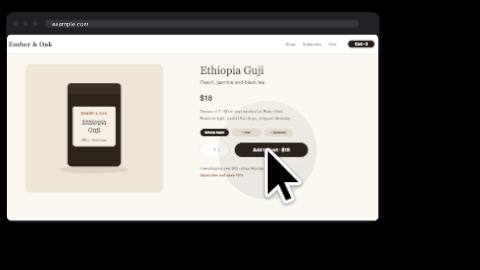
Drop a screenshot or a screen recording you already have onto the canvas and dress it as a product: a quick Browser or Phone frame, or editable overlays built from real layers (minimal, tabbed or light browser chrome, and a phone status bar) that you can recolor, fade and animate. Or drop it on the screen of a 3D phone, tablet or laptop model, where it plays under a glossy cover in time with the timeline; your own GLB device works too when its screen part is named "screen" or "display".
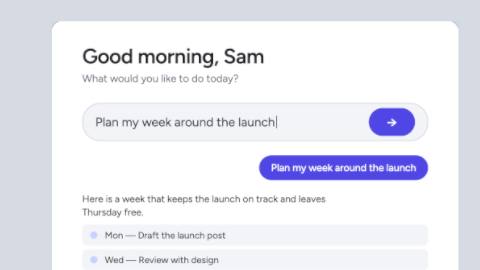
If your interface is code, paste the HTML, a React component or a shadcn/ui component, and it runs as a live layer that follows the playhead and exports frame for frame. The App launch (your UI) template is playing here: the camera pushes in on a pasted app's input, then eases back out to a tagline.
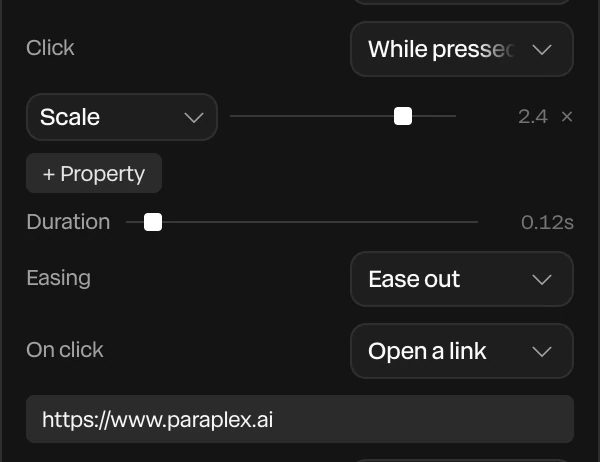
Add a cursor path and give it stops. The cursor travels a smooth route at its own speed, with curve and overshoot like a real hand, and at each stop it can click, tap, or press and drag a layer along. Clicks dip the pointer, pulse, and drop a click sound onto the timeline.
Pick from seven styles: macOS, Windows, Figma, a screen recorder's ring, iPad, a hand that closes while it drags, and a classic arrow. A cursor lens can ride along as a round magnifier, enlarging whatever is under it and splitting its colors a little more on faster moves.
Render needed · PD-02a
Click
4 s loop · 16:9 · MP4, WebM and poster
Shared set for PD-02a to c: a light-chrome browser frame with a neutral app screen on graphite, white softbox key. A macOS cursor glides in with a slight overshoot, dips and pulses on a button, which presses in; click sound on.
Click · the pointer dips, pulses and clicks

Render needed · PD-02b
Drag
4 s loop · 9:16 · MP4, WebM and poster
Same set at phone width. The hand cursor closes on a card, presses and drags it to a new column, then opens as it lets go; the other cards reflow.
Drag · a hand closes and carries a card

Render needed · PD-02c
Cursor lens
4 s loop · 1:1 · MP4, WebM and poster
Same set. A round cursor lens rides the pointer across a small dashboard total, enlarging the figures; a faint color split at its rim on the fast move is the only color in the frame.
Cursor lens · a magnifier rides the pointer
Lay out two app screens as groups, right-click one and choose Smart animate to, Push to, Pop back to or Present as sheet. Layers are paired by name, and every shared element moves, resizes and recolors into place. The result is ordinary keyframes and clips, so the preview and the export match.
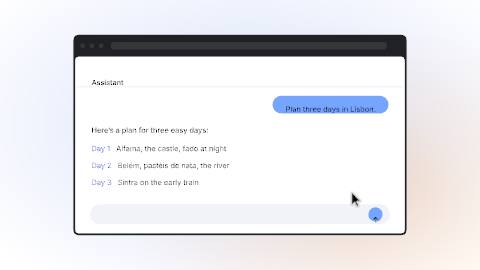
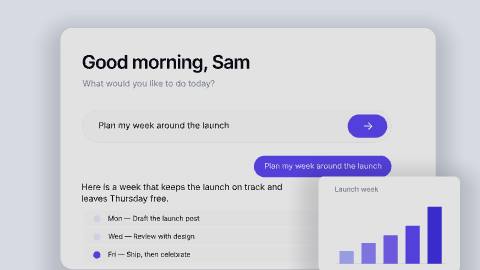
A neutral UI kit adds buttons, inputs, cards, toggles, toasts and whole app screens with the states a product team designs, from Hover and Pressed to Loading and Error, and the assistant can act out a sequence on it: tap, type, toggle, scroll. The App launch template is playing here, as a question types in, an answer streams back and a chart grows.
Eight camera moves are written for you from the playhead: Push in, Pull back, Pan, Tilt, Orbit, Whip, Dolly zoom and Rack focus. Frame a layer, set the seconds and a curve, springs included, and chain moves one after another, so the shot leans in on the button that matters and eases back out for the next step.
Depth of field softens everything but the step you're showing, and motion blur comes along in exports. The Click-through demo template at the top of this page pushes in on every click this way.
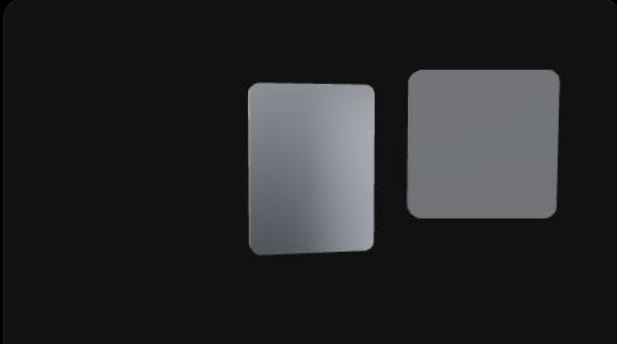
Render needed · PD-04
Push in on each click
8 s loop · 16:9 · MP4, WebM and poster
A minimal browser frame on a graphite seamless. A macOS cursor clicks three controls in turn; on each click the camera Pushes in on a spring, holds, then Pulls back. Shallow depth of field keeps only the active step sharp. Graded near-monochrome.
Type a script, pick an ElevenLabs voice and a pace, and the voiceover lands as an audio track with a caption on each word, timed from the voice itself. Caption styles include Shorts, Documentary, Subtitle and Spoken, where each word lights up as it's said, and the captions export as SRT or WebVTT for YouTube and other players.
Describe a soft whoosh or a music bed and it arrives as its own track, and cursor clicks bring their own click sounds. Detect beats marks every beat of the music and clips snap to the markers, so each step lands on a hit. The AI ROI gap template, narrated this way, is playing here.
Import a spreadsheet and Data variants make one version of the demo per row, with columns matched to layers by name: the prospect's company in the headline, their logo in the frame, a number that matters to them. Export all variants renders every version across every format you've turned on, in one job you can stop and resume. Batch export is on Pro.
On a website, the embed API fills a live demo by layer name instead, so one piece shows each page's own words, numbers and pictures, and switches between light and dark themes with the page.
.jpg)
Render needed · PD-05
Data variants for three prospects
8 s · 16:9 screen recording · MP4, WebM and poster
A spreadsheet with three invented companies (name, logo, one metric) is imported into a demo scene; Data variants shows the three versions side by side, then Export all variants starts. Invented brands only; dark editor UI.
Keep your colors, fonts, text styles, materials, scene looks and motion curves in a design system, with logos and imagery stored once in Brand assets, and apply it to any demo in one step. Apply with AI has the assistant restyle a template in your brand.
The UI kit's colors are tokens with light and dark values, so re-skinning it to match your product means editing one palette. You can also import design tokens from a W3C token file, the format Figma variable exports produce through common plugins, and the aliases stay live.
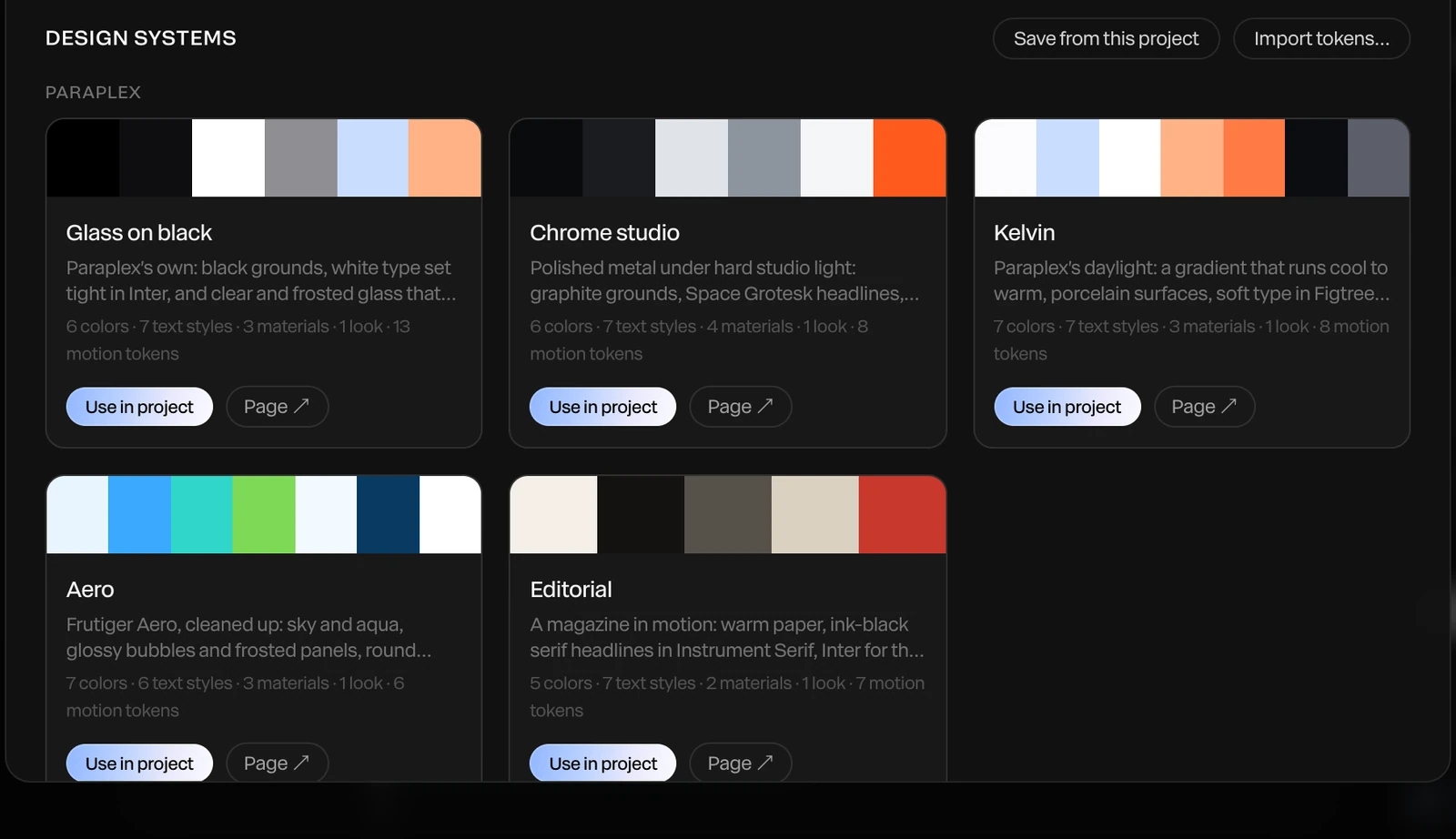
Render needed · PD-06
Re-skin a demo in one step
6 to 8 s · 16:9 screen recording · MP4, WebM and poster
The Cursor tour template opens; a design system for an invented SaaS brand (palette, font, logo in Brand assets) is applied in one step, and the dashboard, caption chips and title re-skin while every keyframe stays put.
Add formats as artboards beside your frame and let Responsive framing re-stack the screens for each shape, with your logo pinned to its corner. Slides take a 16:9 or 4:3 export, and your landing page can take the demo as a live embed that plays in real time and picks an artboard by page width. Making one for a launch instead? See launch videos.
Export to
5 shapes
16:9, 9:16, 1:1, 4:5 and 4:3, or a custom size
Each piece runs
1–60 s
at 10 to 120 fps, from a feature clip to a short walkthrough
Up to
4K at 60 fps
on Pro; free exports run to 1080p, no watermark
Live stand-in · PD-07a
Landscape 16:9 · your site, YouTube and slides
Live stand-in · PD-07b
Vertical 9:16 · Reels, Shorts and TikTok
Live stand-in · PD-07c
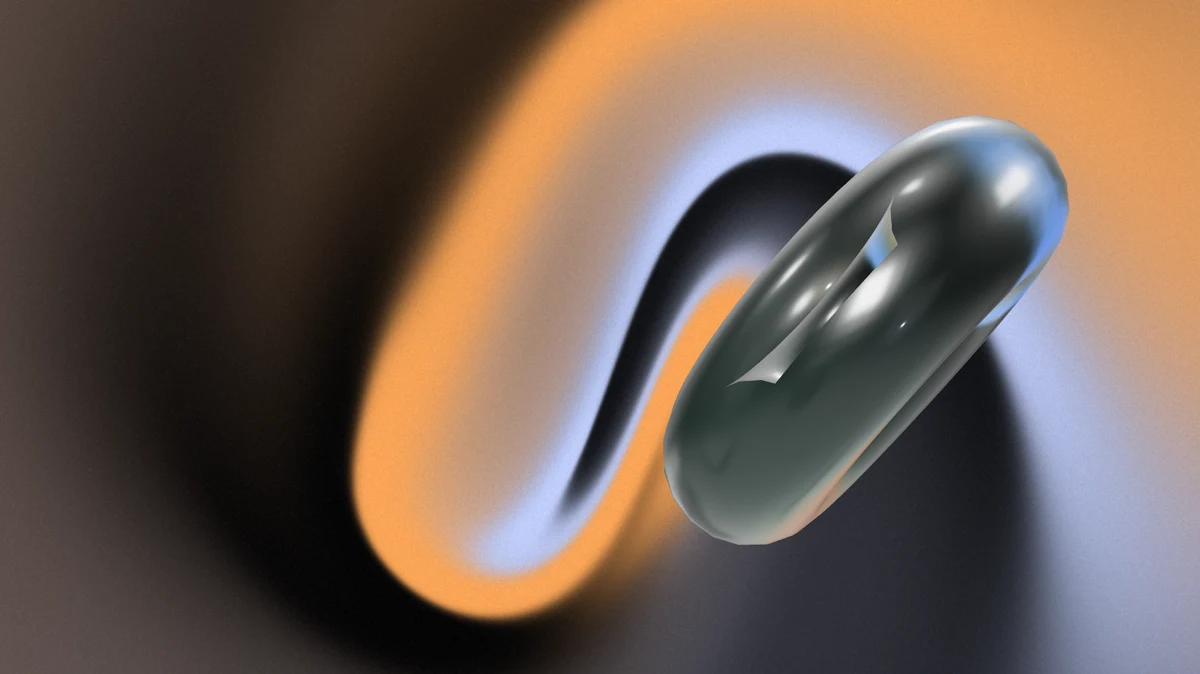
Portrait 4:5 · LinkedIn and X feeds
A product demo has one job: make the product obvious before people scroll on. These are the parts of Paraplex that help, beyond the cursor and the camera.
140
tools the assistant builds and edits with, so a demo you describe comes back as real layers and keyframes
38
text animation presets by character, word or line, for feature names, callouts and the closing line
Typewriter text with a blinking cursor, which deletes like a backspace as its exit
Counters, odometers and clocks, with $ or % built in
Text swaps that turn one phrase into the next while the shared words stay put
Grid and Flex layouts, written like CSS, that animate when a card arrives or leaves
Bento layouts that build a keynote-style grid tile by tile
Smart guides, an 8-point grid and one-pixel nudges in 2D mode
MP4 and WebM, every frame rendered at full quality
Transparent WebM or a PNG sequence on Pro, to lay a demo over other footage
PNG or JPG stills of any frame, and GIFs small enough to post
Describe the demo and the assistant builds it from real layers you keep
Paste an SVG from Figma, or HTML and React, straight onto the canvas
Attach a reference video and the assistant reads it as a storyboard to match its timing
Demo and walkthrough templates you open, retype and make your own
A 14 to 200 mm lens, with focus pulls you can keyframe
Studio lighting, HDRIs and reflective floors for 3D device shots
Generate a 3D model from a sentence to set beside your product
3D text in chrome or glass for your product's name and closing line
Each template opens with every layer, keyframe, light and camera move ready to edit.
Open Paraplex in your browser and start from a demo template such as Click-through demo or Cursor tour, or describe the demo to the assistant. Drop in your screenshots or a screen recording, add a cursor path with clicks, then export an MP4 or a WebM. Free exports run to 1080p with no watermark.
One job your product does, from the first click to the result, in the order a new user would do it. Keep each step on screen long enough to read, lean in where the click lands, and end on what the user gets. In Paraplex each step can be its own screen, joined by Smart animate so shared elements move between them instead of cutting.
No. You can build a demo from screenshots, use a screen recording you already have, or paste your interface as HTML or a React component, which runs as a live layer. The cursor is its own path on top, so it moves cleanly whichever way the screens were made.
Yes. A cursor path has stops where it can click, tap, or press and drag a layer along, and clicks pulse and add a click sound. There are seven cursor styles, including macOS, Windows, Figma and a screen recorder's ring. For typing, text can type itself on letter by letter with a blinking cursor.
Yes. Type a script, pick an ElevenLabs voice and a pace, and the voiceover arrives as an audio track with a caption on each word, timed from the voice. You can export the captions as SRT or WebVTT for YouTube and other players.
Up to 60 seconds per piece, at 10 to 120 fps. That fits feature clips, landing page loops and short walkthroughs. For a longer tour, make each section as its own piece and join them in your video editor.
Yes, two ways. Export an MP4 or WebM loop, or publish an embed: a snippet that puts the live piece on any site, playing in real time and answering hover, click, drag and scroll. Embeds can pick an artboard by page width, so one demo fits desktop and mobile layouts.
Yes. The free plan includes the full editor and unlimited 1080p exports with no watermark, and the demo and walkthrough templates are free. Pro adds 4K at 60 fps, transparent export, batch export of every format and data variant, and Studio render.
Start free in your browser. Upgrade when your work needs 4K.
Paraplex is a browser-based 3D motion design studio with an AI assistant that edits real layers and keyframes.
| Paraplex | Screen Studio | Rotato | A Fiverr freelancer | |
|---|---|---|---|---|
| Runs on | The browser, nothing to install | macOS only | Mac app; web version in public beta | Not applicable |
| Starts from | Your screenshots, screen recordings, SVGs or live code | A recording of your screen | Your screens on 30+ 3D device models | Your brief |
| 3D | Full 3D scenes: devices, glass, chrome, lights, camera moves | Device-frame mockups | 3D device mockups | Depends on the freelancer |
| Cursor | Animated cursor with clicks, taps and drags; seven styles | Smoothed, restyled cursor with click ripples and auto-zoom on clicks | Not listed | Depends on the freelancer |
| Exports | MP4, WebM (alpha on Pro), GIF, PNG, live embed; every aspect ratio from one scene | MP4, GIF | ProRes 4444, H.264 or HEVC up to 8K, PNG frames, web export | As agreed |
| Price | Free (1080p, no watermark); Pro from $19/mo billed yearly | $9/mo billed yearly, or $29 month to month | One-time purchase tiers | $40 to $350 per app promo, across 1,000+ gigs |
When to pick something else. If your video is a recorded walkthrough of a real product session, Screen Studio's auto-zoom on a live recording is the faster path on a Mac. If you want a clickable tour that visitors step through themselves, interactive demo platforms such as Arcade, Storylane and Navattic are built for that. If you want one prompt to return a finished video with little editing, one-prompt tools such as Hera Launch, Motion.so and Pexo aim there. Paraplex is for launch pieces you direct shot by shot, in 3D.
CSS stand-in · LV-03a
CSS stand-in · LV-03b
CSS stand-in · LV-03c

Render needed · LG-00
Shot title
10 s loop · 16:9 · MP4, WebM and poster
Shot brief goes here.
When every new site starts from the same AI-built layout, they start to look alike. The hero is where yours can stand apart. Paraplex builds real 3D scenes lit like a studio, lets them answer the pointer and the scroll, and publishes them as a live embed you paste into any site, with every layer still yours to edit.
Interactions are set in the editor, tried in Preview the way a visitor would, and carried into the embed. Every interactive layer also gets a keyboard-focusable stand-in, so it can be reached with Tab and Enter.

Render needed · WH-02a
Hover
6 s loop · 16:9 with a center-safe 1:1 · Preview recording · MP4, WebM and poster
Chrome & glass hero in Preview. A cursor glides onto the glass card; it lifts and its rim brightens on a spring, then settles as the cursor leaves. Same set and framing in WH-02a to e.
Hover
Give a layer a hover state: its own properties change over a duration you set, springs included.
Render needed · WH-02b
Click
6 s loop · 16:9 with a center-safe 1:1 · Preview recording · MP4, WebM and poster
Same scene. The cursor clicks a hotspot and the camera glides to frame the chrome panel; a second click glides it back.
Click
A click can jump to a time, play a range, play or pause, open a link, or glide the camera to a hotspot.
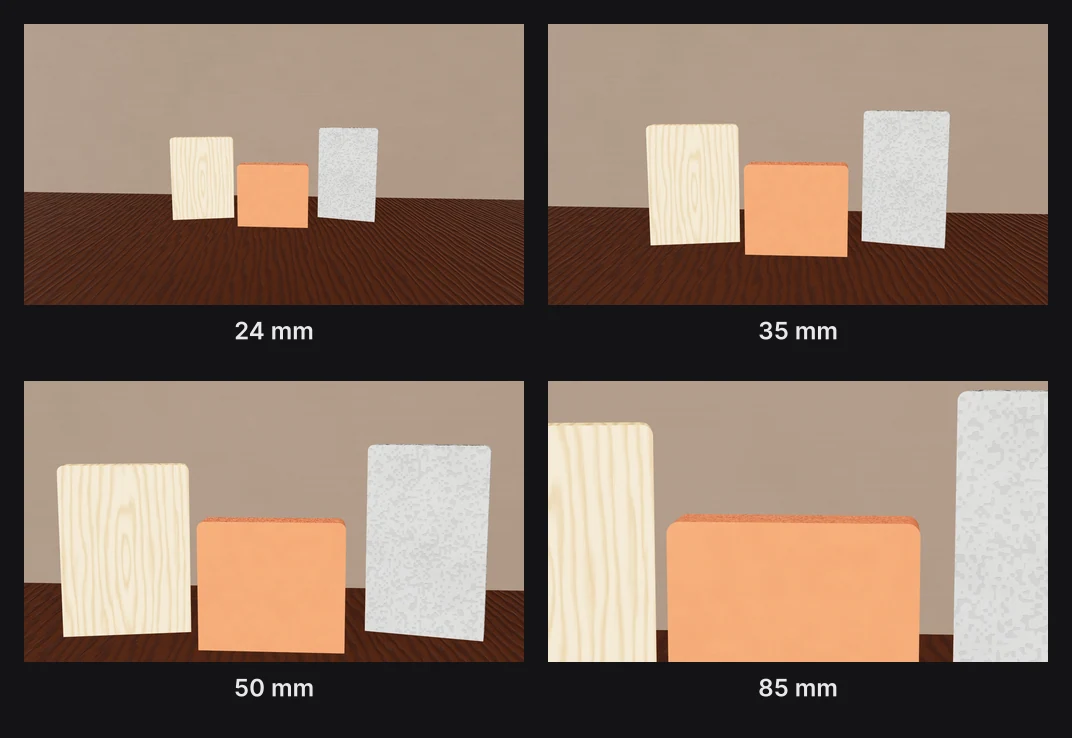
Render needed · WH-02c
Drag
6 s loop · 16:9 with a center-safe 1:1 · Preview recording · MP4, WebM and poster
Same scene. The cursor drags the glass card along X and lets go; a fine white particle field scatters away from the pointer and drifts back.
Drag
Visitors can drag a layer along an axis, and particles can scatter away from the pointer.

Render needed · WH-02d
Scroll
6 s loop · 16:9 with a center-safe 1:1 · Preview recording · MP4, WebM and poster
Same scene inside a plain page. Scrolling down plays the chrome panel's turn forward; scrolling up plays it back.
Scroll
The visitor's scrolling drives the timeline, so the scene plays forward and back as the page moves.

Render needed · WH-02e
Camera
6 s loop · 16:9 with a center-safe 1:1 · Preview recording · MP4, WebM and poster
Same scene with Orbit on. The cursor drags and the camera circles the pair, so studio reflections slide across the glass and chrome.
Camera
Let visitors Orbit the scene, Look around it like a panorama, Walk through it with W A S D, or keep the camera Fixed.
The assistant can draft the scene, but nothing goes live until you've seen it, and every part of it stays yours to change. Each step below is a tool in the editor.
01
Type what you want, such as a chrome panel turning behind a frosted glass card, or attach a screenshot or video to build from. The AI motion design assistant builds it with the editor's own layers, keyframes, lights and camera moves, using 140 tools, and every turn is a preview you Apply or Discard.
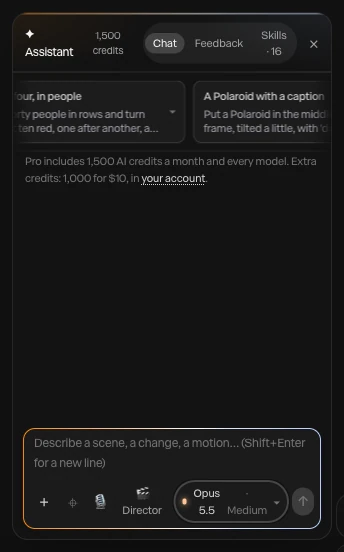
Render needed · WH-03a
Describe it
6 to 8 s loop · 9:16 crop of a screen recording · MP4, WebM and poster
A one-line prompt for a website hero typed into the assistant; layers appear as the scene builds; Apply.
02
The assistant renders the piece at up to six moments and checks that everything is in frame and the type is readable. What it makes stays ordinary layers and keyframes: retime a move by hand, swap a material, or click layers with Point at it and ask for a change. Each applied turn undoes in one step.

Render needed · WH-03b
Change anything
6 to 8 s loop · 9:16 crop of a screen recording · MP4, WebM and poster
Point at it: two layers clicked on the canvas and a change requested, then one keyframe dragged by hand on the timeline.
03
Give layers hover and click states, let them be dragged, let scrolling drive the timeline, or build a state machine with an idle loop and a press. Then open Preview and try it the way a visitor will, with hover, click, drag and scroll all working.
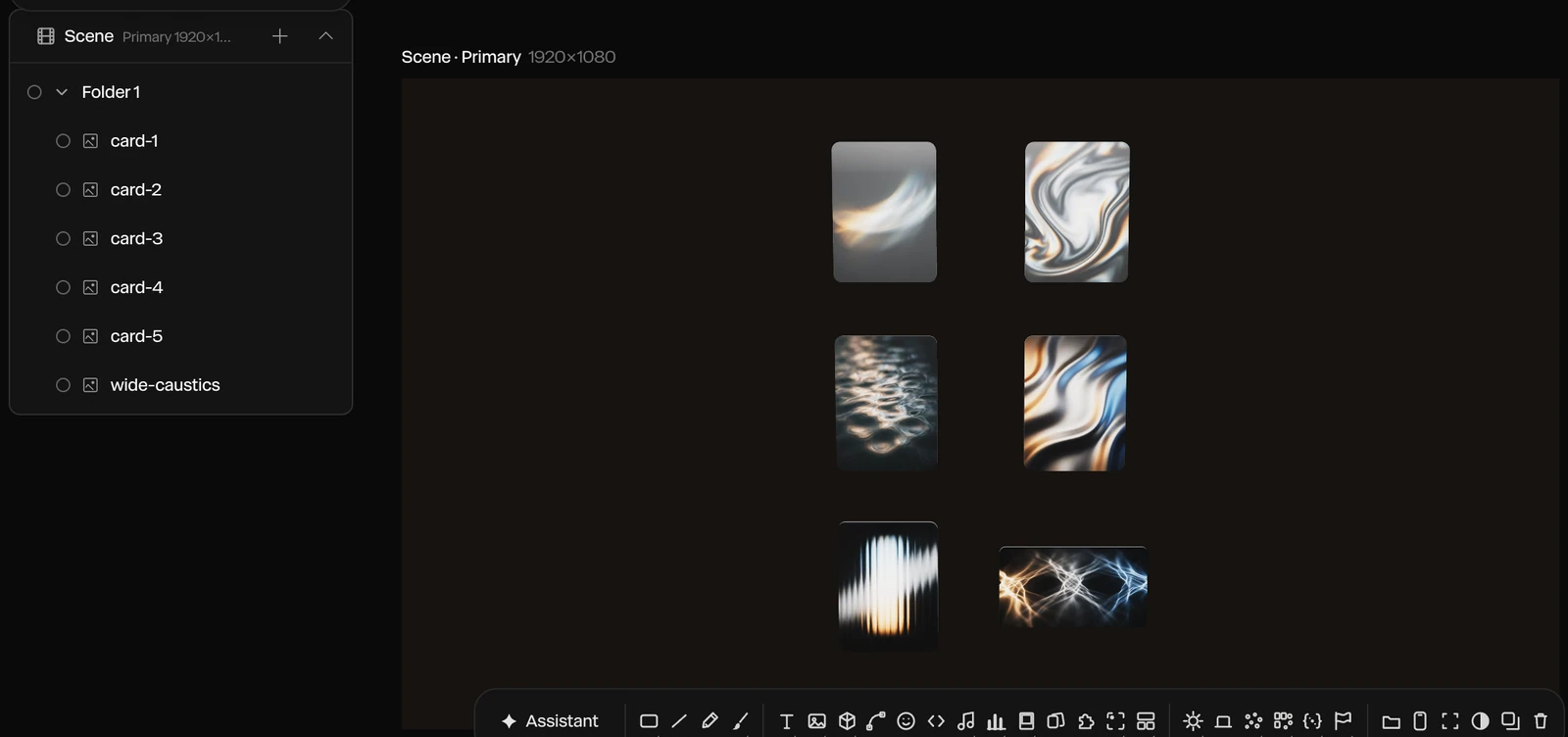
Render needed · WH-03c
Add interactions
6 to 8 s loop · 9:16 crop of a screen recording · MP4, WebM and poster
A hover state added to the glass card in the properties panel, then Preview: the cursor hovers, clicks and scrolls, and the scene answers each time.
04
Publish embed gives you a snippet that puts the live scene on any website, playing in real time. Paste it into your page, and breakpoints let the embed pick an artboard by page width, so one hero fits desktop and phone layouts.

Render needed · WH-03d
Publish and paste
6 to 8 s loop · 9:16 crop of a screen recording · MP4, WebM and poster
Publish embed, the snippet copied, then pasted into a site builder's embed element; the live hero appears on the page.
A Paraplex hero isn't a video file you host. It's the live scene, published once and placed with a snippet wherever your site builder takes custom code. Breakpoints pick the right artboard for each screen.
.svg)
Webflow

Framer
Any HTML page
Render needed · WH-04a
Webflow, phone
6 to 8 s loop · 9:16 phone screen recording · MP4, WebM and poster
A published Webflow page whose hero is the Chrome & glass hero embed; the vertical artboard is picked by breakpoint and a thumb scroll plays the scene.
A Webflow page at phone width
Render needed · WH-04b
Framer, phone
6 to 8 s loop · 9:16 phone screen recording · MP4, WebM and poster
The same embed in a published Framer site; a tap on the glass card plays its press state.
The same hero in a Framer site
Render needed · WH-04c
Plain HTML, phone
6 to 8 s loop · 9:16 phone screen recording · MP4, WebM and poster
The same embed pasted into a bare HTML page; a two-finger drag orbits the camera.
And in a plain HTML page
Publish embed gives you the snippet
Paste it where your site takes custom code: a Code Embed in Webflow, an Embed in Framer
Or into the HTML of any page
Breakpoints pick an artboard by page width
Responsive framing re-stacks blocks for each shape
Sizes in vw, vh and percent follow each artboard
Fill a headline, a number, a color or a picture by layer name
Switch Light and Dark themes live
Send inputs to a state machine, or pass scroll progress
Concept render
Live code, inside the scene.
Paste HTML, a React component or a shadcn/ui component as a code layer. Inside an embed it runs live and responds to the pointer.
Concept render

Lit like a studio.
Eleven environments, eight HDRI panoramas and a one-click 3-point setup, with soft shadows and real reflections.
Concept render

Every keyframe stays open.
Templates and the assistant build ordinary layers and keyframes you can retime by hand.
Concept render

Real glass and chrome.
Physical glass bends and frosts whatever sits behind it, with refraction and dispersion, and Liquid glass panes split the light at their rims.
Render needed · LG-00
Shot title
10 s loop · 16:9 · MP4, WebM and poster
Shot brief goes here.

A library of 26 effects works on the whole frame or on the logo alone, every dial keyframeable: glitch, RGB shift, chromatic aberration, VHS, datamosh, pixelate, ripple and dissolve among them. Text can Glitch in or Decode, flickering through random characters before it settles.
A Light sweep runs a bright band across chrome, Emit light makes the mark glow and light what's around it, and 18 scene transitions such as Flash frame, Glow in and Burn in open or close the sting. The Glitch title template is playing here.
Render needed · LA-02d
Fade, staggered
4 s loop · 16:9 · MP4, WebM and poster
Same set. A mark built from four chrome parts fades in part by part with a stagger, then the wordmark fades up beneath it.
Fade with a stagger · part by part
Render needed · LA-02e
Tracking in
4 s loop · 9:16 · MP4, WebM and poster
Same set. The wordmark closes in from wide letter spacing to its set tracking as a Light sweep crosses the chrome symbol above it.
Tracking in · letters close from wide spacing

Render needed · LA-02f
Glitch in
4 s loop · 1:1 · MP4, WebM and poster
Same set. The wordmark Glitches in and holds, then exits the same way; keep the RGB split brief and small so the frame stays near-monochrome.
Glitch in · and out again as the exit