
Videos that make themselves.
Turn any Paraplex template into a pipeline. A form, a schedule, a feed, a sheet or a webhook starts a run, and the steps you drag into place write the words, fill the template, render it in the cloud and send the films where they need to go.
Automations come with Pro: 1,000 runs a month. Making templates stays free.










Fully automated video production is here. It starts with a trigger: a form is sent, a post goes up, a row lands in a spreadsheet, the clock hits 9am. Then it works through every step on its own. It changes text layers, customizes your template, renders quickly in the cloud, and quality checks every frame before sending the final video to any destination.
Drag the steps into place.
The builder lays an automation out as a column of cards on a canvas: what starts it at the top, then each step in order. Click a “+” to add a step from three groups, Make, Flow and Send. Click a card to edit it, and drag it onto any “+” to move it. If splits into Then and Otherwise lanes, and For each opens a lane that runs once per item.
Beside every box, Insert a field lists what the trigger and the steps before it give you: a form's fields, a fetched body, Claude's words, a render's download link. Pick one and it drops in, with no paths to type. Test run tries the whole thing on sample input and makes three stills for each render instead of the films.
Four automations to build this afternoon.
Each one is a trigger, a few steps and a template you already have. Swap the template and the same automation makes something else entirely.
01
Personalized videos from a form.
When someone fills in your Webflow, Framer or Typeform form, their first name fills a template's headline. Three Render steps make a website hero, a phone cut and an email square, and Email me sends the video to the address on the form. A personal lead magnet for every sign-up, which is why it's a favorite with marketers.
02
A fresh hero loop for every new post.
Point a feed trigger at your blog's RSS. Each new post's title fills a website hero loop, Upload to storage copies the film to your S3 or R2 bucket, so a hero that loads from that address shows the new post, and Send to Slack tells the team it's up.
03
An explainer for every new row.
Add a topic to a sheet and the automation picks it up within 15 minutes. Ask Claude writes the narration and a title, an explainer template renders with them, and Ask me to approve emails you a review link. Once you approve, Post to social sends it to YouTube through Postiz, or saves it there as a draft.
04
On-trend Shorts, every morning.
A schedule starts the run every morning. Fetch calls a trending-topics API you choose, Ask Claude picks a topic and writes the hook, and a vertical template renders the Short. Ask me to approve holds it for your OK, then Post to social publishes it through Postiz. More on social media videos.
Fill your own templates, once or once a row.
Any template you make can be filled by an automation. Turn on Fill from automations for a layer in the right panel, save the piece as a template, and the Render step lists its words, numbers, pictures and colors, up to 64 slots. One step renders up to 10 rows, as MP4 or WebM at 1×, 1.5× or 2×, in your design system. It's data-driven video that runs on its own, and it's how agencies turn out client versions without opening the editor.
Six ways in. Thirteen steps.
Everything an automation can start from and do, checked in the app on November 11, 2026.
6
ways to start a run: by hand or the API, a form, a webhook, a schedule, a feed or a sheet
13
steps in three groups: Make, Flow and Send
Starts
By hand, or through the API
From a form: Webflow, Framer or Typeform
From a webhook: any app that can POST
On a schedule: every hour, day, week or month
From a feed: each new RSS or Atom item
From a sheet: each new row of a CSV or published Google Sheet
Make and Flow
Render: any template, its words, numbers, pictures and colors filled
Ask Claude: words, or JSON for the next step
Fetch: GET or POST any https address, with headers
If, For each (up to 100 items) and Wait (up to a week)
Ask me to approve, and Stop
Send
Email me, or the person who filled in the form
Send to Slack
Post to social, through Postiz
Upload to storage: S3, R2, B2 and more
Call a webhook
Deliver it anywhere.
The last steps hand the films on. Email me sends the links to you or, when a form started the run, to the person who filled it in; add a Resend connection and it comes from your own domain. Send to Slack posts in a channel. Upload to storage copies each film, up to 200 MB, into Amazon S3, Cloudflare R2, Backblaze B2 or any S3-compatible bucket. Call a webhook hands the result to any other app.
Post to social publishes through your Postiz account, cloud or self-hosted, to X, Bluesky, Facebook, Instagram, LinkedIn, Pinterest, Reddit, Threads, TikTok and YouTube, either straight away or as drafts to look over first. Each connection is set up once; its key is encrypted when saved and only its last four characters are ever shown.
Posting to your own channel every day? Paraplex for creatives shows how long-form videos, Shorts and automated posts fit together.
Start a run from anywhere.
Give an automation the webhook trigger and any app that can POST can start it. With a Pro API key, your own code can start a run or render a template directly, and get told by webhook when the film is ready. In n8n, the Paraplex community node (n8n-nodes-paraplex) renders templates and runs your automations from a workflow; apps for Make and Zapier are coming soon. AI agents can call the same API, and everything they render starts as a template you made with AI motion design.
201 Created "render": { "id": "…", "status": "queued", "template": "card-stack", "progress": 0 } GET /api/v1/renders/{id} for progress and the download link
Built into every run.
Every run keeps a step-by-step log
Each step can stop the run or carry on if it fails
Sound design and a loudness target on any render
Run it now, or cancel a run while it waits or renders
Up to 50 steps, nested four deep
Frames checked for cropped, low-contrast or tiny type
Webhook calls signed with a secret
Feeds and sheets checked every 15 minutes
Questions about Paraplex Automations
What are Paraplex Automations?
Automations make videos from your Paraplex templates without you opening the editor. Each one has a trigger, such as a form submission, a schedule, a new RSS item or a new sheet row, and a list of steps you arrange in a drag-and-drop builder: fetch data, ask Claude to write the words, render a template in the cloud, wait for your approval, then email, Slack, store or post the films.
What can start an automation?
Six things: running it by hand or through the API, a form submission from Webflow, Framer or Typeform, a call to its webhook address from any app that can POST, a schedule (every hour, day, week or month, in your time zone), each new item in an RSS or Atom feed, and each new row in a CSV sheet such as a published Google Sheet. Feeds and sheets are checked every 15 minutes.
Can a form on my website make a personalized video for each lead?
Yes. Start the automation from a Webflow, Framer or Typeform form, and each submission's fields can go anywhere in the steps, such as {{trigger.form.First Name}} in a template's headline. Render as many sizes as you need, one Render step each, and Email me can send the video to the address from the form.
Can automations post to social media?
Yes, through a Postiz connection, on Postiz's cloud or your own. Post to social publishes a film or picture with its text to X, Bluesky, Facebook, Instagram, LinkedIn, Pinterest, Reddit, Threads, TikTok and YouTube, or saves it in Postiz as a draft. Test runs always save drafts.
How do I test an automation before it runs for real?
Click Test run. It runs every step on sample input, and each Render makes a picture of three stills (the start, the middle and the end) instead of the films, so you can check the words and the layout without spending render minutes. Every run, test or real, keeps a step-by-step log.
Which plan includes Automations?
Automations come with Pro, which includes 1,000 runs a month; test runs count toward them. Renders use your cloud render minutes and Ask Claude uses AI credits, the same as in the editor.
Features the assistant works with
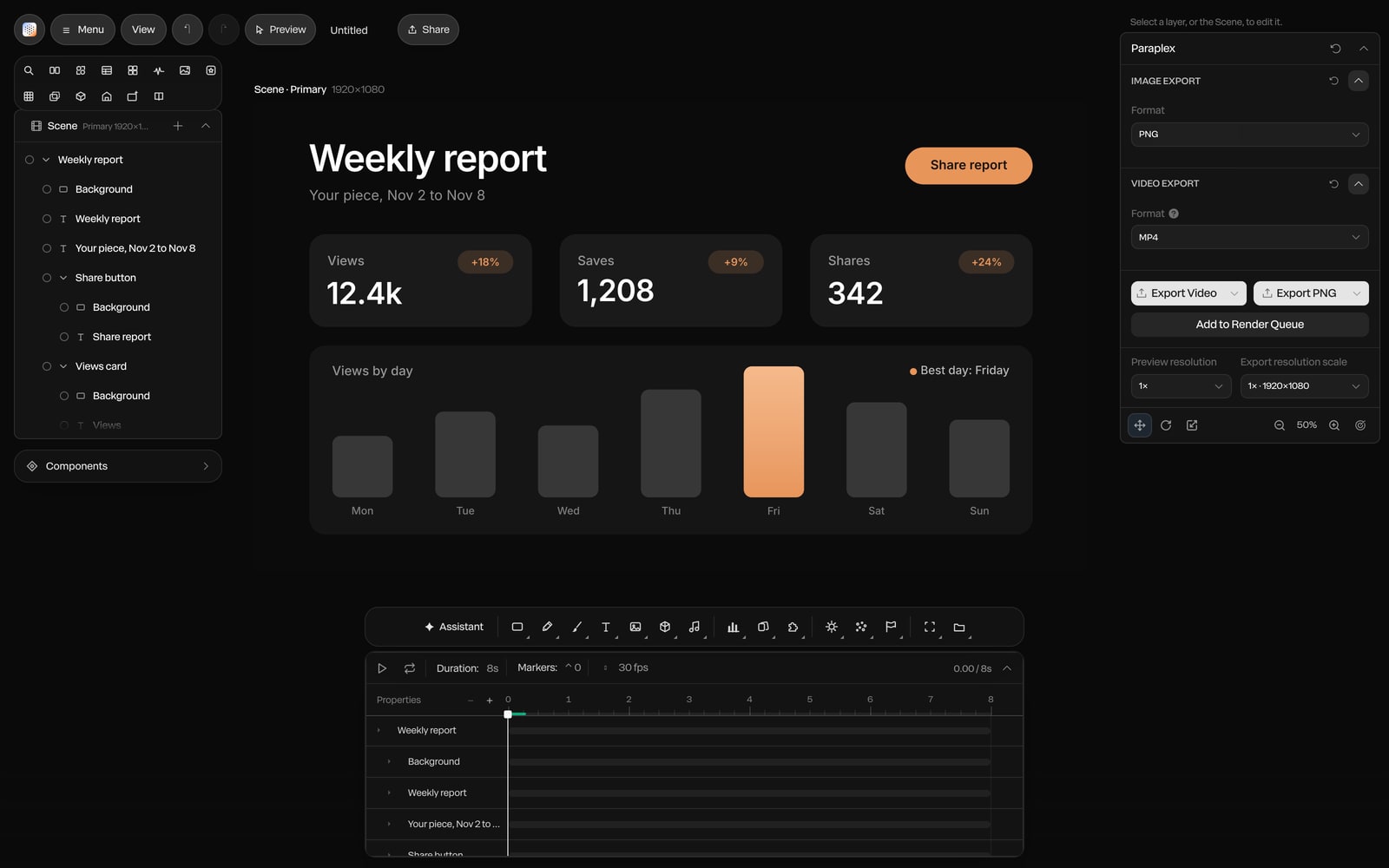
Set it up once.
Start from a template you already have, and let the next hundred videos make themselves.
Paraplex is a browser-based 3D motion design studio with an AI assistant that edits real layers and keyframes.