
Concept render

Your brand, on every post.
Keep colors, fonts, text styles, materials, scene looks and motion as a design system and apply it in one step, or import design tokens from Figma variable exports.
Describe the video or open a narrated Short, and Paraplex builds it from real lights, materials and keyframes. Add an ElevenLabs voiceover with captions timed to every word, cut on the beat, keep your brand's look on every post, and export 9:16 with each platform's safe zones in view.
Unlimited free 1080p exports. No watermark. Runs in your browser.

Render needed · SM-00
Three narrated Shorts, in glass
12 s loop · 16:9 + 4:5 · MP4, WebM and poster

Black studio, reflective floor, overhead softbox. Three tall glass phone frames stand in a row, each playing a narrated Short (The AI ROI gap, Why it sells, Three things that sell) graded toward monochrome. Slow dolly left to right; captions light word by word on the nearest screen.
The feed is full of video that looks generated. Paraplex builds yours from real 3D glass, clay, chrome and light, narrates it with an ElevenLabs voice and captions timed to every word, cuts it on the beat of your track, and keeps your brand's look on every post. Every layer and keyframe stays yours to edit.
Three narrated Shorts from the template gallery, each built from real layers in Paraplex. Open one, swap in your script, numbers and photos, and generate a new voiceover with captions timed to every word.
YouTube Shorts
Logo needed
Instagram Reels
Logo needed
TikTok
Logo needed
.jpg)
The AI ROI gap · a narrated documentary Short

Why it sells · a narrated product explainer
Three things that sell · callouts land as each word is said
Shorts, Documentary, Subtitle and Spoken styles
Timed from the voice, word by word
SRT and WebVTT export for YouTube
TikTok, Reels, Shorts and the Instagram feed
Covered areas tinted, usable space measured
A guide only, never in the export
9:16, 1:1, 4:5 and 16:9 artboards beside your frame
Responsive framing re-stacks each layout
Every enabled format in one export (Pro)
Ask the assistant for the whole piece, or build it step by step. Each step below is a tool in the editor, and everything it makes stays editable.
01
Type the video you want, or attach a reference image or video, and the assistant builds it with real layers and keyframes. For longer pieces, Director mode writes a plan and a storyboard of stills for you to approve first. Every turn is a preview you Apply or Discard.
Render needed · SM-03a
Describe it
6–8 s loop · 9:16 crop of a screen recording
A one-line prompt for a narrated Short in the assistant, Director mode's storyboard stills, then Apply as layers appear.
02
Type a script, pick an ElevenLabs voice and a pace, and the voiceover lands as an audio track with a caption on each word, timed from the voice itself. Describe a music bed or a sound effect and it arrives as its own track.
Render needed · SM-03b
Give it a voice
6–8 s loop · 9:16 crop of a screen recording
A script typed in, an ElevenLabs voice picked, the voiceover lands on the timeline and word captions appear in the Shorts style.
03
Select your track and choose Detect beats. Paraplex drops a marker on every beat and reports the tempo, and clips snap to the markers as you drag or trim them, so cuts and titles land on the hits.
Render needed · SM-03c
Cut on the beat
6–8 s loop · 9:16 crop of a screen recording
Detect beats on a music track: amber markers pop in along the waveform, then three clips are dragged and snap onto them.
04
The assistant renders the piece at up to six moments and checks that everything is in frame and the type is readable. Turn on safe zones to see where TikTok, Reels and Shorts cover the frame, then export 9:16, 1:1 and 4:5 from the same scene.
Render needed · SM-03d
Check it, then export
6–8 s loop · 9:16 crop of a screen recording
The assistant's frame check, safe zones turned on over a 9:16 artboard, then Export all enabled with 9:16, 1:1 and 4:5 artboards.
Captions come from the voiceover's own word timing, so each word appears as it is said, pinned low in the frame in every format. Pick a style per video, or bring captions in from an SRT or WebVTT file.
Render needed · SM-02a
Shorts captions
6 s loop · 16:9 with a center-safe 1:1 · MP4, WebM and poster
One narrated line over a white clay scene on black, captioned in the Shorts style: two words at a time, big and bold. Same line and scene in all four clips.
Shorts
Two words at a time, big and bold.
Render needed · SM-02b
Documentary captions
6 s loop · 16:9 with a center-safe 1:1 · MP4, WebM and poster
Same line and scene, captioned in the Documentary style.
Documentary
The Documentary style, timed word by word from the narration.
Render needed · SM-02c
Subtitle captions
6 s loop · 16:9 with a center-safe 1:1 · MP4, WebM and poster
Same line and scene, captioned in the Subtitle style.
Subtitle
Subtitle lines that hold their place low in every format.

Render needed · SM-02d
Spoken captions
6 s loop · 16:9 with a center-safe 1:1 · MP4, WebM and poster
Same line and scene in the Spoken style: each word lights from grey to white as it is said.
Spoken
Each word lights up as it is said.
Concept render
Your brand, on every post.
Keep colors, fonts, text styles, materials, scene looks and motion as a design system and apply it in one step, or import design tokens from Figma variable exports.
Concept render

Lit like a studio.
Real lights and HDRIs, with soft shadows, reflections and glass that bends what's behind it.
Concept render

Every keyframe stays open.
What the assistant builds is ordinary layers and keyframes, so you can retime a cut or fix a word by hand.
Concept render

Real 3D, not stock footage.
Generate a 3D model from a sentence, drop in a GLB, or extrude any of 1,000+ icons, then light it and move the camera around it.
Charts, counters, 3D objects and film treatments sit on the same timeline as the voice and the music, so each reveal can land on the word that sets it up.
13
media frames, from Polaroids and torn paper to a newspaper label
8
film looks, from Light leak to Washed 16 mm
Bar, line, area, pie, donut, scatter, Gantt and timeline
Counter, rolling Odometer or running Clock
Unit charts of people, coins or blocks
GLB and glTF models and Gaussian splats
3D text in chrome, glass or frosted
Documentary, Handheld and Impact camera shake
Data variants: one version per spreadsheet row
Every variant in every format in one batch (Pro)
Save any scene as your own template
Animate any still into a short clip with AI
Drop in photos, video, GLB models or Lottie files
Randomize glass, light or panel settings for quick variations
26 effects, from halftone to datamosh

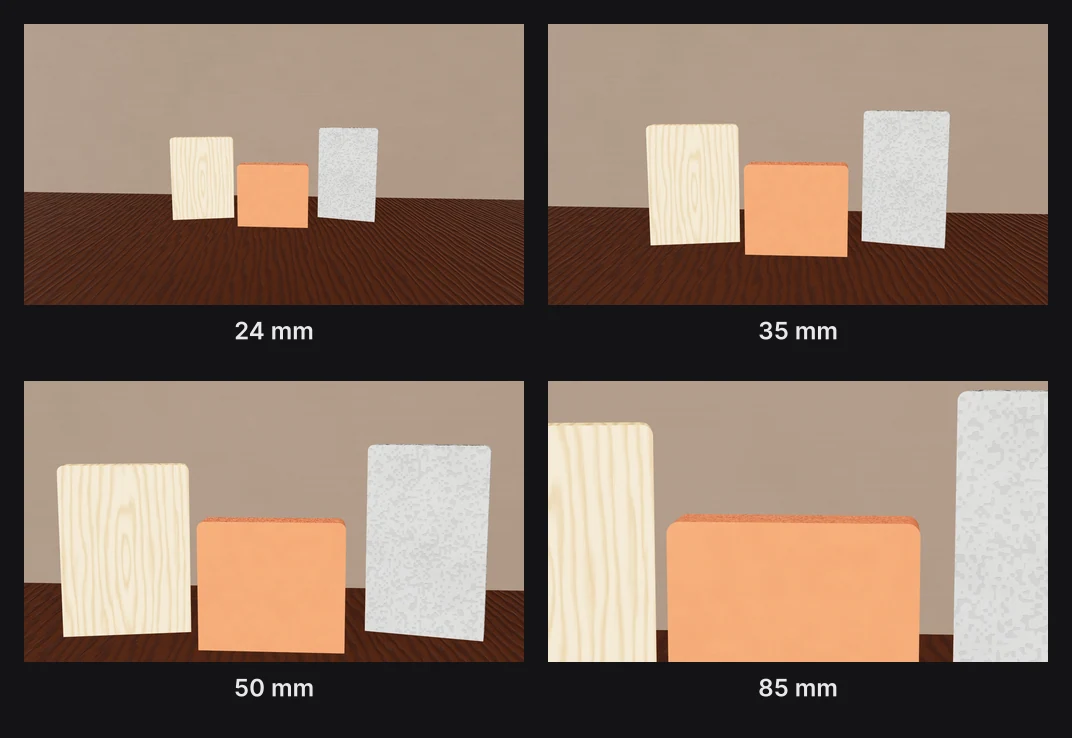
Depth of field, rack focus and 8 camera moves
11 environments and 8 HDRI panoramas
18 scene transitions, from Flash frame to Whoosh in
38 text animations, each with an exit
Not available yet. A long-form YouTube workflow is in the works for 3D documentaries, educational and history videos and tutorials: research and a script outline, the voiceover, generated 3D scenes and graphic treatments such as torn paper and Polaroids, an edit timed to the narration with music and sound, landscape and vertical renders, and titles, descriptions and hashtags for each platform.
Posting straight to your linked social accounts is planned too.
Render needed · SM-05 (concept)
Coming soon: long-form documentary
Still or 10 s loop · 16:9 · label as a concept
A 3D documentary frame in white clay on black: torn-paper labels, a Polaroid and an investigative board, in landscape with a vertical cut beside it.
Each template opens with every layer, keyframe, light and camera move ready to edit.
Paraplex runs in your browser with nothing to install. Describe the post and the AI assistant builds it from real layers, keyframes, lights and materials, or open a social media template and swap in your words, photos and voice. Every change is a preview you Apply or Discard, and everything stays editable by hand.
Yes. Start a vertical file or add a Vertical 9:16 export format beside your frame, and turn on safe zones to see where TikTok, Instagram Reels, YouTube Shorts and the Instagram feed cover the frame with buttons and captions. The same scene can also export as Square 1:1, Portrait 4:5 and Landscape 16:9.
Yes, with ElevenLabs voices built in. Type a script, pick a voice and a pace, and Paraplex adds the voiceover as an audio track with a caption on each word, timed from the voice itself. You can also add your own ElevenLabs API key.
Yes. Captions are made from the voiceover's own word timing, in the Shorts, Documentary, Subtitle or Spoken style, and stay pinned low in the frame in every format. You can also bring captions in from an SRT or WebVTT file, and export any piece's captions as SRT or WebVTT for YouTube and other players.
Cuts and titles, yes. Detect beats drops a marker on every beat of your track and reports the tempo, and clips snap to the markers as you drag or trim them. Caption timing comes from the voiceover rather than the music, and both sit on the same timeline.
Yes, for pieces up to 60 seconds. The AI ROI gap template is a narrated documentary Short in white clay on black, with torn paper labels and coins that split a budget. The editor adds Polaroid and torn-paper frames, film grain and dust, a Documentary camera shake, animated charts from a CSV, unit charts and number counters.
Save your colors, fonts, text styles, materials, scene looks and motion as a design system and apply it to any scene in one step, or have the assistant restyle a scene with Apply with AI. You can import design tokens from Figma variable exports and share a brand kit file with a teammate.
Each piece runs from 1 to 60 seconds at 10 to 120 frames per second. The free plan exports 1080p video with no watermark; Pro adds 4K at 60 fps and exports every format and data variant in one batch.
Start free in your browser. Upgrade when your work needs 4K.
Paraplex is a browser-based 3D motion design studio with an AI assistant that edits real layers and keyframes.
Whatever the job, the same scene exports for every place it runs. Add formats as artboards beside your frame, let Responsive framing re-stack blocks for each shape, and pin your logo to its corner. Then export MP4, WebM, a GIF or a Lottie, or publish a live embed for your site.
Export to
5 shapes
16:9, 9:16, 1:1, 4:5 and 4:3, or a custom size
Safe zones for
4 feeds
TikTok, Reels, Shorts and the Instagram feed
Up to
4K at 60 fps
on Pro; free exports run to 1080p, no watermark
16:9

Landscape 16:9 · YouTube, slides and your site
9:16

Vertical 9:16 · Reels, Shorts & TikTok
4:5

Portrait 4:5 · feeds on Instagram, X and LinkedIn
| Paraplex | Screen Studio | Rotato | A Fiverr freelancer | |
|---|---|---|---|---|
| Runs on | The browser, nothing to install | macOS only | Mac app; web version in public beta | Not applicable |
| Starts from | Your screenshots, screen recordings, SVGs or live code | A recording of your screen | Your screens on 30+ 3D device models | Your brief |
| 3D | Full 3D scenes: devices, glass, chrome, lights, camera moves | Device-frame mockups | 3D device mockups | Depends on the freelancer |
| Cursor | Animated cursor with clicks, taps and drags; seven styles | Smoothed, restyled cursor with click ripples and auto-zoom on clicks | Not listed | Depends on the freelancer |
| Exports | MP4, WebM (alpha on Pro), GIF, PNG, live embed; every aspect ratio from one scene | MP4, GIF | ProRes 4444, H.264 or HEVC up to 8K, PNG frames, web export | As agreed |
| Price | Free (1080p, no watermark); Pro from $19/mo billed yearly | $9/mo billed yearly, or $29 month to month | One-time purchase tiers | $40 to $350 per app promo, across 1,000+ gigs |
When to pick something else. If your video is a recorded walkthrough of a real product session, Screen Studio's auto-zoom on a live recording is the faster path on a Mac. If you want a clickable tour that visitors step through themselves, interactive demo platforms such as Arcade, Storylane and Navattic are built for that. If you want one prompt to return a finished video with little editing, one-prompt tools such as Hera Launch, Motion.so and Pexo aim there. Paraplex is for launch pieces you direct shot by shot, in 3D.
CSS stand-in · LV-03a
CSS stand-in · LV-03b
CSS stand-in · LV-03c

Render needed · LV-02e
Rack focus
6 s loop · 16:9 with a center-safe 1:1 · MP4, WebM and poster
Same set. Focus pulls from the phone to a white headline behind it at f/1.4, then back.
Rack focus
Pulls focus from one layer to another, with depth of field from the lens.