

Use case
Launch videos
Attach a teaser you like and your product photo, and the assistant rebuilds the pacing in your brand, with the product lifted in as a picture.
Templates: Product launch, App launch, Kiln promo
Attach a video, a screenshot or a few storyboard frames and Paraplex's AI assistant rebuilds what it sees as real layers, keyframes, materials and camera moves in 3D. It checks its frame against the reference, fixes the biggest differences, and nothing stays until you press Apply.
Reference images and videos, storyboard frames and Director mode. Free to start, in your browser.








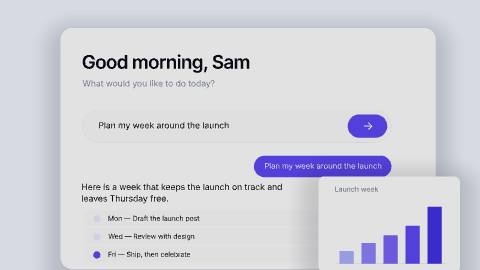
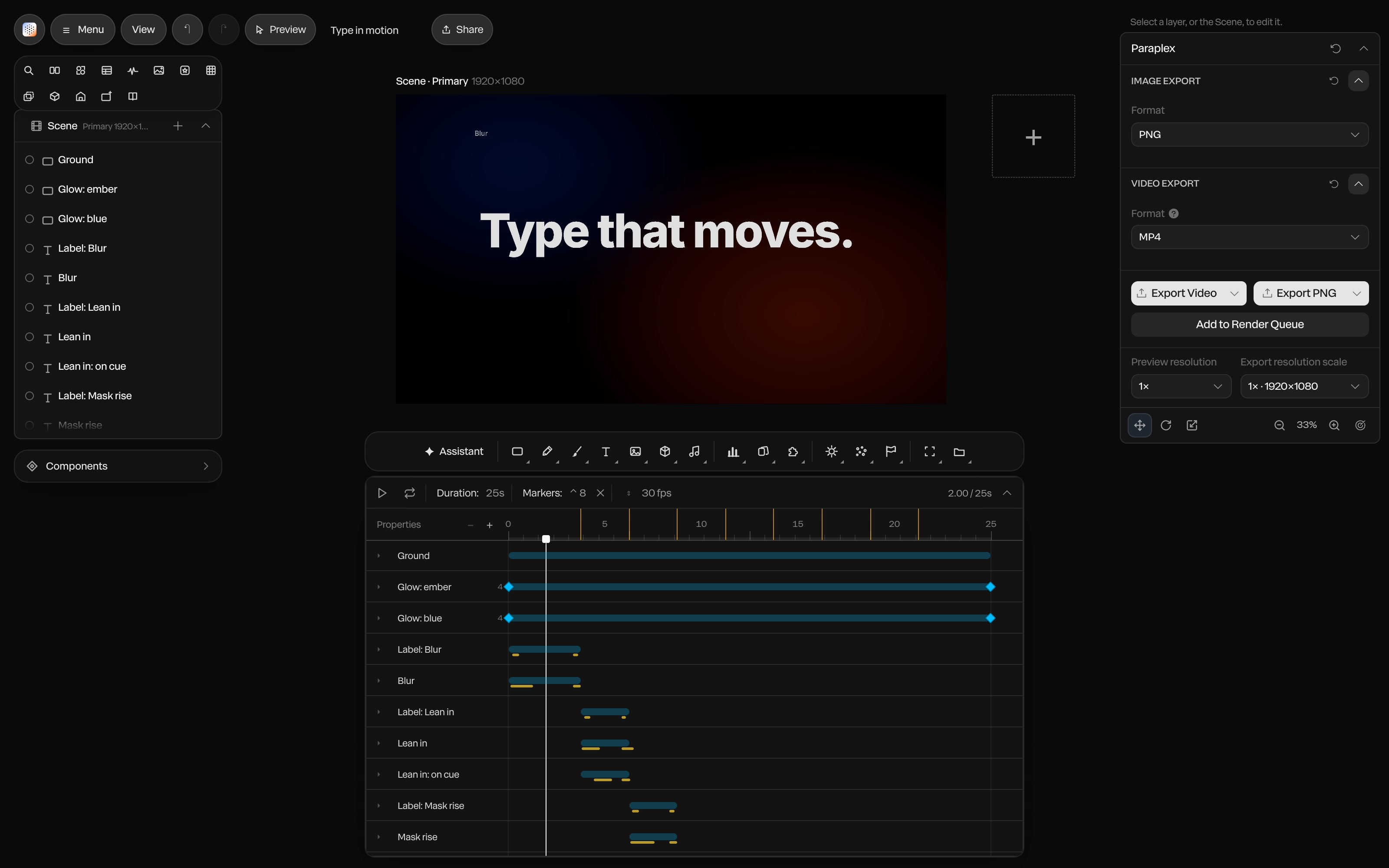
It all happens in the assistant, beside the piece you're working on: attach what you have, say what to keep, and review what it built.
Attach
Click + beside the assistant's message box and pick Reference image… or Reference video…: a photo, a screenshot, a still or a clip. Brand kits and design tokens attach the same way.
Ask
“Rebuild this in our brand, same timing,” or just the title move. Each picture's main colors and shape are measured as it attaches, so the build starts from them.
Rebuild
Shapes, type, materials, keyframes and camera moves, made with the same tools you use. What can't be rebuilt, like a product photo or a logo, is lifted in as a picture.
Check
The assistant puts its frame beside the reference or over it, shows you the comparison and fixes the biggest differences. Apply keeps it, Discard drops it.
Most tools that copy motion from a video generate a new clip: you can run it again, but you can't open it. Paraplex's assistant rebuilds the reference instead. A video is read as a storyboard of evenly spaced frames, each labeled with its time, so the rebuild follows the reference's timing, and what comes back is ordinary layers, keyframes, materials and camera moves on your timeline.
Some things shouldn't be rebuilt: a product photo, a logo, a person. Those are lifted into the scene as a picture, on a card's face, on a device screen or as a layer of their own, with the background removed if you ask. The assistant can also read exact colors from any point or area of a reference, so the glass, the backdrop and the type match.
References stay with the chat, up to 16 of them as chips above the message box, so a follow-up like “closer to the reference” still uses them. How the assistant works, turn by turn: AI assistant.
Send two or more pictures as storyboard frames, each at a time you set. They're 2 seconds apart by default, and moving one frame's time on its chip moves the frames after it. The assistant builds the first frame and animates toward the rest.
It reads the change between frames the way an animator would. What carries over moves, what's new enters, what's gone leaves, a change of viewpoint becomes a camera move and a different shot becomes a cut. The piece runs one beat past the last frame, and every move is a keyframe you can retime.
Starting from words instead of pictures? Text to animation.
For a bigger piece, switch on Director under the assistant's message box. The assistant writes a plan and a storyboard of stills for you to approve, and it won't build anything until you choose: Build it, Change the look, Change the pacing or Start over.
Choose Build it and it builds the piece section by section, checking each section as it goes. Nothing it makes stays until you press Apply, and one undo takes back a whole applied turn.
Why every build is layers you can edit: AI motion design.
Sometimes a picture should simply move. Animate a picture with AI turns a still, the frame at the playhead or a PNG, JPEG or WebP file, into a 5 or 10 second clip that moves the way you describe, at Draft, Standard, Best 720p or Best 1080p.
Give it a last frame too, your scene's frame at the end of the clip or another picture, and an AI video model generates the motion between the two. With two or more pictures attached, the assistant can make the same kind of clip with AI video from first to last.
Either way the clip lands as a video layer from the playhead, to place, frame and time like any other. It's a video, not editable layers: for a scene you can edit, send the pictures as storyboard frames instead. To restyle a finished scene with an AI video model, use Render with AI.
Start from a template, attach a reference and ask the assistant to move it toward your product photo, your colors or the timing of a clip you like.
Showing is faster than describing. These are the jobs where a reference does the most work.
Use case
Attach a teaser you like and your product photo, and the assistant rebuilds the pacing in your brand, with the product lifted in as a picture.
Templates: Product launch, App launch, Kiln promo
Use case
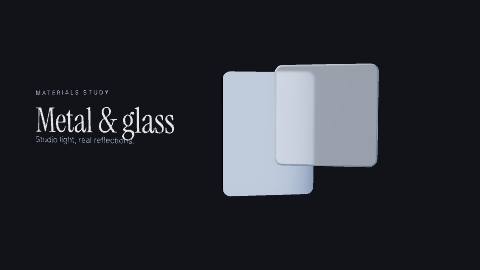
Screenshot a hero you admire and ask for the same layout and motion in your colors, then export a loop or publish a live embed.
Templates: Chrome & glass hero, Liquid metal hero, Bento hero
Use case
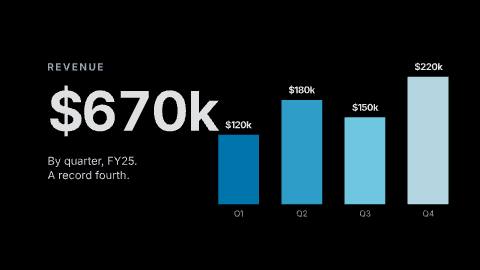
Send a slide or a chart from a report as a reference, and the assistant rebuilds its layout and colors as layers you can animate.
Templates: Chart drop, Stat drop, The AI ROI gap

Use case
Send a few stills as storyboard frames at the times you want and get a vertical piece that moves between them, ready for captions and a voice.
Templates: Match-cut stack, Kinetic stomp, Louder
Up to 16 references per chat, kept as chips
Storyboard frames, 2 seconds apart by default
MP4 or WebM, free at 1080p with no watermark
Each reference's shape measured, such as 16:9 or 4:5
Up to six main colors measured from each picture
Rebuilt as ordinary layers and keyframes
Compares its frame with the reference before you Apply
AI video from a first frame to a last, when you want a clip
Reference to animation means building an animation from something you can show rather than describe: a video, a screenshot, a photo or a set of storyboard frames. In Paraplex you attach the reference in the AI assistant, and it rebuilds what it sees as real layers, keyframes, materials and camera moves in a 3D scene, then compares its frame with the reference before you Apply.
Open a piece in Paraplex, click the + beside the assistant's message box and choose Reference video…. Say what to keep, such as “rebuild this in our brand, same layout, same timing”, and send. The assistant reads the video as evenly spaced, time-labeled frames, rebuilds it as layers that follow the reference's timing and shows you the comparison. Press Apply to keep it, or ask for changes in the same chat.
No. Video-to-video and motion copy tools generate a new clip, so changing one detail means generating it again. Paraplex rebuilds the reference as a scene of ordinary layers and keyframes, so you change a word, a color or a camera move directly. When you do want a generated clip, Animate a picture with AI and Render with AI make one as a video layer.
Yes. Send two or more pictures to the assistant as storyboard frames, each at a time you set, 2 seconds apart by default. It builds the first frame and animates toward the rest: what carries over moves, new elements enter, missing ones leave, a change of viewpoint becomes a camera move and a different shot becomes a cut.
Director mode is a switch under the assistant's message box for bigger pieces. The assistant writes a plan and a storyboard of stills for you to approve, and builds nothing until you choose Build it, Change the look, Change the pacing or Start over. Then it builds the piece section by section and checks each section as it goes.
Yes. Things the assistant shouldn't rebuild, such as a product photo, a logo or a person, are lifted into the scene as a picture: on a card's face, on a device screen or as a layer of their own. Ask and the background is removed, so the cut-out lands as a see-through layer.
Yes. Right-click a layer with a picture and choose Animate this picture with AI…, or open Render with AI and pick Animate a picture. It turns the still into a 5 or 10 second clip that moves the way you describe, optionally toward a last frame you choose, and the clip lands as a video layer. It's a video, not editable layers.
Up to 16 per chat. Each one you send stays as a chip above the message box, so follow-up requests like “closer to the reference” still use it, and its × removes it. As each picture is attached, up to six main colors and its shape, such as 16:9 or 4:5, are measured for the build.
Yes. Reference images and videos, storyboard frames and Director mode are part of the AI assistant on every plan, including Free. Assistant turns use your plan's AI credits, 100 a month on Free and 1,500 on Pro, or none with your own Anthropic API key. Free exports go up to 1080p at 30 fps with no watermark, and Pro adds 4K at 60 fps.
Attach a reference in the Paraplex assistant and get back a scene made of layers you can keep, change and export, all in your browser.
Paraplex is a browser-based 3D motion design studio with an AI assistant that edits real layers and keyframes.