

Use case
Website hero animations
A hero that answers the pointer: glass that leans toward it, chrome that turns under a drag, a headline that fades up as the page loads.
Templates: Liquid metal hero, Chrome & glass hero, Glass list hero
Interactions make any layer in a Paraplex scene answer the person on your page: lift on hover, reveal as it scrolls into view, open a menu on a click, turn under a drag. Pick a trigger or a ready-made one, try it on a real web page in Preview, then put it on your site with two lines.
Free to start, no watermark. Unlimited interactive embeds on Pro.












Interactions live in every scene: choose a layer, choose what sets it off, try it the way a visitor will, then put it on your site.
Pick
Right-click any layer, in Layers or on the canvas, and choose Make interactive, or open its Interactions section, just below Layout.
Trigger
Page load, Scroll into view, While scrolling, Mouse move, Hover, Click or Drag, or a ready-made one such as Fade up on scroll or Lift on hover.
Preview
Preview plays the piece on a real page at desktop, tablet or phone width, so hovers, clicks and scroll reveals behave the way they will for a visitor.
Ship
Publish embed gives you two lines to paste into Webflow, Framer, WordPress or any HTML. Your timeline and video exports stay as they were.
Fade up on scroll, Blur in on scroll, Fade in on load, Float, Pulse, Lift on hover, Press, Parallax, Fade as it leaves, Tilt toward pointer, Drift from pointer, Draggable and Spin to look come ready-made, one click from any layer.
Or build your own: choose what sets it off and what it animates, with its own duration, easing and delay. It plays once, loops, or loops back and forth, and a layer can carry several interactions, each a card in its Interactions section.
The bento beside this text is live: the whole board tilts toward your pointer as one piece, with a soft delay that reads as weight. It's one of the Live sections you can paste into your own site or remix in Paraplex.
A hover or a click blends any number or color setting to a new look, layer-effect dials included, then goes back the same way or with timing of its own. A click can hold while pressed, or toggle on a second click.
One interaction can animate the layer, its children in turn, or other layers you pick from the scene, staggered from the first, the last or the middle. So hovering a card lifts its parts one by one, and a button's click opens a menu. Steps play up to eight further looks in turn and run backward on the way out.
A click can also go to a time, play a range of the timeline, play or pause, open a link, or take the viewer to a hotspot. For pieces that move between states, such as an idle, a press and a hold, see interactive 3D embeds.
Scroll into view plays when the scene reaches the moment you choose: it starts entering, is fully visible, reaches the middle, starts leaving or has left, each with an offset. It replays every time or just once, and can animate out again as the scene leaves.
While scrolling ties a layer to the scrollbar between two scroll moments, with smoothing so it glides after the scroll, and Parallax and Fade as it leaves come ready-made. Or set the scene's Web embed to start with the scroll position, and the whole timeline plays forward and back as the page moves.
That's how Coin count works, beside this text: scroll down and a hundred coins fall into three stacks, scroll back up and they rise.
Drag moves a layer freely, along an axis or on its plane, or turns it with a drag that coasts to rest. Mouse move follows the pointer across the whole scene or over one layer, so a card tilts under the cursor and settles when the pointer leaves.
Visitors can move the camera too: Orbit, Look around, Walk or Fixed, with an orbit held within 15, 30 or 45 degrees so the view can't turn away from the piece. Fixed in frame keeps a layer where it is on screen while they orbit, and a particle cloud can answer the pointer with Pointer field.
The holographic stickers beside this turn 15 degrees under a drag, and a corner peels when you pull it.
Preview opens your piece on a web page inside the editor: the real embed player in a browser window you can scroll, at desktop, tablet or phone width, or desktop and phone side by side, on a light or a dark page. Hovers, clicks, drags and scroll reveals play as they will for a visitor, and a dashed line marks each scroll moment.
Your design stays the resting look, so the timeline and every video export are unchanged. When it's right, Publish embed gives you two lines to paste into Webflow, Framer, WordPress or your own HTML, and every interactive layer gets a keyboard stand-in, so Tab and Enter reach it.
More on interactive 3D embeds, Paraplex in Webflow, and what an embed costs a page on the embed benchmark.
Each one is a real 3D scene made for the top of a page. Open it, right-click a layer and choose Make interactive.
A piece that answers the pointer earns a second look, so put it where people decide whether to keep reading.
Use case
A hero that answers the pointer: glass that leans toward it, chrome that turns under a drag, a headline that fades up as the page loads.
Templates: Liquid metal hero, Chrome & glass hero, Glass list hero
Feature
Publish a scene with its interactions as a live embed: two lines of HTML, its still at once, the player as visitors scroll near.
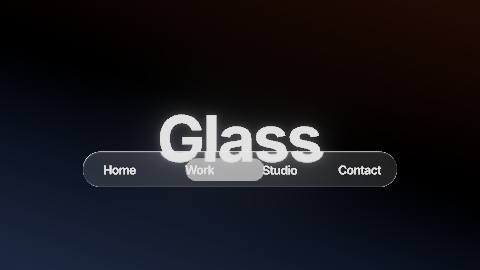
Templates: Chrome & glass hero, Liquid glass nav, Glass cards

Integration
Paste the embed into an Embed element, and let your CMS fill its slots.
Templates: Glass list hero, Bento hero, Liquid metal hero

Who it's for
Set interactions by eye, try them on a real page in Preview, and hand the site two lines instead of a spec.
Templates: Glass type, The Drift liquid glass, Chrome & glass hero
Page load, scroll, mouse move, hover, click and drag
Ready-made scroll reveals, parallax and tilt
Staggered from the first, last or middle layer
Up to eight steps, played backward on the way out
Five scroll moments, each with an offset
Desktop, tablet and phone widths in Preview
Tab and Enter reach every interactive layer
Your timeline and video exports unchanged
Website interactions are animations that answer what a visitor does: the page loading, a section scrolling into view, the pointer moving or hovering, a click or a drag. In Paraplex any layer of a scene can carry them, and they play wherever the scene plays live: in Preview, in share links and in embeds on your own site.
Make the piece in Paraplex, right-click a layer (in Layers or on the canvas) and choose Make interactive, or open its Interactions section, near the top below Layout. Pick what sets it off, from Page load to Drag, or a ready-made interaction, and set its duration, easing and delay. Try it in Preview, then Publish embed gives you two lines of HTML to paste into your site. You don't write any code.
Fade up on scroll, Blur in on scroll, Fade in on load, Float, Pulse, Lift on hover, Press, Parallax, Fade as it leaves, Tilt toward pointer, Drift from pointer, Draggable and Spin to look. Start from one of them, or build your own from any trigger: Page load, Scroll into view, While scrolling, Mouse move, Hover, Click or Drag.
Scroll into view plays an animation when the scene reaches a scroll moment you choose (starts entering, fully visible, reaches the middle, starts leaving or has left), each with an offset, and replays every time or just once. While scrolling ties a layer to the scrollbar between two scroll moments, with smoothing so it glides. And the scene's Web embed setting can let the scroll position drive the whole timeline, forward and back.
A hover or a click blends any number or color setting of a layer to a new look, layer-effect dials included, and can animate the layer, its children in turn or other layers. A click can hold while pressed or toggle, and it can also go to a time, play a range of the timeline, play or pause, open a link, or take the viewer to a hotspot. Every interactive layer gets a keyboard stand-in, so Tab and Enter reach it too.
No. Page and scroll triggers animate from or to a state, a few of the layer's settings at other values, and your design stays the resting look. The timeline and every export stay as they were, so one scene can be both a video and a live piece on your site.
Preview opens the piece on a web page inside the editor, using the real embed player, at desktop (1280), tablet (768) or phone (390) width, or desktop and phone side by side, on a light or a dark page. Hovers, clicks, drags and scroll reveals play as they will for a visitor, a dashed line marks each scroll moment, and Space replays it.
Yes. Publish embed gives you a two-line snippet that works on any site that accepts custom code: an Embed element in Webflow or Framer, a Custom HTML block in WordPress, or your own HTML. Copy for AI hands Claude Code or Cursor the snippet with steps for HTML, React, Next.js, Webflow and Framer.
The page loads a small script and shows the scene's still at once. The player loads only as a visitor scrolls within a window's height of it, fetches only the parts the scene uses, and draws only while it's on screen. Visitors who ask for less motion can get the first frame held, or only the still. The embed benchmark at app.paraplex.ai/benchmark publishes what an embed downloads and how soon it shows.
Yes. Interactions and Preview are on every plan, including Free, and Free exports go up to 1080p with no watermark. To put a piece live, Free includes 1 interactive embed and Pro includes unlimited interactive embeds.
Pick a layer, choose what sets it off and try it on a real page, all in your browser. Free to start.
Paraplex is a browser-based 3D motion design studio with an AI assistant that edits real layers and keyframes.