
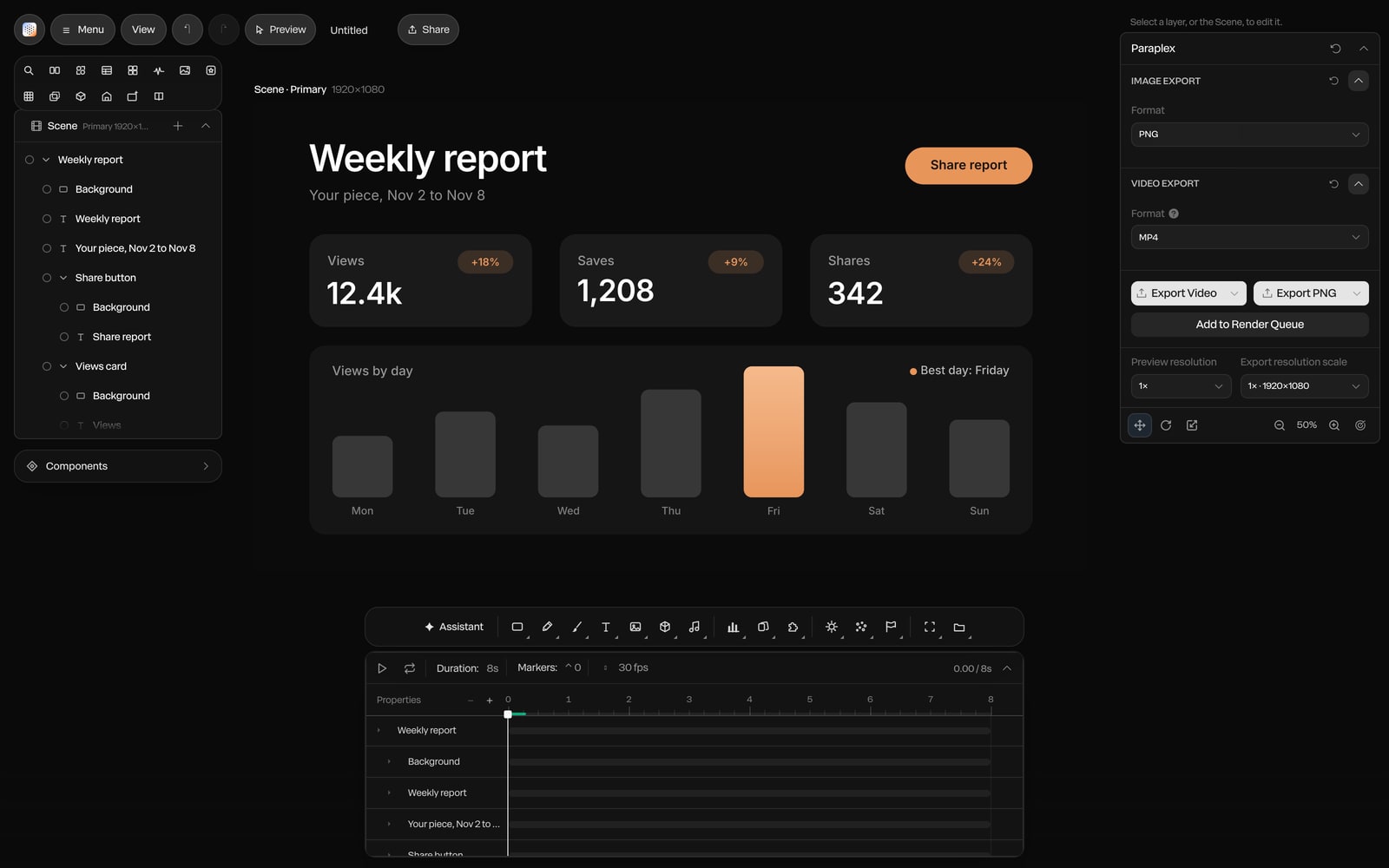
Concept render

Live code, inside the scene.
Paste HTML, a React component or a shadcn/ui component as a code layer. Inside an embed it runs live and responds to the pointer.
Paste a script of up to 50,000 characters, about 55 minutes read aloud, and Paraplex lays it out on the timeline: headings become chapters, paragraphs become beats. Then add a narrator, a score that builds with the picture, maps and globes, charts that draw themselves and archive looks, all in real 3D, in a piece that runs up to an hour.
Unlimited free 1080p exports. No watermark. Runs in your browser.









Open Menu › Script…, paste your script and Paraplex lays it out for you. A heading such as "# The crash", "Chapter 2", "Part One" or "Cold open", or a short line in capitals, starts a new chapter, and each paragraph becomes a beat. Anything in brackets, or after VISUAL:, B-ROLL: or ON SCREEN:, is kept as a note for what goes on screen rather than read aloud, and VO: and NARRATOR: labels are dropped.
Scripts run to 50,000 characters. Length is worked out at 150 words a minute, adjustable from 100 to 220, so you know how long the piece will run before a word is recorded. Chapters move earlier or later as one block, and with Ripple chapters on, stretching one pushes the rest along. A piece runs up to an hour, and the timeline reads as a clock with zoom that works around the playhead.
Want the assistant to build the beats for you? See the AI assistant.
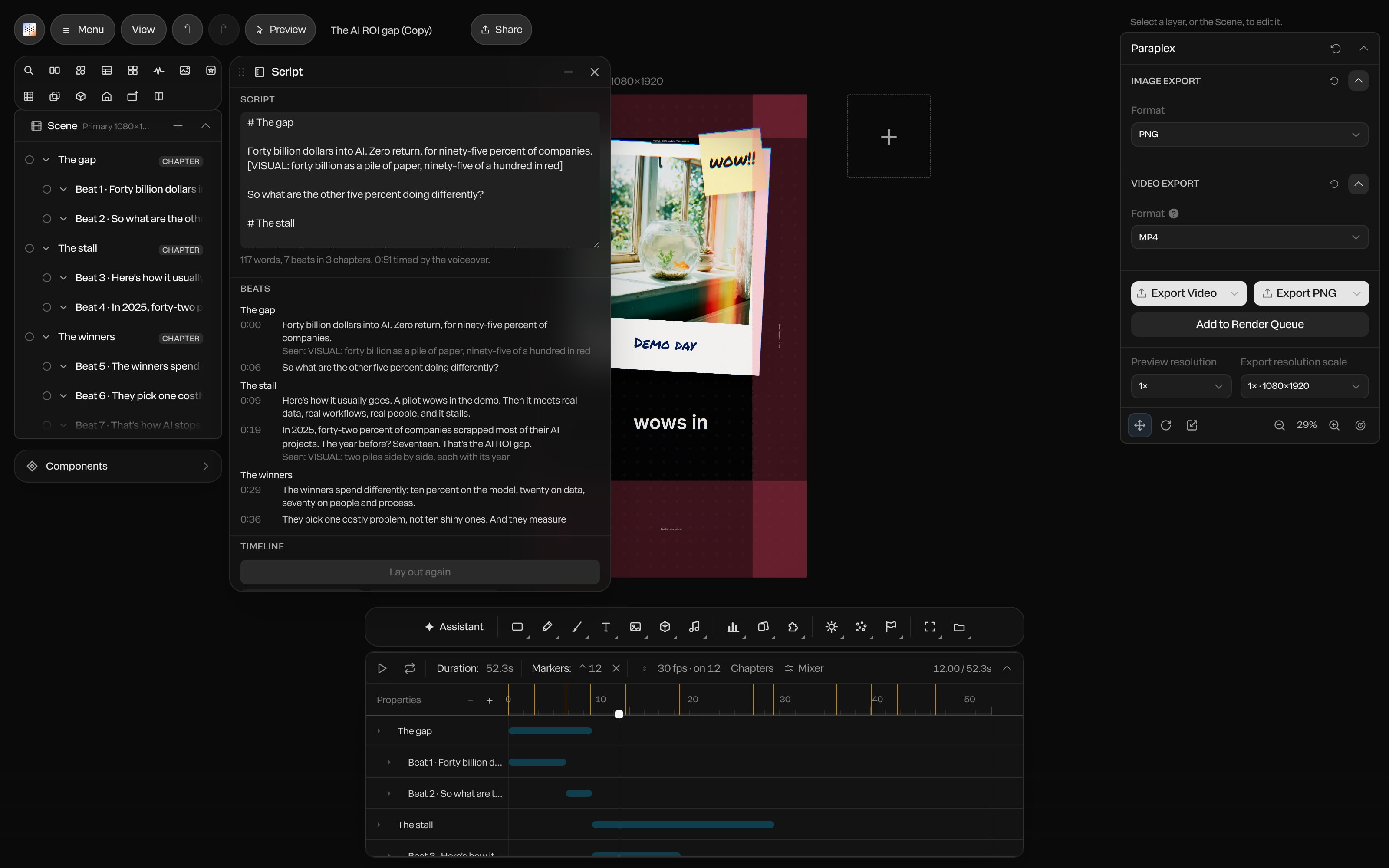
Screenshot · Script mode
Mark the places in your story on a 3D globe or a flat map, styled Night, Atlas or Archive: name a city, or type a name with a latitude and longitude. Give a scene one of five documentary looks, Archive film, Newsreel, Analog tape, Investigation or Cinematic 3D, in a single undo step; remove it and your earlier grade comes back.
Archive photos get a Push in, Pull out or Pan with Steady or Gentle easing, and Make 2.5D separates the subject from the background so the camera moves through the picture instead of across it. Ask the assistant and it pans an archive photo over the line the narrator dwells on.
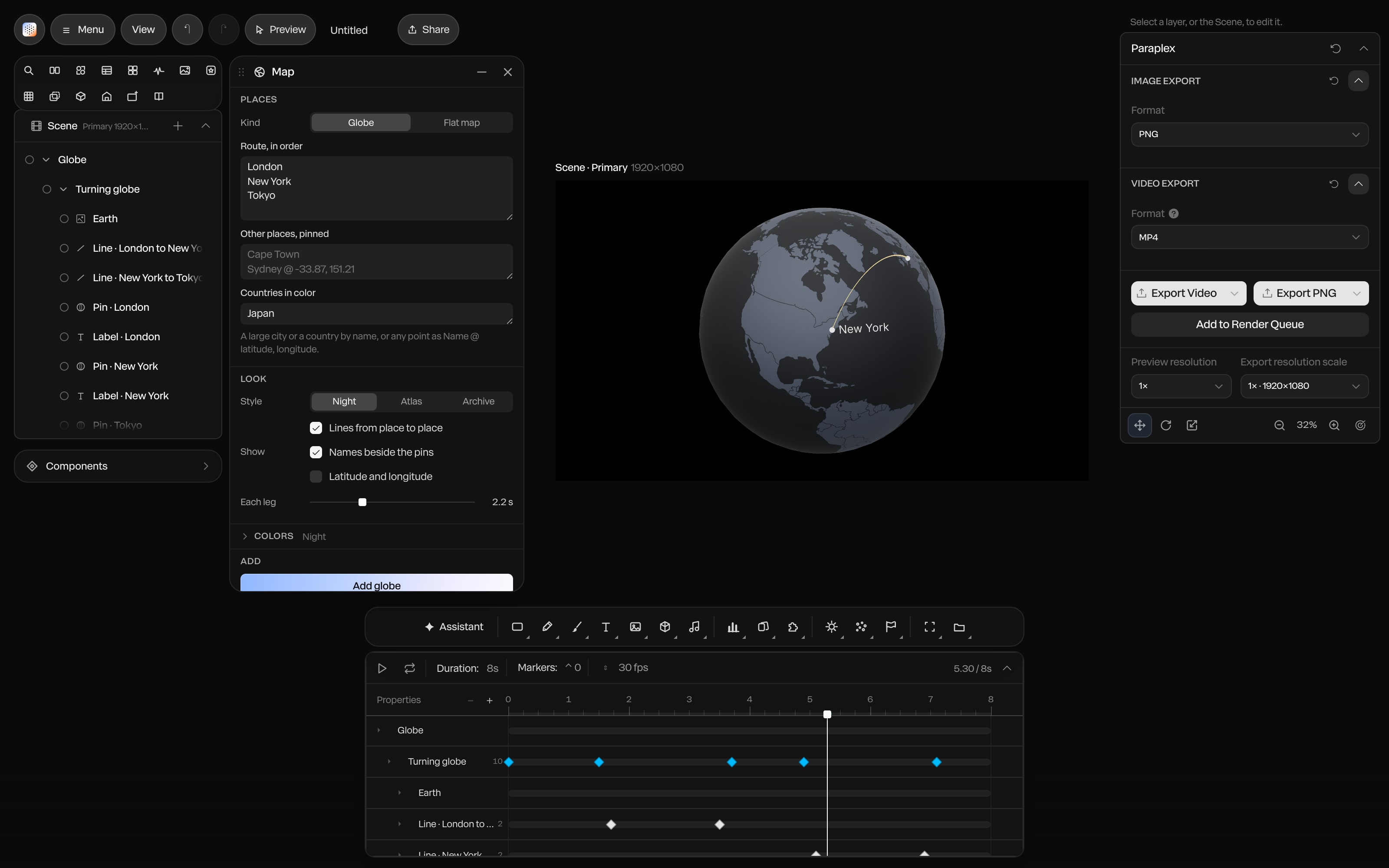
Screenshot · Maps and globes
Maps and globes · Night, Atlas or Archive
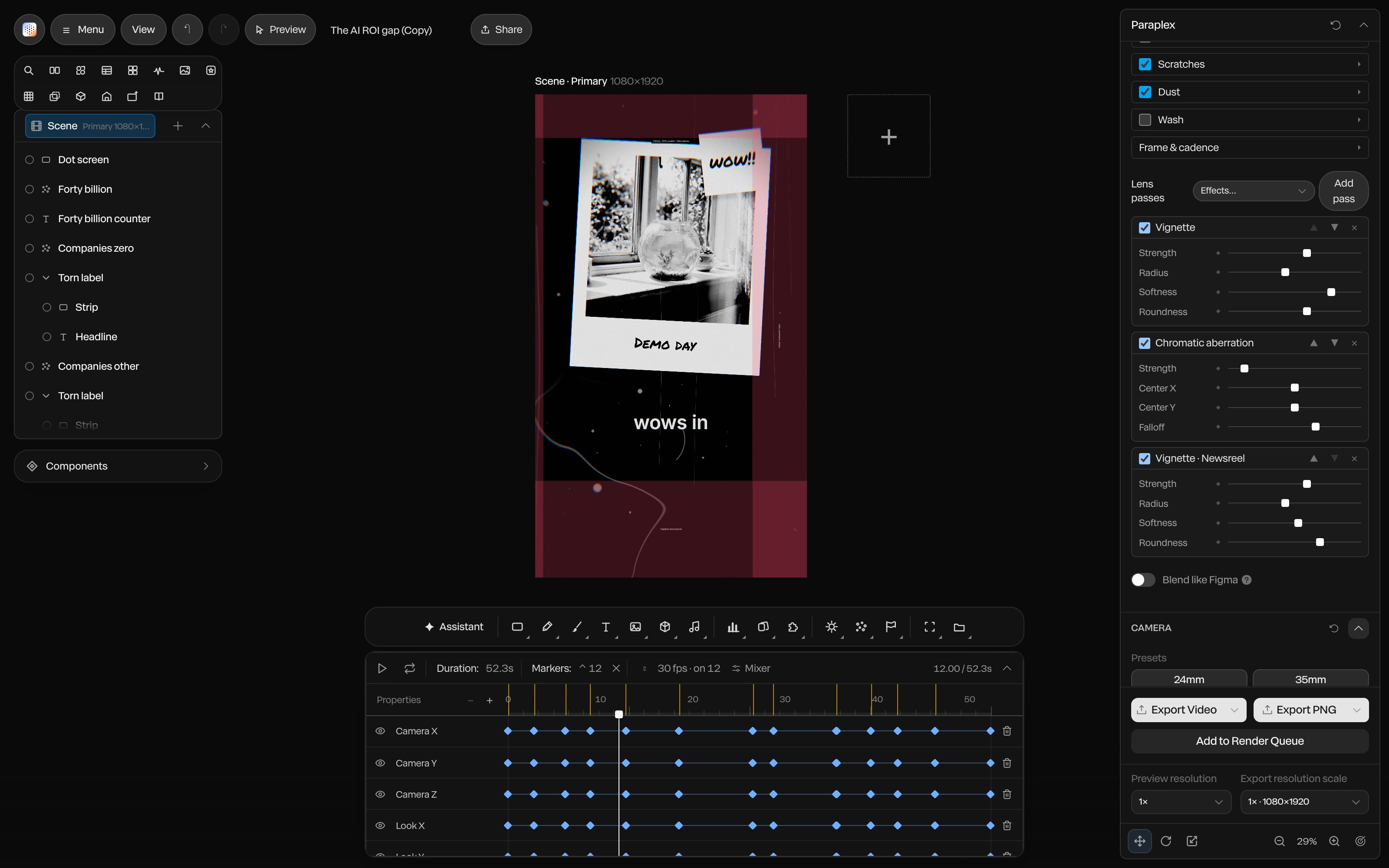
Screenshot · Looks
Documentary looks · five grades, one step

Screenshot · Photo pan and 2.5D
Photo pan · push into an archive photo in 2.5D
Pick a voice from a shelf of ten, set the pace anywhere from 0.7 to 1.2 times its normal speed, and Paraplex reads the whole script, up to 50,000 characters, in parts split at paragraph breaks. The Multilingual model speaks 29 languages, and Clean up tidies a recording of your own voice.
Captions arrive timed to every word, in Documentary, Subtitle, Spoken or Shorts style, and export as SRT or WebVTT for YouTube and other players. Without a key, voiceovers use your Paraplex AI credits; add your own ElevenLabs key and your cloned and saved voices appear, with no Paraplex credits spent. The key stays in your browser and is never saved in a project.
More on AI voiceovers.
Pick a mood, Uplifting, Cinematic, Minimal tech, Playful, Tense, Lo-fi or Corporate, and Paraplex writes instrumental music for the piece in parts of 3 seconds to 2 minutes, up to 10 minutes of score in all. Each part changes near the cut it was written for, so the music turns when the story does.
Under it, the built-in library holds more than 60 sounds, sound effects arrive from a sentence, and Detect beats marks the music so a title or a map pin can land on a hit. Mix it all on its own tracks, and export the sound alone as WAV, M4A or a zip of stems. The film playing here was scored in Paraplex.

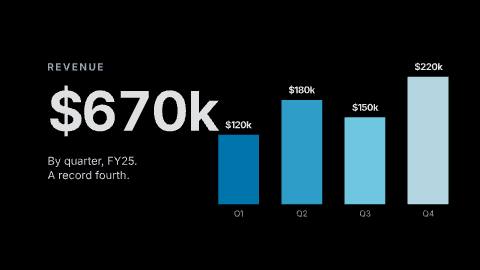
An explainer runs on evidence. Paste a CSV and Paraplex builds a bar, line, area, pie, donut, scatter, Gantt or timeline chart and animates it in, from up to 400 rows, reading "$1,200" and "45%" as numbers. Turn any figure into a counter, show a share as a unit chart people can count, or let a date counter mark the years going by, BC included.
Every bar, label and axis is its own layer in real 3D, so a chart takes the same light, materials and camera moves as the rest of the scene. The Chart drop template is playing here.
More on animated charts and data videos.
Highlight, underline, circle, box, strike through or redact words on a page, and each mark draws on as the narrator reaches it. The Newspaper and Typed memo frames come with call-outs already in place, so a clipping or a memo is ready to annotate.
Text counts through dates as well as numbers, in faces such as 1945, March 12, 1945 or 1945-03-12, and 18 scene transitions, from 0.2 to 4 seconds long, carry the story from one chapter to the next. Chapter titles can be 3D letters in chrome or glass, animated with any of 40+ text presets.
More on kinetic typography and 3D text.
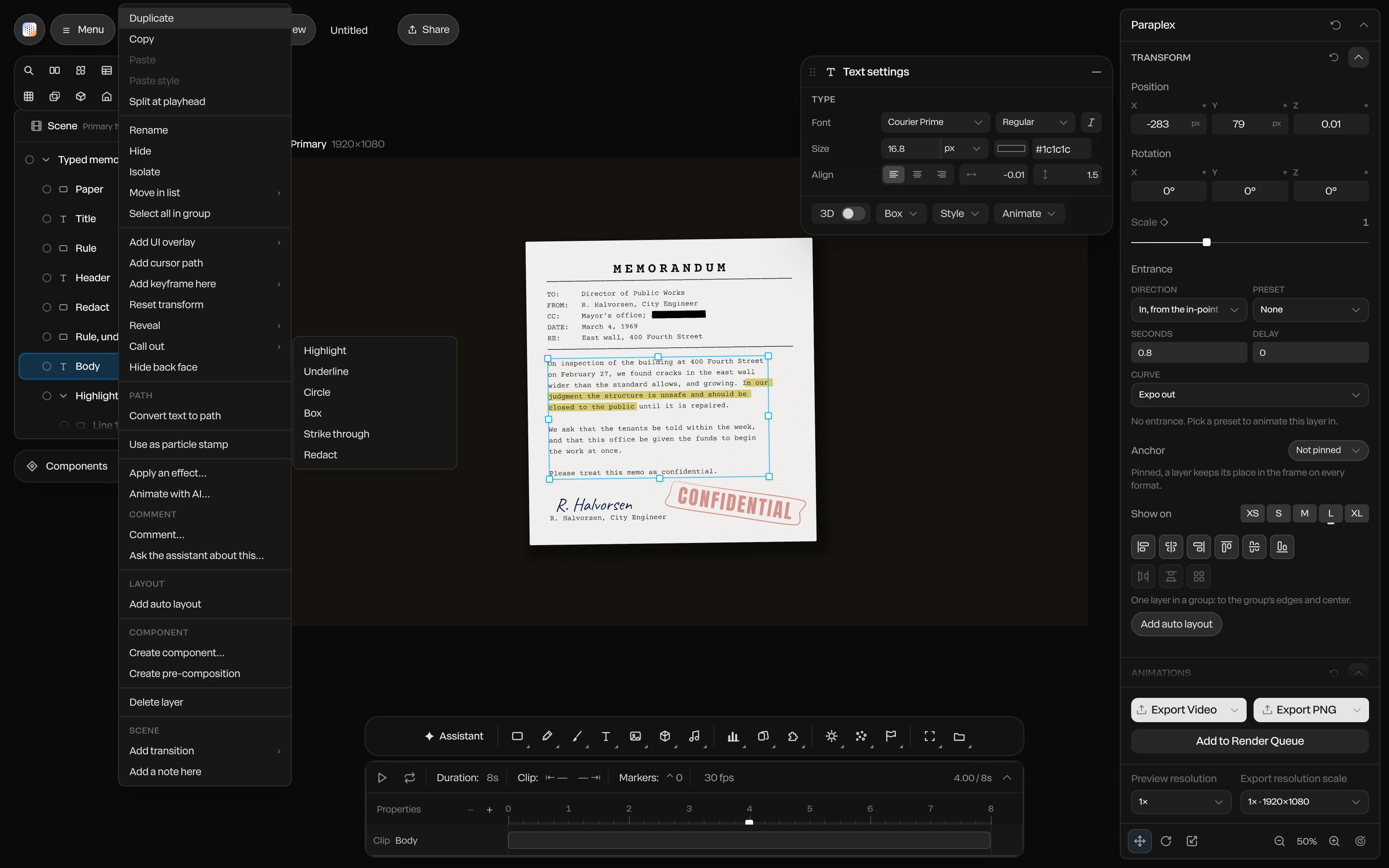
Screenshot · Call-outs
A series earns an audience when people recognize it in the first second. Keep your palette, text styles, materials, scene looks and motion tokens (easings, durations, staggers and recipes) in a design system and apply it to any template or video in one step. Restyle moves a finished scene onto a system without touching its layout, pictures, models or motion.
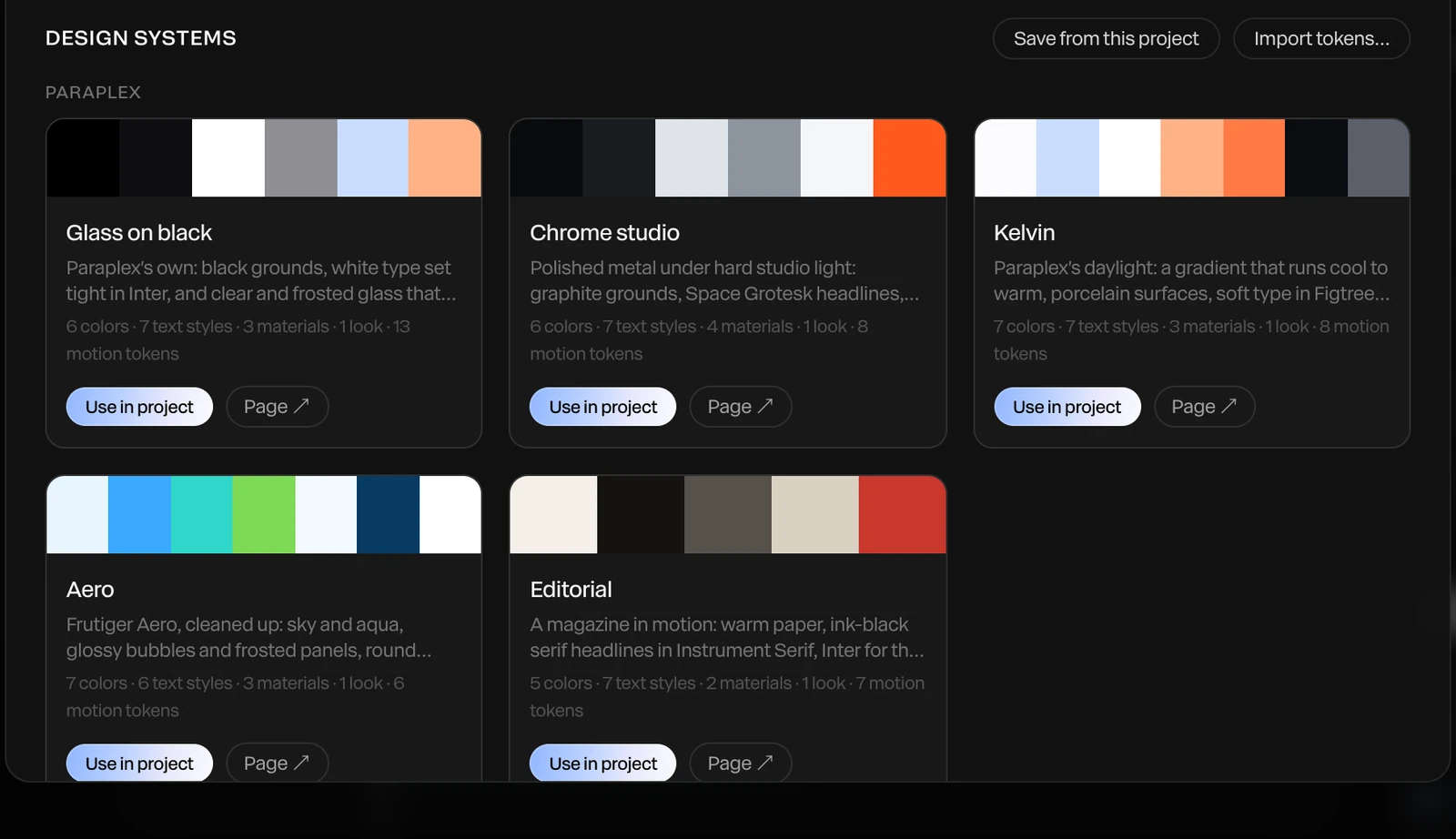
Start from one of five built-in systems, Glass on black, Chrome studio, Kelvin, Aero or Editorial, or import your own as W3C design tokens. Save your title card and end card as components so every episode opens and closes the same way, and export a brand kit, uploaded fonts included, as one file for the next project or the next editor.
More on design systems and reusable components.
Running a YouTube channel? Paraplex for creatives adds the Shorts, captions and automated posts that keep it fed.
Menu › Make clips from a video… cuts a long video into 3, 5, 8 or 12 vertical clips of 15–30, 30–60 or 60–90 seconds. Each arrives as its own editable 1080 × 1920 project, framed to Fit, Fill the frame or Follow faces, with Shorts, Documentary or Subtitle captions, and Render sends them all to the Render Queue. When the main cut needs a 16:9, 1:1 or 4:5 version too, add the shape as an artboard beside it.
More on social media videos and every aspect ratio.
Clips from one long video
3 to 12
vertical 1080 × 1920 projects, 15 to 90 seconds each
Each piece runs up to
1 hour
at 10 to 120 fps, rendered in parts and written straight to disk
Up to
4K at 60 fps
on Pro; free exports run to 1080p, no watermark
Make clips · a long talk made vertical
Vertical 9:16 · Shorts, Reels and TikTok
Portrait 4:5 · LinkedIn and X feeds
An explainer has to hold attention for minutes, not seconds, and a documentary for most of an hour. These are the parts of Paraplex built for that, beyond the sections above.
50,000
characters per script and per voiceover, about 55 minutes read aloud
10 min
of score per piece, written in parts of 3 seconds to 2 minutes
Chapters you can move, with Ripple chapters to push the rest along
Date counters that mark the years going by, BC included
Call-outs that draw on as the voice reads
Ten voices at 0.7 to 1.2 times their pace, or your own ElevenLabs voices
Seven score moods and more than 60 built-in sounds
Sound-only export as WAV, M4A or a zip of stems
MP4 and WebM with sound, for pieces up to an hour
Captions as SRT or WebVTT files
Free exports to 1080p with no watermark; 4K at 60 fps on Pro
The assistant builds beats from your script out of real layers, and shows each change for review before you keep it
Paste an SVG diagram, icon or logo straight onto the canvas
Attach a reference video and the assistant reads it as a storyboard to match its timing
Explainer, chart, title and section slide templates you open, retype and make your own
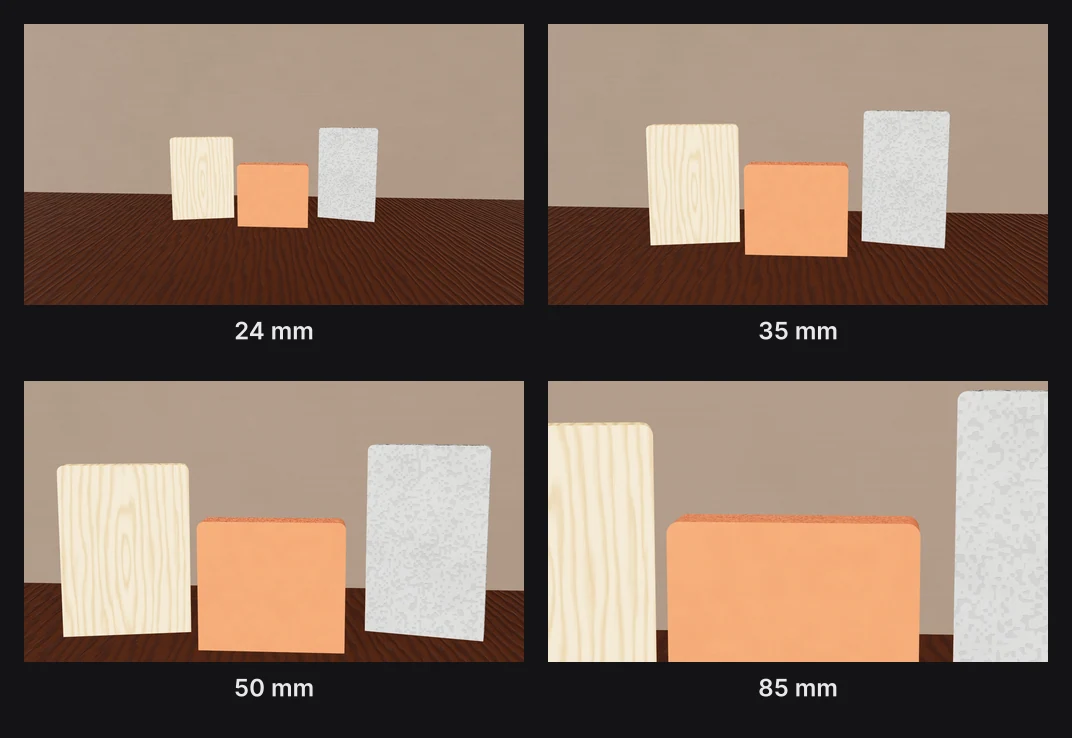
A 14 to 200 mm lens, with focus pulls you can keyframe
Studio lighting, HDRIs and reflective floors for every 3D scene
Generate a 3D model from a sentence to stand in for an object, a building or a place
3D chapter titles in chrome or glass that rebuild as you retype them
Each template opens with every layer, keyframe, light and camera move ready to edit.
Open Paraplex in your browser, choose Menu › Script… and paste your script. Headings become chapters and paragraphs become beats on the timeline. Add a voiceover and a score, build each beat with charts, maps, photos and 3D text, or start from a template such as Whiteboard explainer, then export an MP4. Every layer stays editable.
Yes. A piece can run up to an hour, scripts and voiceovers take up to 50,000 characters (about 55 minutes read aloud), and a score can run up to 10 minutes. Chapters, maps and globes, archive photo pans, call-outs and five documentary looks (Archive film, Newsreel, Analog tape, Investigation and Cinematic 3D) are built in.
Yes. Lessons, course modules and YouTube explainers work the same way: paste the lesson as a script, let chapters split it into sections, and show each idea with charts, timelines, diagrams, maps and date counters. Captions export as SRT or WebVTT, and the Multilingual voice model reads in 29 languages.
Up to 50,000 characters, about 55 minutes. Long scripts are read in parts at paragraph breaks. Choose from ten voices and four speech models, or add your own ElevenLabs key to use your cloned and saved voices without spending Paraplex AI credits.
Yes. Pick one of seven moods and Paraplex writes instrumental music for the piece, up to 10 minutes in parts of 3 seconds to 2 minutes. The score builds with the picture, changing near the cuts it was written for. Sound effects, the 60+ built-in sounds and your own audio sit on their own tracks beside it.
Save your colors, fonts, text styles, materials and motion in a design system and apply it to any template or video in one step. A brand kit exports the whole set, uploaded fonts included, as one file, so every episode and every editor starts from the same look.
Yes. Make clips from a video cuts a long video into 3, 5, 8 or 12 vertical clips of 15 to 90 seconds. Each is an editable 1080 × 1920 project with captions, framed to fit, fill the frame or follow faces.
Yes. The free plan includes the full editor, Script mode and 1080p exports with no watermark. AI voiceovers use Paraplex AI credits unless you add your own ElevenLabs key. Pro adds 4K at 60 fps and Studio render.
Start free in your browser. Upgrade when your work needs 4K.
Paraplex is a browser-based 3D motion design studio with an AI assistant that edits real layers and keyframes.
| Paraplex | Screen Studio | Rotato | A Fiverr freelancer | |
|---|---|---|---|---|
| Runs on | The browser, nothing to install | macOS only | Mac app; web version in public beta | Not applicable |
| Starts from | Your screenshots, screen recordings, SVGs or live code | A recording of your screen | Your screens on 30+ 3D device models | Your brief |
| 3D | Full 3D scenes: devices, glass, chrome, lights, camera moves | Device-frame mockups | 3D device mockups | Depends on the freelancer |
| Cursor | Animated cursor with clicks, taps and drags; seven styles | Smoothed, restyled cursor with click ripples and auto-zoom on clicks | Not listed | Depends on the freelancer |
| Exports | MP4, WebM (alpha on Pro), GIF, PNG, live embed; every aspect ratio from one scene | MP4, GIF | ProRes 4444, H.264 or HEVC up to 8K, PNG frames, web export | As agreed |
| Price | Free (1080p, no watermark); Pro from $19/mo billed yearly | $9/mo billed yearly, or $29 month to month | One-time purchase tiers | $40 to $350 per app promo, across 1,000+ gigs |
When to pick something else. If all you need is a polished recording of a real product session on a Mac, Screen Studio is the quicker tool; Paraplex's own Record screen adds automatic zooms in any browser and drops the recording straight into your scene. If you want a clickable tour that visitors step through themselves, interactive demo platforms such as Arcade, Storylane and Navattic are built for that. If you want one prompt to return a finished video with little editing, one-prompt tools such as Hera Launch, Motion.so and Pexo aim there. Paraplex is for launch pieces you direct shot by shot, in 3D.
CSS stand-in · LV-03a
CSS stand-in · LV-03b
CSS stand-in · LV-03c
Render needed · LG-00
Shot title
10 s loop · 16:9 · MP4, WebM and poster
Shot brief goes here.
When every new site starts from the same AI-built layout, they start to look alike. The hero is where yours can stand apart. Paraplex builds real 3D scenes lit like a studio, lets them answer the pointer and the scroll, and publishes them as a live embed you paste into any site, with every layer still yours to edit.
Interactions are set in the editor, tried in Preview the way a visitor would, and carried into the embed. Every interactive layer also gets a keyboard-focusable stand-in, so it can be reached with Tab and Enter.
Render needed · WH-02a
Hover
6 s loop · 16:9 with a center-safe 1:1 · Preview recording · MP4, WebM and poster
Chrome & glass hero in Preview. A cursor glides onto the glass card; it lifts and its rim brightens on a spring, then settles as the cursor leaves. Same set and framing in WH-02a to e.
Hover
Give a layer a hover state: its own properties change over a duration you set, springs included.
Render needed · WH-02b
Click
6 s loop · 16:9 with a center-safe 1:1 · Preview recording · MP4, WebM and poster
Same scene. The cursor clicks a hotspot and the camera glides to frame the chrome panel; a second click glides it back.
Click
A click can jump to a time, play a range, play or pause, open a link, or glide the camera to a hotspot.
Render needed · WH-02c
Drag
6 s loop · 16:9 with a center-safe 1:1 · Preview recording · MP4, WebM and poster
Same scene. The cursor drags the glass card along X and lets go; a fine white particle field scatters away from the pointer and drifts back.
Drag
Visitors can drag a layer along an axis, and particles can scatter away from the pointer.
Render needed · WH-02d
Scroll
6 s loop · 16:9 with a center-safe 1:1 · Preview recording · MP4, WebM and poster
Same scene inside a plain page. Scrolling down plays the chrome panel's turn forward; scrolling up plays it back.
Scroll
The visitor's scrolling drives the timeline, so the scene plays forward and back as the page moves.
Render needed · WH-02e
Camera
6 s loop · 16:9 with a center-safe 1:1 · Preview recording · MP4, WebM and poster
Same scene with Orbit on. The cursor drags and the camera circles the pair, so studio reflections slide across the glass and chrome.
Camera
Let visitors Orbit the scene, Look around it like a panorama, Walk through it with W A S D, or keep the camera Fixed.
The assistant can draft the scene, but nothing goes live until you've seen it, and every part of it stays yours to change. Each step below is a tool in the editor.
01
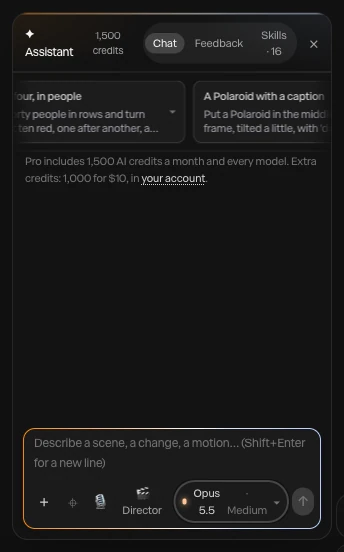
Type what you want, such as a chrome panel turning behind a frosted glass card, or attach a screenshot or video to build from. The AI motion design assistant builds it with the editor's own layers, keyframes, lights and camera moves, using 140 tools, and every turn is a preview you Apply or Discard.
Render needed · WH-03a
Describe it
6 to 8 s loop · 9:16 crop of a screen recording · MP4, WebM and poster
A one-line prompt for a website hero typed into the assistant; layers appear as the scene builds; Apply.
02
The assistant renders the piece at up to six moments and checks that everything is in frame and the type is readable. What it makes stays ordinary layers and keyframes: retime a move by hand, swap a material, or click layers with Point at it and ask for a change. Each applied turn undoes in one step.

Render needed · WH-03b
Change anything
6 to 8 s loop · 9:16 crop of a screen recording · MP4, WebM and poster
Point at it: two layers clicked on the canvas and a change requested, then one keyframe dragged by hand on the timeline.
03
Give layers hover and click states, let them be dragged, let scrolling drive the timeline, or build a state machine with an idle loop and a press. Then open Preview and try it the way a visitor will, with hover, click, drag and scroll all working.
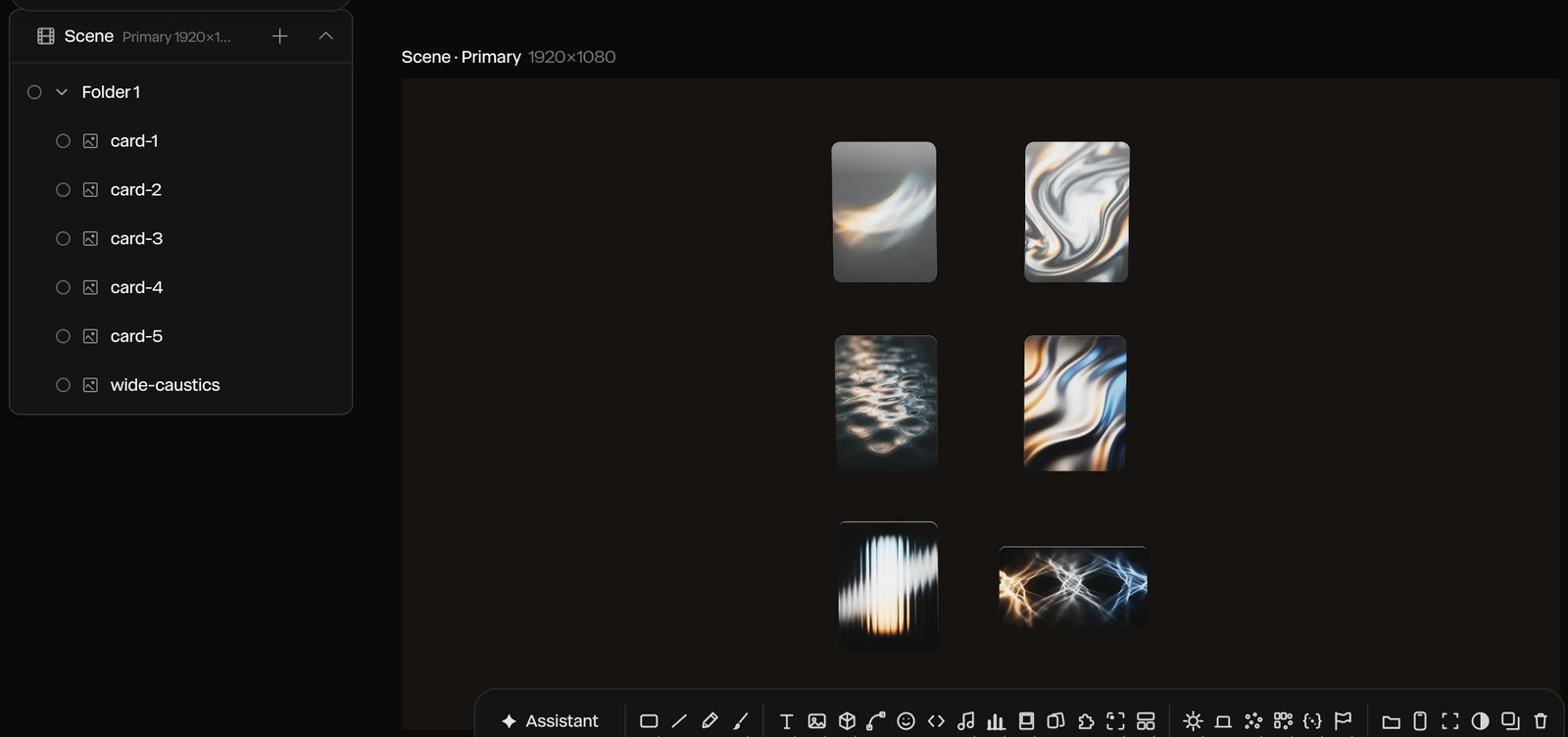
Render needed · WH-03c
Add interactions
6 to 8 s loop · 9:16 crop of a screen recording · MP4, WebM and poster
A hover state added to the glass card in the properties panel, then Preview: the cursor hovers, clicks and scrolls, and the scene answers each time.
04
Publish embed gives you a snippet that puts the live scene on any website, playing in real time. Paste it into your page, and breakpoints let the embed pick an artboard by page width, so one hero fits desktop and phone layouts.
Render needed · WH-03d
Publish and paste
6 to 8 s loop · 9:16 crop of a screen recording · MP4, WebM and poster
Publish embed, the snippet copied, then pasted into a site builder's embed element; the live hero appears on the page.
A Paraplex hero isn't a video file you host. It's the live scene, published once and placed with a snippet wherever your site builder takes custom code. Breakpoints pick the right artboard for each screen.

Webflow

Framer
Any HTML page
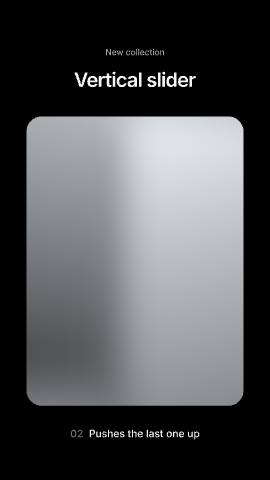
Render needed · WH-04a
Webflow, phone
6 to 8 s loop · 9:16 phone screen recording · MP4, WebM and poster
A published Webflow page whose hero is the Chrome & glass hero embed; the vertical artboard is picked by breakpoint and a thumb scroll plays the scene.
A Webflow page at phone width
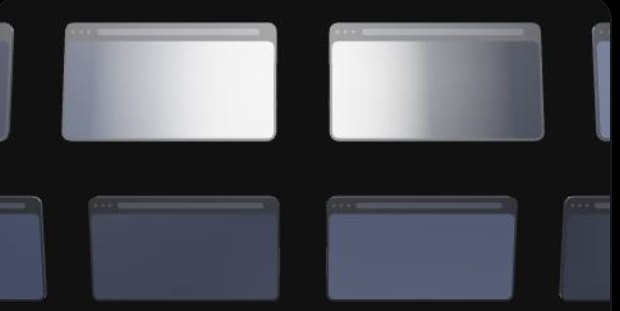
Render needed · WH-04b
Framer, phone
6 to 8 s loop · 9:16 phone screen recording · MP4, WebM and poster
The same embed in a published Framer site; a tap on the glass card plays its press state.
The same hero in a Framer site
Render needed · WH-04c
Plain HTML, phone
6 to 8 s loop · 9:16 phone screen recording · MP4, WebM and poster
The same embed pasted into a bare HTML page; a two-finger drag orbits the camera.
And in a plain HTML page
Publish embed gives you the snippet
Paste it where your site takes custom code: a Code Embed in Webflow, an Embed in Framer
Or into the HTML of any page
Breakpoints pick an artboard by page width
Responsive framing re-stacks blocks for each shape
Sizes in vw, vh and percent follow each artboard
Fill a headline, a number, a color or a picture by layer name
Switch Light and Dark themes live
Send inputs to a state machine, or pass scroll progress
Concept render
Live code, inside the scene.
Paste HTML, a React component or a shadcn/ui component as a code layer. Inside an embed it runs live and responds to the pointer.
Concept render

Lit like a studio.
Eleven environments, eight HDRI panoramas and a one-click 3-point setup, with soft shadows and real reflections.
Concept render

Every keyframe stays open.
Templates and the assistant build ordinary layers and keyframes you can retime by hand.
Concept render

Real glass and chrome.
Physical glass bends and frosts whatever sits behind it, with refraction and dispersion, and Liquid glass panes split the light at their rims.
Render needed · LG-00
Shot title
10 s loop · 16:9 · MP4, WebM and poster
Shot brief goes here.
A library of 26 effects works on the whole frame or on the logo alone, every dial keyframeable: glitch, RGB shift, chromatic aberration, VHS, datamosh, pixelate, ripple and dissolve among them. Text can Glitch in or Decode, flickering through random characters before it settles.
A Light sweep runs a bright band across chrome, Emit light makes the mark glow and light what's around it, and 18 scene transitions such as Flash frame, Glow in and Burn in open or close the sting. The Glitch title template is playing here.
Render needed · LA-02d
Fade, staggered
4 s loop · 16:9 · MP4, WebM and poster
Same set. A mark built from four chrome parts fades in part by part with a stagger, then the wordmark fades up beneath it.
Fade with a stagger · part by part
Render needed · LA-02e
Tracking in
4 s loop · 9:16 · MP4, WebM and poster
Same set. The wordmark closes in from wide letter spacing to its set tracking as a Light sweep crosses the chrome symbol above it.
Tracking in · letters close from wide spacing

Render needed · LA-02f
Glitch in
4 s loop · 1:1 · MP4, WebM and poster
Same set. The wordmark Glitches in and holds, then exits the same way; keep the RGB split brief and small so the frame stays near-monochrome.
Glitch in · and out again as the exit
Render needed · PD-02a
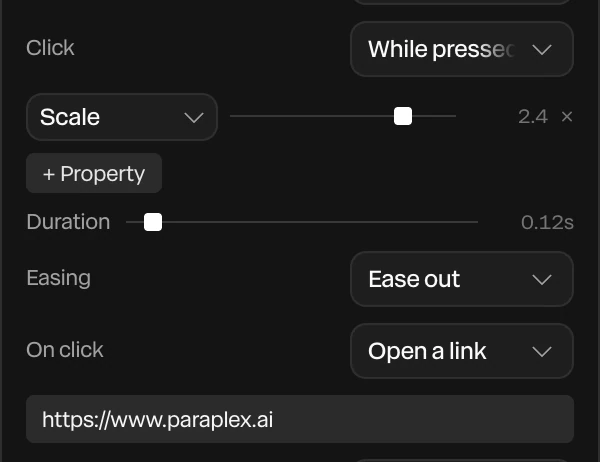
Click
4 s loop · 16:9 · MP4, WebM and poster
Shared set for PD-02a to c: a light-chrome browser frame with a neutral app screen on graphite, white softbox key. A macOS cursor glides in with a slight overshoot, dips and pulses on a button, which presses in; click sound on.
Render needed · PD-02b
Drag
4 s loop · 9:16 · MP4, WebM and poster
Same set at phone width. The hand cursor closes on a card, presses and drags it to a new column, then opens as it lets go; the other cards reflow.
Render needed · PD-04
Push in on each click
8 s loop · 16:9 · MP4, WebM and poster
A minimal browser frame on a graphite seamless. A macOS cursor clicks three controls in turn; on each click the camera Pushes in on a spring, holds, then Pulls back. Shallow depth of field keeps only the active step sharp. Graded near-monochrome.

Render needed · PD-05
Data variants for three prospects
8 s · 16:9 screen recording · MP4, WebM and poster
A spreadsheet with three invented companies (name, logo, one metric) is imported into a demo scene; Data variants shows the three versions side by side, then Export all variants starts. Invented brands only; dark editor UI.
Render needed · PD-06
Re-skin a demo in one step
6 to 8 s · 16:9 screen recording · MP4, WebM and poster
The Cursor tour template opens; a design system for an invented SaaS brand (palette, font, logo in Brand assets) is applied in one step, and the dashboard, caption chips and title re-skin while every keyframe stays put.

Render needed · DV-01
A data cloud from a spreadsheet
6 s loop · 1:1 · MP4, WebM and poster
A 600-row sample CSV bound to a particle cloud on a graphite seamless: white points stream in and settle into a slowly turning 3D scatter, sized by one column. One cluster takes a warm amber key; everything else stays white. "Sample data" in a corner.